





Introduction: The Quest for Ergonomic Productivity
In the demanding landscape of modern work, where prolonged computer interaction is the norm, the tools we use directly impact our productivity, comfort, and long-term health. Hand and wrist fatigue, even carpal tunnel syndrome, are increasingly common ailments for professionals. Logitech, a brand synonymous with computer peripherals, has long positioned its MX Master series as a pinnacle of productivity-focused input devices. The MX Master 3S is the latest iteration in this esteemed lineage, promising an elevated experience for the discerning user in the USA. Our objective in this review is to rigorously evaluate whether this premium mouse genuinely delivers on its promise of superior ergonomics and performance, thereby justifying its investment for those battling hand fatigue.
Product Overview: A Deeper Look at the MX Master 3S
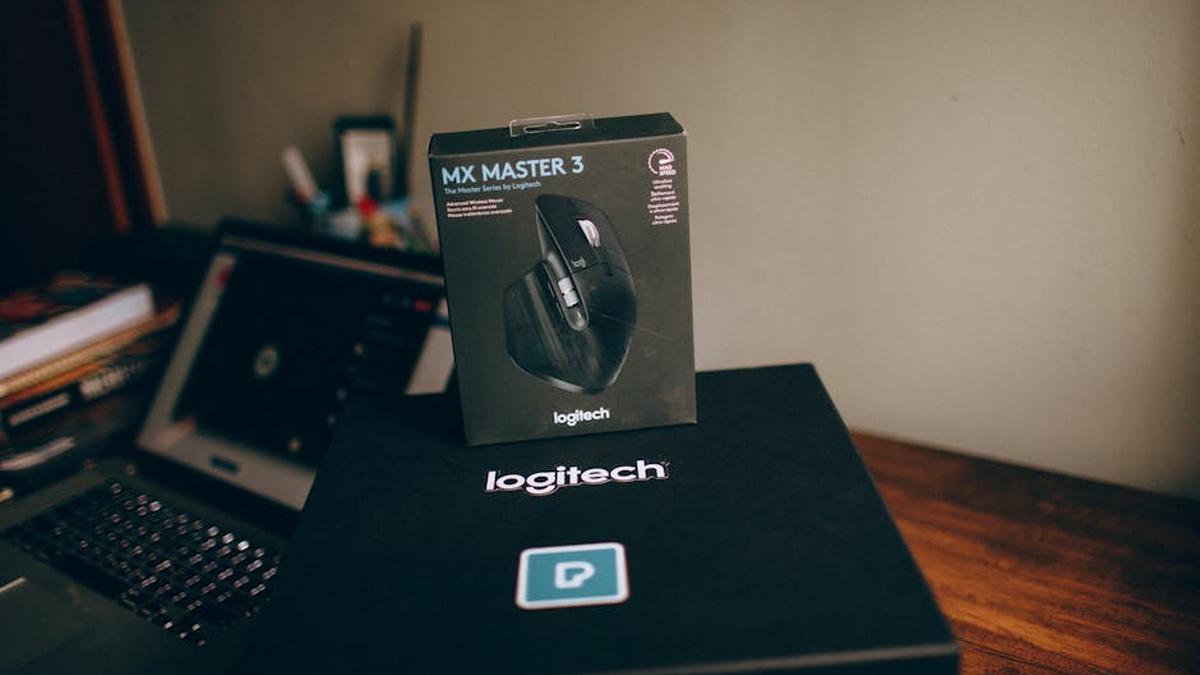
The Logitech MX Master 3S is engineered specifically for power users and professionals who demand precision, customization, and ergonomic comfort over extended periods. It’s not a gaming mouse; its priorities lie squarely in enhancing workflow, reducing strain, and providing an intuitive control experience across multiple devices and applications. Succeeding the highly regarded MX Master 3, the 3S refines an already excellent design with key upgrades aimed at creating an even more seamless and less fatiguing user experience.
Key Features: What Makes It Stand Out
- Ergonomic Design: Crafted with a distinctive, hand-sculpted silhouette that cradles the palm and thumb, promoting a natural wrist posture. Its angle and pronounced thumb rest are specifically designed to reduce strain during long work sessions.
- MagSpeed Electromagnetic Scrolling: A signature feature, this scroll wheel offers two distinct modes: an incredibly fast, silent free-spin mode that can scroll thousands of lines in seconds, and a precise, tactile ratchechet mode for detailed navigation. The transition between modes is nearly instantaneous and controlled by smart detection or a dedicated button.
- Darkfield High Precision Tracking (8000 DPI): Equipped with a sensor capable of tracking on virtually any surface, including glass (at least 4mm thick), with exceptional precision. The DPI can be adjusted up to 8000, offering fine-tuned control for high-resolution monitors or intricate design work.
- Quiet Clicks: A significant improvement over its predecessor, the MX Master 3S features 90% quieter click switches, making for a more serene work environment without compromising tactile feel.
- Logi Options+ Software: This powerful software unlocks the full potential of the MX Master 3S, allowing extensive customization of buttons, gestures, and application-specific profiles. It also enables Logi Flow, a feature that lets users seamlessly control multiple computers (even with different operating systems) by simply moving the cursor to the edge of the screen, and copy-pasting content between them.
- Long Battery Life & USB-C Fast Charging: A full charge delivers up to 70 days of use, and a quick 1-minute charge can provide 3 hours of power, ensuring minimal downtime. Charges via a convenient USB-C port.
- Versatile Connectivity: Connects via Bluetooth Low Energy or the included Logi Bolt USB receiver, offering robust and secure connections.
Pros and Cons: A Balanced Perspective
Pros
- Superior Ergonomics: Significantly reduces hand and wrist fatigue during extended use, living up to its design promise.
- Unrivaled Scrolling: The MagSpeed wheel is a game-changer for content creation and data analysis, blending speed and precision.
- Exceptional Tracking: Reliably works on almost any surface, a boon for dynamic workspaces.
- Quiet Operation: Much quieter clicks contribute to a more focused and less disruptive environment.
- Deep Customization: Logi Options+ empowers users to tailor the mouse exactly to their workflow.
- Multi-Device Control: Logi Flow is incredibly efficient for users with multiple computers.
- Premium Build Quality: Solid construction and quality materials project durability and refinement.
- Excellent Battery Life: Long usage times and rapid charging minimize concerns about power.
Cons
- Premium Price Tag: It’s an investment, potentially prohibitive for budget-conscious buyers.
- Right-Hand Only: A significant limitation for left-handed users, as there is no ambidextrous or left-handed version.
- Size and Weight: While contributing to comfort for many, its substantial size and weight may not suit users with very small hands or those seeking ultra-portable devices.
- Learning Curve: Fully leveraging all its features and customizable options can take some time.
- Not for Gaming: Its polling rate and design are optimized for productivity, not competitive gaming.
Who Should Buy the Logitech MX Master 3S?
The MX Master 3S is an ideal choice for a very specific demographic: Related: Poppin Stow 5-Piece Desk Organizer Review: Declutter Your USA Workspace for Peak Productivity
- Office Professionals & Power Users: Anyone spending 8+ hours daily on a computer, especially those involved in content creation, data analysis, programming, or graphic design.
- Individuals Experiencing Hand/Wrist Fatigue: If you find standard mice uncomfortable after prolonged use, the ergonomic design of the 3S could offer significant relief.
- Multi-Device Workflows: Users who frequently switch between two or three computers (even Mac and PC) will find Logi Flow indispensable.
- Demanding Creatives: The precision tracking, customizable buttons, and horizontal scroll wheel are highly advantageous for applications like CAD, video editing, or complex spreadsheets.
- Those Seeking a Premium Experience: If you value superior build quality, advanced features, and a seamless, refined user experience and are willing to invest in it.
Who Should Avoid the Logitech MX Master 3S?
While an excellent product for many, it’s not universally suitable: Related: Best Quick-Drying Gel Pens for Left-Handed Writers USA (2026)
- Left-Handed Users: The design is exclusively for right-handed use.
- Budget-Conscious Consumers: There are more affordable mice that offer basic functionality, albeit without the premium features and ergonomics.
- Hardcore Gamers: Gamers require specific features like ultra-high polling rates, low latency, and lightweight designs that the MX Master 3S does not prioritize.
- Travelers Prioritizing Portability: Its size and weight make it less ideal for frequent travel where minimal bulk is key.
- Users with Very Small Hands: The generous dimensions might be too large for comfortable grip for some individuals.
Pricing Insight: An Investment in Productivity and Comfort
The Logitech MX Master 3S positions itself firmly in the premium segment of the productivity mouse market. Its price point reflects the advanced sensor technology, the unique MagSpeed scroll wheel, the sophisticated ergonomic design, the quiet click switches, and the powerful Logi Options+ software suite. While it represents a significant upfront cost compared to entry-level mice, it should be viewed as an investment in long-term comfort, efficiency, and a reduction in potential health issues like hand fatigue or repetitive strain injury. For professionals whose livelihood depends on their computer interaction, the potential gains in productivity and the mitigation of discomfort often outweigh the initial expense. Related: Best Smart Desk Organizers for Maximizing Productivity in USA (2026)
Comparison with a Key Alternative: Logitech MX Vertical
When discussing solutions for hand fatigue, another prominent Logitech offering often comes to mind: the Logitech MX Vertical. Both aim to alleviate strain, but they achieve this through fundamentally different ergonomic approaches. Related: SimpleHouseware Mesh Desk Organizer Review (USA): The Best-Selling Solution for Clutter-Free American Workspaces?
- Ergonomic Philosophy:
- MX Master 3S: Focuses on a traditional mouse grip with a highly contoured, palm-cradling shape and a dedicated thumb rest to support the hand in a more natural, relaxed horizontal position.
- MX Vertical: Employs a unique 57-degree vertical angle, designed to place the hand in a “handshake” position, which significantly reduces wrist pronation (twisting) – a common contributor to carpal tunnel syndrome.
- Feature Set:
- MX Master 3S: Boasts the MagSpeed scroll wheel, horizontal scroll wheel, and an array of highly customizable buttons and gestures, making it exceptional for navigation and application-specific tasks.
- MX Vertical: Offers a standard scroll wheel and fewer customizable buttons. Its primary innovation is its vertical design and precise tracking, with less emphasis on the advanced scrolling features of the Master series.
- Learning Curve:
- MX Master 3S: The learning curve is minimal for its basic functions, though mastering all its customization options takes time. The physical grip feels familiar yet improved.
- MX Vertical: Requires a more significant adaptation period due to its unconventional vertical grip, which feels very different from a standard mouse.
- Who It’s For:
- MX Master 3S: Ideal for those seeking a highly featured productivity mouse that provides excellent general ergonomic comfort without veering too far from a traditional form factor.
- MX Vertical: Better suited for individuals specifically struggling with wrist pronation and who are willing to adapt to a completely different mouse grip for maximal wrist health benefits.
Ultimately, the choice between the MX Master 3S and MX Vertical depends on the specific nature of one’s hand/wrist discomfort and preference for form factor. The 3S offers a more traditional yet ergonomically refined experience with superior feature richness, while the Vertical tackles wrist pronation head-on with a more radical design. Related: Rocketbook Core Review: My Honest Take on This Reusable Smart Notebook for USA Productivity
Final Verdict: A Benchmark for Productivity Mice
The Logitech MX Master 3S unequivocally earns its position as a top-tier productivity mouse for the American market. It is a meticulously crafted tool that addresses the critical needs of modern professionals: comfort, precision, and efficiency. For those grappling with hand fatigue or seeking to proactively prevent it, the ergonomic design, combined with the groundbreaking MagSpeed scrolling and deep customization through Logi Options+, makes it a compelling, if premium, investment.
While its price point and right-hand-only design are considerations, for the target user – a professional spending significant time at their computer, demanding the best in terms of performance and comfort – the MX Master 3S delivers exceptional value. It’s more than just a mouse; it’s an integral component of an optimized workstation, designed to enhance workflow and safeguard long-term user well-being.
If you prioritize an unparalleled, comfortable, and highly efficient computing experience and view your tools as an investment in your productivity and health, the Logitech MX Master 3S is a highly recommended acquisition.
Check Price and Availability for the Logitech MX Master 3S on Amazon