





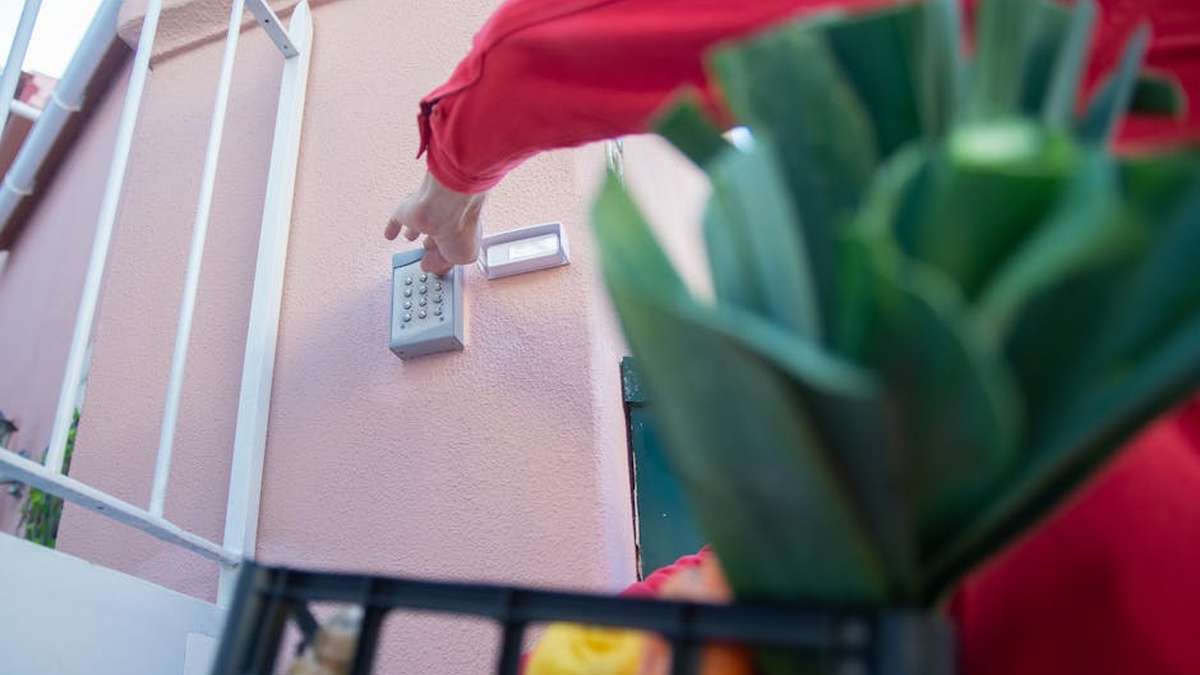
Introduction: Elevating Home Security and Convenience with Smart Locks
The landscape of home security continues to evolve, with smart door locks leading the charge in integrating advanced technology with everyday convenience. For homeowners in the USA, 2026 brings an array of sophisticated options that promise not only robust protection but also seamless keyless entry, remote management, and smart home ecosystem integration. This professional buyer’s guide delves into some of the most popular and highly-regarded smart door locks currently available, offering a detailed look at their features, benefits, and potential drawbacks. Whether you prioritize cutting-edge biometric access, extensive smart home compatibility, or simple remote control, understanding the nuances of these devices is crucial for making an informed decision that suits your security needs and lifestyle.
Smart Door Lock Comparison Table
| Product | Key Features Highlight | Entry Methods | Installation | Connectivity | Price Range | Best For |
|---|---|---|---|---|---|---|
| Yale Assure Lock 2 | Sleek design, multiple configurations (keypad/touchscreen), Matter compatible. | Keypad, Touchscreen, App, Key (select models) | Full deadbolt replacement | Bluetooth, Wi-Fi (with module), Z-Wave, Zigbee, Matter | $150 – $270 | Modern homes seeking versatile connectivity and aesthetic appeal. |
| August Smart Lock Pro / Wi-Fi | Retains existing exterior deadbolt, Auto-Unlock feature, DoorSense. | App, Key (existing), Voice | Interior deadbolt replacement (retrofits) | Bluetooth, Wi-Fi (Wi-Fi model, or with Connect Bridge) | $180 – $250 | Renters or those wanting to keep their exterior lock/keys. |
| Schlage Encode Plus | Apple Home Key support, built-in Wi-Fi, durable construction. | Keypad, App, Key, Apple Home Key | Full deadbolt replacement | Wi-Fi, Bluetooth (for Home Key) | $250 – $300 | Apple ecosystem users prioritizing Home Key and robust security. |
| Kwikset Halo Touch Fingerprint | One-touch fingerprint access, built-in Wi-Fi, BHMA certified. | Fingerprint, App, Key | Full deadbolt replacement | Wi-Fi | $200 – $270 | Users prioritizing quick, secure biometric access without a hub. |
| Level Lock+ | Invisible design, uses existing lock hardware, HomeKit compatible. | App, Key, Apple Home Key | Interior deadbolt mechanism replacement | Bluetooth, Apple HomeKit | $250 – $330 | Design-conscious Apple users who value discreet technology. |
| Ultraloq U-Bolt Pro Wi-Fi | 6-in-1 keyless entry, dual security (front & back panels), built-in Wi-Fi. | Fingerprint, Keypad, App, Key, Shake-to-Open, Voice | Full deadbolt replacement | Wi-Fi | $200 – $280 | Families and small businesses needing multiple, flexible entry options. |
| Eufy Smart Lock Touch & Wi-Fi | Integrated fingerprint reader, Wi-Fi built-in, long battery life. | Fingerprint, Keypad, App, Key | Full deadbolt replacement | Wi-Fi, Bluetooth | $180 – $250 | Users seeking reliable biometric access and direct Wi-Fi without a bridge. |
1. Yale Assure Lock 2
Key Features
- Multiple connectivity options including Bluetooth, Wi-Fi, Z-Wave, Zigbee, and Matter compatibility.
- Available in various styles: touchscreen, keypad, and key-free options.
- Sleek, modern design that complements contemporary home aesthetics.
- Easy installation process, replacing most standard deadbolts.
- Integration with major smart home ecosystems like Amazon Alexa, Google Home, and Apple HomeKit.
Pros
- Highly versatile with numerous connectivity modules available.
- Reliable and responsive access methods.
- User-friendly app for remote access and management.
- Excellent customer support and brand reputation.
Cons
- Wi-Fi module often sold separately or in higher-priced bundles.
- Can be more expensive than some basic smart locks, especially for the Wi-Fi/Matter versions.
- Battery life can vary based on usage and connectivity type.
Best For
The Yale Assure Lock 2 is an excellent choice for homeowners looking for a premium smart lock with extensive smart home compatibility and a sleek design. It’s particularly well-suited for those who appreciate modularity and want to future-proof their smart home setup with Matter compatibility.
Price Range: Expect to find the Yale Assure Lock 2 priced between $150 and $270, depending on the specific model and included connectivity modules. Related: GuardianShield Pro 4K Review: Unbiased Take on the AI-Powered, No-Subscription Smart Home Security Camera (USA 2024)
To learn more and purchase the Yale Assure Lock 2, click here: Shop Now. Related: EcoClimate Pro X Smart Thermostat Review: AI-Powered Savings for Your USA Home This Winter?
2. August Smart Lock Pro / Wi-Fi
Key Features
- Unique retrofit design that installs on the inside of your door, retaining your existing exterior deadbolt and keys.
- Auto-Unlock feature detects your arrival and unlocks the door automatically.
- DoorSense™ technology verifies if your door is securely closed and locked.
- Virtual keys for guests and monitoring activity logs.
- Seamless integration with Alexa, Google Assistant, Apple HomeKit, and more.
Pros
- Keeps your existing exterior lock, ideal for rentals or HOA restrictions.
- Simple DIY installation.
- Reliable auto-unlock and DoorSense features.
- Robust app for guest management and activity tracking.
Cons
- Wi-Fi requires the August Connect Bridge for the Pro model (Wi-Fi model has it built-in).
- No keypad or biometric options directly on the lock itself.
- Design might feel bulky on the interior side for some users.
Best For
The August Smart Lock Pro / Wi-Fi is ideal for individuals who want to upgrade their existing deadbolt to a smart lock without changing its exterior appearance or needing to replace their keys. It’s particularly beneficial for renters or those living in communities with strict exterior modification rules. Related: Unbiased Ecobee Smart Thermostat Premium Review: The USA Smart Home Upgrade That Actually Saves Money & Boosts Comfort
Price Range: The August Smart Lock Pro typically ranges from $180 to $250, with the Wi-Fi model usually at the higher end of this spectrum. Related: Best 5 Smart Lighting Kits for Dynamic US Home Ambiance (2026)
To learn more and purchase the August Smart Lock Pro / Wi-Fi, click here: Shop Now. Related: TP-Link Kasa Smart Plug Mini (EP10) Review: The Ultimate Daily Convenience Upgrade for Your USA Home
3. Schlage Encode Plus
Key Features
- Groundbreaking Apple Home Key compatibility for unlocking with an iPhone or Apple Watch.
- Built-in Wi-Fi connectivity eliminates the need for an additional hub.
- Durable touchscreen keypad with anti-pick shield.
- BHMA Grade 1 certification, ensuring high levels of security and durability.
- Remote access, user code management, and activity alerts via the Schlage Home app.
Pros
- Seamless Apple Home Key integration is highly convenient for iPhone users.
- Robust security features and durable construction.
- Direct Wi-Fi connection simplifies setup and management.
- Traditional lock company reliability.
Cons
- Higher price point compared to many other smart locks.
- Home Key feature is specific to Apple users.
- Can consume batteries faster if Wi-Fi is constantly active.
Best For
The Schlage Encode Plus is an excellent choice for Apple users deeply integrated into the HomeKit ecosystem who desire the ultimate convenience of Apple Home Key. It also suits anyone seeking a highly secure and reliable smart lock from a reputable brand with built-in Wi-Fi.
Price Range: The Schlage Encode Plus typically falls within the $250 to $300 price range.
To learn more and purchase the Schlage Encode Plus, click here: Shop Now.
4. Kwikset Halo Touch Fingerprint Smart Lock
Key Features
- One-touch fingerprint access for quick and secure entry.
- Built-in Wi-Fi connectivity for remote access and management without a hub.
- Ability to manage up to 100 fingerprints and access codes.
- Kwikset app for locking, unlocking, monitoring status, and managing users.
- Available in contemporary and traditional styles to match various home aesthetics.
Pros
- Extremely convenient and fast fingerprint entry.
- No bridge required due to integrated Wi-Fi.
- Secure and reliable performance from a trusted lock manufacturer.
- Good capacity for multiple users.
Cons
- Fingerprint reader performance can sometimes be affected by moisture or dirt.
- Battery life may be shorter with heavy Wi-Fi usage.
- Lacks some advanced smart home integrations found in hub-based systems.
Best For
The Kwikset Halo Touch Fingerprint Smart Lock is ideal for users who prioritize quick, keyless entry via biometrics and appreciate the simplicity of a direct Wi-Fi connection. It’s perfect for busy households or small offices needing fast, secure access without fumbling for keys or codes.
Price Range: The Kwikset Halo Touch Fingerprint Smart Lock is generally priced between $200 and $270.
To learn more and purchase the Kwikset Halo Touch Fingerprint Smart Lock, click here: Shop Now.
5. Level Lock+
Key Features
- Unique invisible design, making it virtually undetectable from the exterior of your door.
- Uses your existing deadbolt hardware on the exterior, maintaining your door’s aesthetic.
- Apple HomeKit compatible, allowing control via the Home app, Siri, and Apple Home Key.
- Connects via Bluetooth for app control; Wi-Fi bridge (sold separately) for remote access.
- Includes a traditional key option for backup.
Pros
- Discreet design maintains curb appeal.
- Apple Home Key support for ultimate convenience with iPhone/Apple Watch.
- Easy installation within the existing deadbolt mechanism.
- Robust and secure construction.
Cons
- Higher price point than many competitors.
- Remote access requires an Apple Home Hub (HomePod, Apple TV, iPad) or Level Wi-Fi Bridge.
- Bluetooth-only connection without a hub or bridge can limit remote functionality.
Best For
The Level Lock+ is an excellent choice for design-conscious homeowners, particularly those within the Apple ecosystem, who want the benefits of a smart lock without compromising their door’s traditional appearance. It’s perfect for users who value aesthetics and seamless HomeKit integration.
Price Range: The Level Lock+ typically ranges from $250 to $330.
To learn more and purchase the Level Lock+, click here: Shop Now.
6. Ultraloq U-Bolt Pro Wi-Fi
Key Features
- 6-in-1 keyless entry: Fingerprint, Anti-peep Keypad, Smartphone App, Auto Unlock, Shake to Open, and Mechanical Key.
- Built-in Wi-Fi for remote access and control without an additional bridge.
- Dual security mechanism with a front keypad and an interior lever.
- Log access history and grant temporary access to guests.
- Weather-resistant and durable design.
Pros
- Exceptional versatility with multiple entry options.
- Direct Wi-Fi connectivity for ease of use.
- Fingerprint scanner is generally fast and reliable.
- Voice control compatibility with Alexa and Google Assistant.
Cons
- The physical size and aesthetic might not appeal to all users.
- Installation can be slightly more involved than simpler models.
- Battery life can be shorter with heavy Wi-Fi usage.
Best For
The Ultraloq U-Bolt Pro Wi-Fi is perfect for families, busy households, or small businesses that require a highly versatile smart lock with numerous reliable entry methods. Its robust feature set and built-in Wi-Fi make it a strong contender for those needing comprehensive control and convenience.
Price Range: The Ultraloq U-Bolt Pro Wi-Fi is typically priced between $200 and $280.
To learn more and purchase the Ultraloq U-Bolt Pro Wi-Fi, click here: Shop Now.
7. Eufy Smart Lock Touch & Wi-Fi
Key Features
- Integrated fingerprint reader for quick 0.3-second unlock.
- Built-in Wi-Fi for remote control and notifications without a separate bridge.
- Robust deadbolt with BHMA Grade 2 certification.
- Long battery life (up to 12 months) due to efficient power management.
- Multiple entry options: Fingerprint, Keypad, App, and Mechanical Key.
Pros
- Fast and accurate fingerprint recognition.
- Excellent battery longevity for a Wi-Fi enabled lock.
- Direct Wi-Fi means no extra hub is needed.
- Strong security features and durable build quality.
Cons
- The design might be considered bulky by some users.
- Limited advanced smart home ecosystem integrations compared to some competitors.
- Requires precise installation for optimal fingerprint reader performance.
Best For
The Eufy Smart Lock Touch & Wi-Fi is an excellent choice for users who prioritize reliable biometric access, robust security, and the convenience of direct Wi-Fi connectivity without needing a separate hub. It’s particularly appealing for those looking for strong performance and good battery life.
Price Range: The Eufy Smart Lock Touch & Wi-Fi generally ranges from $180 to $250.
To learn more and purchase the Eufy Smart Lock Touch & Wi-Fi, click here: Shop Now.
Buying Guide: Choosing the Right Smart Door Lock
Selecting the ideal smart door lock involves more than just picking a popular brand. Consider these factors to ensure the lock meets your specific needs and integrates seamlessly into your home environment:
Connectivity Options
- Wi-Fi: Offers direct remote access without a separate hub. Can consume more battery.
- Bluetooth: Connects to your phone directly but has limited range. Often paired with a bridge for remote access.
- Z-Wave/Zigbee: Requires a compatible smart home hub (e.g., SmartThings, Hubitat) but offers excellent range, reliability, and battery life within a mesh network.
- Matter: An emerging standard designed to unify smart home devices across different platforms, offering enhanced interoperability.
Entry Methods
- Keypad: Numeric codes offer convenient keyless entry for multiple users.
- Fingerprint Reader: Provides quick and secure biometric access.
- Smartphone App: Remote locking/unlocking, guest access management, and activity logs.
- Traditional Key: Essential for backup in case of battery failure or system malfunction.
- Voice Control: Integration with virtual assistants like Alexa, Google Assistant, or Siri.
- Apple Home Key: Unlock with a tap of your iPhone or Apple Watch.
Installation Type
- Full Deadbolt Replacement: Replaces your entire existing deadbolt mechanism. Often offers a cleaner look.
- Retrofit (Interior Replacement): Attaches to the inside of your existing deadbolt, keeping the exterior hardware intact. Ideal for renters or those with HOA restrictions.
Security Features
- BHMA Certification: Look for Grade 1 (highest residential security) or Grade 2 ratings.
- Anti-Pick/Anti-Bump Features: Designed to resist common lock-picking techniques.
- Tamper Alerts: Notifies you of forced entry attempts or lock tampering.
- Encryption: Ensures secure communication between the lock and your app/network.
Compatibility and Ecosystems
Consider how the smart lock integrates with your existing smart home devices and platforms (e.g., Apple HomeKit, Amazon Alexa, Google Home, Samsung SmartThings). Seamless integration enhances convenience and expands automation possibilities.
Power Source and Battery Life
Most smart locks run on standard AA batteries. Check the manufacturer’s estimated battery life and consider features like low-battery alerts and easy battery replacement.
Design and Aesthetics
Smart locks come in various finishes and styles. Choose one that complements your door and home’s exterior and interior decor.
Conclusion
Investing in a smart door lock for your home in 2026 is a step towards enhanced security, unparalleled convenience, and a more integrated smart living experience. The products highlighted in this guide represent some of the most sold and highly-rated options available in the USA, each offering a unique set of features tailored to different preferences and priorities. By carefully considering factors such as connectivity, entry methods, security certifications, and compatibility with your existing smart home ecosystem, you can select a smart lock that not only safeguards your home but also simplifies your daily routine. Remember to assess your personal needs and preferences to make an informed decision that brings both peace of mind and modern convenience to your doorstep.