





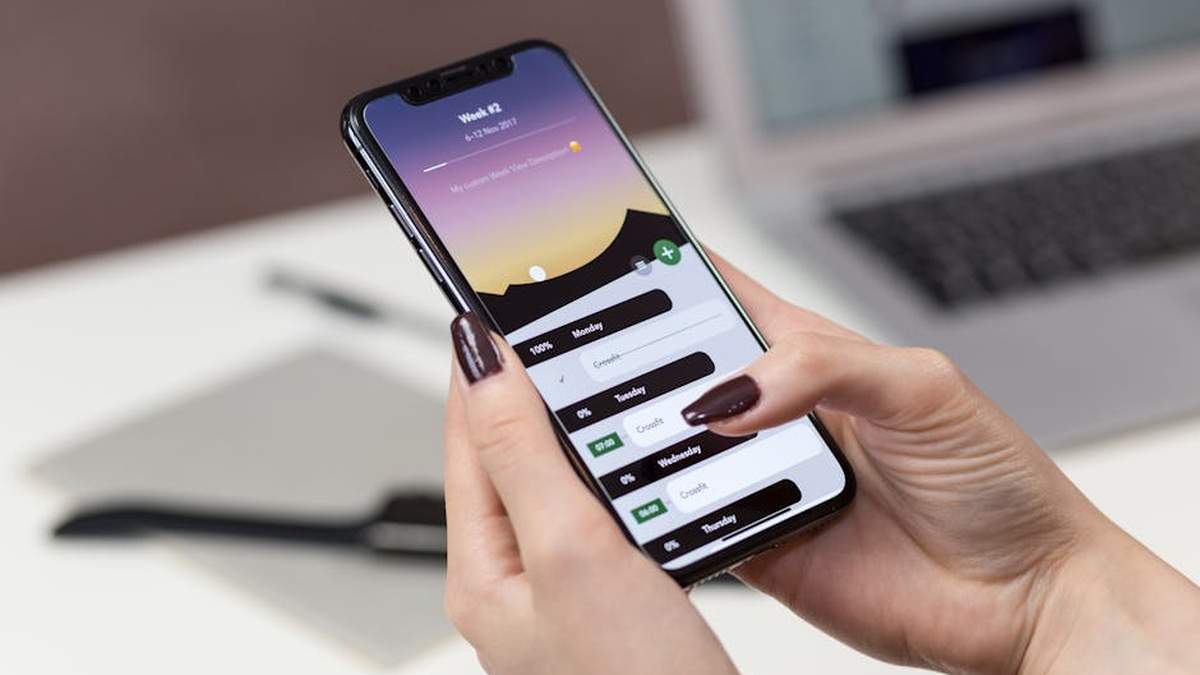
Introduction: Navigating Academic Success with Digital Tools
For college students in the USA, effective organization is paramount to academic achievement. The digital landscape offers a sophisticated array of planners and applications designed to streamline note-taking, task management, scheduling, and collaborative work. This buyer’s guide aims to present a curated selection of highly-regarded digital tools, evaluating their features, advantages, and potential drawbacks, to assist students in making an informed decision for the 2026 academic year and beyond. Our focus is on products that have demonstrated widespread adoption and positive reception within the student community, facilitating a more organized and productive learning experience.
Comparison Table: Digital Planners & Apps at a Glance
| Product Name | Key Feature Highlight | Price Range | Best For |
|---|---|---|---|
| Notability | Handwritten notes with audio recording sync | Free with optional subscription for advanced features | Students who record lectures and take handwritten notes simultaneously. |
| GoodNotes 5 | Superior handwriting experience & PDF annotation | One-time purchase | Visual learners who prefer digital handwriting and extensive PDF markup. |
| Todoist | Robust task management and project organization | Free with paid premium features | Students needing a powerful system for managing assignments and deadlines. |
| Evernote | Comprehensive note-taking, web clipping, and diverse media support | Free Basic, Personal & Professional subscriptions | Research-heavy students gathering information from various sources. |
| Google Calendar | Seamless scheduling, integration with Google Workspace | Free | Students seeking an integrated solution for managing time and events. |
| Microsoft OneNote | Freeform digital notebook across all devices | Free | Students who prefer an unconstrained note-taking canvas and cross-device syncing. |
| Hyperlinked Digital Planner Template | Customizable, interactive PDF planner for note-taking apps | One-time purchase (variable) | Students desiring a traditional planner feel within a digital environment. |
Featured Digital Planners & Apps for College Students
Notability
- Key Features:
- Seamless audio recording synced with handwritten notes.
- Advanced PDF annotation and markup tools.
- Extensive note organization with subjects and dividers.
- Handwriting-to-text conversion (premium feature).
- Multi-note view for comparing documents side-by-side.
- Pros:
- Excellent for capturing lecture content and reviewing later.
- Intuitive interface for digital ink and typing.
- Reliable cloud sync across Apple devices.
- Good for managing multiple subjects and projects.
- Cons:
- Primarily optimized for iOS/iPadOS; Android/Windows versions have limited functionality.
- Some advanced features require a paid subscription.
- Can be resource-intensive on older devices.
- Best For: Students who frequently record lectures and take detailed handwritten or typed notes, especially those in audio-heavy courses or with auditory learning preferences.
- Price Range: Free with an optional subscription for advanced features (e.g., unlimited edits, handwriting recognition).
Notability is a robust tool for interactive note-taking, making it a strong contender for students seeking to combine audio and visual learning. Explore Notability further to see if it aligns with your academic needs.
GoodNotes 5
- Key Features:
- Industry-leading digital handwriting experience with realistic ink.
- Comprehensive PDF annotation, highlighting, and shape recognition.
- Customizable notebooks with various paper templates.
- Powerful search functionality for both typed and handwritten notes.
- Internal document linking for creating custom navigations.
- Pros:
- Superior feel for digital handwriting, akin to pen and paper.
- Flexible organization system with folders and subfolders.
- Excellent for marking up textbooks and study materials.
- One-time purchase model for full access.
- Cons:
- Primarily an Apple ecosystem app (iOS/iPadOS/macOS).
- No direct audio recording integration like some competitors.
- Initial learning curve for maximizing all features.
- Best For: Visual learners and students who prioritize a natural handwriting experience and extensive PDF markup for their study materials.
- Price Range: One-time purchase (typically $7.99 – $9.99).
GoodNotes 5 offers an unparalleled experience for those who prefer the tactile feel of handwriting in a digital format. Discover if GoodNotes 5 could be your ideal study companion. Related: Anki vs. Quizlet Plus: The Ultimate Spaced Repetition App for US Medical Students?
Todoist
- Key Features:
- Intuitive task creation with natural language processing.
- Project organization with subtasks, labels, and filters.
- Priority levels for tasks to manage workload effectively.
- Integration with numerous other apps and platforms.
- Kanban boards for visual project management (premium).
- Pros:
- Extremely user-friendly interface.
- Available on virtually every platform (web, desktop, mobile).
- Powerful for breaking down large assignments into manageable steps.
- Helps maintain focus on important deadlines.
- Cons:
- Free version has limitations on projects and active tasks.
- Can be overly simplistic for complex note-taking needs.
- Lacks direct calendar view in the free tier.
- Best For: Students who need a robust, cross-platform task manager to keep track of assignments, projects, and personal to-dos efficiently.
- Price Range: Free with paid Pro and Business subscriptions (e.g., $4-$6 per month).
Todoist is a premier choice for task management, helping students stay on top of their academic commitments with clarity and ease. Investigate Todoist’s features to streamline your daily tasks. Related: Best Productivity Books for Remote Workers in USA (2026)
Evernote
- Key Features:
- Flexible note-taking with text, images, audio, and web clippings.
- Powerful search functionality, including text within images and PDFs.
- Web Clipper tool to save articles and web pages.
- Notebook and tag system for comprehensive organization.
- Reminders and task management within notes.
- Pros:
- Highly versatile for capturing various forms of information.
- Excellent for research and consolidating scattered data.
- Cross-platform availability and robust syncing.
- Optical Character Recognition (OCR) makes everything searchable.
- Cons:
- Free tier has significant upload and device limitations.
- Interface can feel cluttered for new users.
- Not optimized for handwritten notes with a stylus.
- Best For: Research-intensive students who collect and organize diverse information from web pages, documents, and various media sources.
- Price Range: Free Basic, Personal (approx. $10/month), and Professional (approx. $13/month) subscriptions.
Evernote serves as a digital brain for collecting and organizing almost any type of information a student might encounter. Consider Evernote if your academic work involves extensive information gathering. Related: Quantum Memory Method Review: Unlocking Peak Brain Performance for US Learners
Google Calendar
- Key Features:
- Easy event creation and scheduling with reminders.
- Integration with Google Workspace (Gmail, Meet, Docs).
- Multiple calendar views (day, week, month, year, agenda).
- Goal setting and time blocking features.
- Shareable calendars for group projects and activities.
- Pros:
- Completely free and widely accessible with a Google account.
- Seamlessly integrates with most other productivity tools.
- Excellent for managing class schedules, deadlines, and social events.
- Real-time syncing across all devices.
- Cons:
- Primarily a scheduling tool; lacks robust note-taking or task management within itself.
- Can feel overwhelming if not managed properly with many calendars.
- Limited customization for visual appearance.
- Best For: All students needing a reliable, free, and integrated solution for managing their time, classes, appointments, and shared project deadlines.
- Price Range: Free.
Google Calendar is an indispensable tool for time management and scheduling, acting as the central hub for a student’s academic and social life. See how Google Calendar can simplify your schedule. Related: Rocketbook Core vs. Moleskine Smart Notebook: The Future of Handwritten Notes for US Professionals?
Microsoft OneNote
- Key Features:
- Freeform digital canvas for notes, sketches, and media.
- Organized into notebooks, sections, and pages.
- Web Clipper for saving content from the internet.
- Integration with Microsoft Office suite.
- Tagging system for easy search and organization.
- Pros:
- Completely free and available on all major platforms (Windows, macOS, iOS, Android, Web).
- Highly flexible layout, allowing content to be placed anywhere.
- Strong for collaborative note-taking in group projects.
- Robust search capabilities, including text in images.
- Cons:
- Interface can sometimes feel less intuitive or “messy” due to freeform nature.
- Handwriting experience may not be as refined as dedicated stylus apps.
- No audio recording linked to notes like Notability.
- Best For: Students who prefer a highly flexible and unconstrained note-taking environment and those deeply integrated into the Microsoft ecosystem.
- Price Range: Free.
Microsoft OneNote provides a versatile and free digital notebook solution, adaptable to various note-taking styles. Explore OneNote to see its potential for your academic organization. Related: Grammarly Premium vs. QuillBot Premium: Essential AI Writing Tools for US College Essays?
Hyperlinked Digital Planner Template
- Key Features:
- Interactive PDF structure with clickable tabs and buttons.
- Mimics a physical planner layout (daily, weekly, monthly views).
- Integrates with popular note-taking apps (GoodNotes, Notability, Xodo).
- Often includes academic-specific pages (grade trackers, project planners).
- Reusable year after year (if undated).
- Pros:
- Combines the feel of a traditional planner with digital benefits.
- Highly customizable with digital stickers, handwriting, and text.
- Excellent for visual organization and planning.
- One-time purchase for extensive utility.
- Cons:
- Requires a separate note-taking app to function.
- No inherent smart features (e.g., reminders, natural language processing).
- Can become slow if overly customized with many heavy elements.
- Best For: Students who appreciate the structured layout of a traditional planner but desire the convenience and flexibility of a digital format within their preferred note-taking app.
- Price Range: One-time purchase, typically $15 – $50, depending on complexity and features.
For those who thrive with a structured planner but crave digital efficiency, a hyperlinked digital planner template offers the best of both worlds. Consider a digital planner template for a familiar yet modern planning experience.
Buying Guide: Choosing Your Ideal Digital Planner or App
Selecting the right digital planning tool involves more than just picking a popular option. Consider the following factors to ensure your chosen solution truly supports your academic journey:
- Compatibility: Verify that the app or planner is compatible with your primary devices (iPad, Android tablet, laptop, smartphone) and operating systems (iOS, Android, Windows, macOS). Seamless syncing across devices is often crucial.
- Core Features:
- Note-Taking: Do you need advanced handwriting recognition, audio recording, web clipping, or just basic text notes?
- Task Management: Are simple checklists sufficient, or do you require advanced features like subtasks, recurring tasks, priority levels, and integrations?
- Calendar/Scheduling: Do you need event reminders, shared calendars, or time blocking capabilities?
- PDF Annotation: Is marking up textbooks and lecture slides a significant part of your study routine?
- Learning Curve: Some apps are intuitive from the start, while others, particularly those with extensive features, might require an initial investment of time to learn. Consider your comfort level with new technology.
- Price Model: Evaluate whether a free tier meets your needs, if a one-time purchase offers better long-term value, or if a subscription model provides necessary advanced features and consistent updates. Factor this into your budget.
- Customization & Personalization: If aesthetics and a personalized setup are important to your motivation, look for apps that allow custom templates, colors, fonts, and digital stickers.
- Collaboration: For group projects or shared study guides, features like shared notebooks or collaborative task lists can be highly beneficial.
- Cloud Syncing: Ensure the app offers reliable cloud backup and syncing to prevent data loss and allow access from any device.
Conclusion
The digital tools available to college students in 2026 offer unprecedented opportunities for enhanced organization and productivity. Whether your priority is capturing every word of a lecture, meticulously planning assignments, or consolidating diverse research materials, there is a digital planner or app tailored to your specific academic style and needs. By carefully considering the features, pros, cons, and best-use cases outlined in this guide, alongside your personal preferences and academic requirements, you can select a tool that truly empowers your path to success in college and beyond.
Which digital planner app is most recommended for a US college student’s academic and personal life in 2026?
For US college students in 2026, highly recommended digital planner apps often include versatile options like Notion, Goodnotes (for iPad users with Apple Pencil), and specialized student organizers like MyHomework Student Planner or Todoist. Notion stands out for its flexibility in creating custom dashboards for notes, tasks, and calendars. Goodnotes excels for handwritten notes, PDF annotation, and visual planning. When choosing, consider apps that offer robust assignment tracking, calendar integration, and task management features essential for academic success.
Are there any free or budget-friendly digital planner options suitable for college students in the USA?
Absolutely! Many excellent digital planner options are free or budget-friendly. Google Calendar and Google Keep offer powerful free tools for scheduling and quick notes. Notion provides a generous free tier that’s sufficient for many students’ needs, allowing extensive customization. Microsoft To Do is another free option for task management. For budget-conscious students, also look for apps that offer student discounts or freemium models where core features are free, and premium upgrades are optional.
What key features should I look for in a digital planner app to manage college coursework and deadlines effectively?
To effectively manage college coursework and deadlines, prioritize digital planner apps with features such as: robust task management with subtasks and recurring events; calendar integration (especially with your university’s system); space for detailed notes and attachments (like syllabus PDFs); cross-device synchronization (for seamless access on laptop, tablet, and phone); customizable templates for different courses; and progress tracking. Integration with common Learning Management Systems (LMS) like Canvas or Blackboard is also a huge plus.
Will these top digital planners work across my different devices (laptop, tablet, phone) for seamless studying?
Yes, most leading digital planner apps are designed for cross-device compatibility to ensure a seamless study experience. Apps like Notion, Todoist, and Microsoft To Do offer native applications for iOS, Android, Windows, and macOS, often with web versions as well. This allows you to update your schedule on your laptop, review tasks on your phone, and take notes on your tablet, with all data syncing via the cloud. Always check an app’s compatibility to ensure it supports all the devices you regularly use for your studies.
Related Products
- Best Noise-Canceling Headphones for Focused Study in USA (2026)
- Best Online AI & Machine Learning Courses for Beginners in USA (2026)
- Best Productivity Books for Remote Workers in USA (2026)
- Scribd vs. Kindle Unlimited: Best All-You-Can-Read Subscription for US Book Lovers?
- Skillshare vs. Domestika: Which Creative Learning Platform is Best for US Hobbyists and Designers?



