





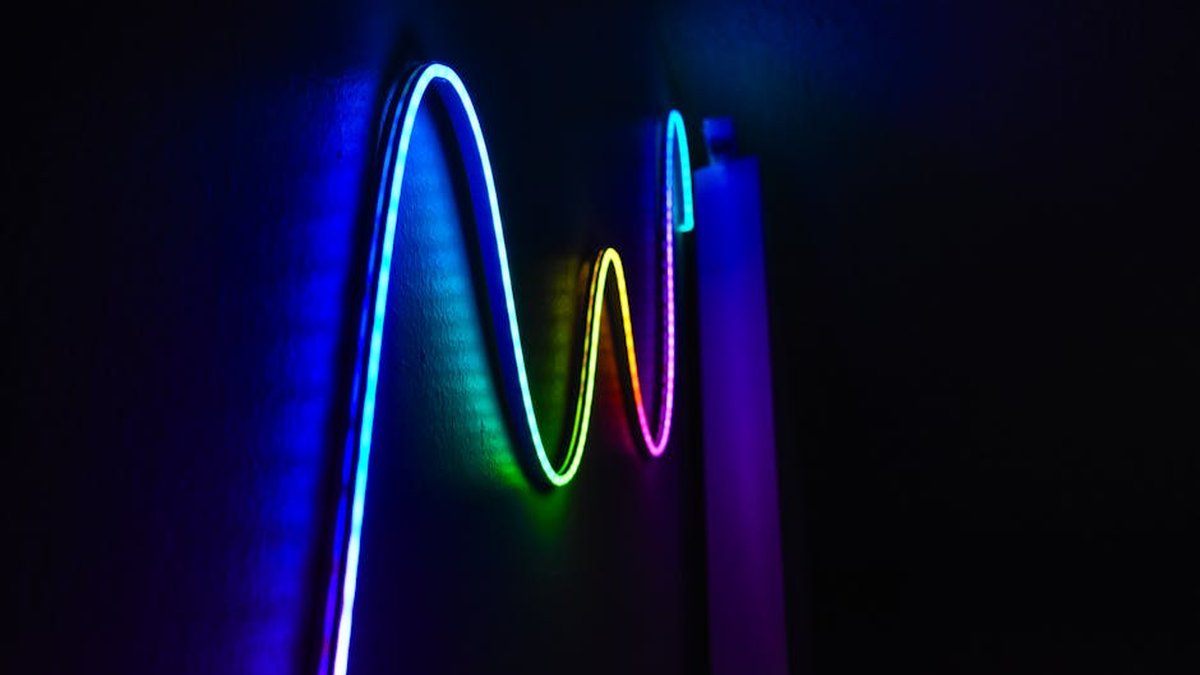
Enhancing Your Gaming Immersion with Smart RGB LED Strips
In the dynamic world of gaming, immersion is key, and a visually stunning setup can significantly elevate the experience. As we look towards 2026, voice-activated smart RGB LED strip lights have become indispensable for gamers in the USA seeking to customize their battle stations with vibrant, responsive lighting. These innovative strips go beyond mere aesthetics, offering seamless integration with smart home ecosystems and real-time synchronization with gameplay, music, and screen content. This guide dives deep into the top contenders, helping you choose the perfect lighting solution to transform your gaming space into an epic arena.
Comparison Table: Top Voice-Activated Smart RGB LED Strips
| Product Name | Key Features | Pros | Cons | Best For | Price Range |
|---|---|---|---|---|---|
| Govee Immersion RGBIC LED Strip Lights with Camera | Screen mirroring via camera, RGBIC segmented control, Music sync, Voice control (Alexa/Google), Govee Home App | Excellent screen matching, Vibrant colors, Affordable for features, Easy setup | Camera placement can be tricky, Calibration occasionally needed, Not native HomeKit | Gamers wanting immersive screen-synced lighting and dynamic effects | $70 – $120 |
| Philips Hue Play Gradient Lightstrip | Seamless color blending, Premium ecosystem integration, Native HomeKit, Advanced gaming sync (Hue Sync Box required) | Superior light quality and blending, Robust smart home ecosystem, Reliable performance | High cost, Requires Hue Bridge, Full gaming sync needs separate Hue Sync Box | Gamers with existing Philips Hue setups and those prioritizing premium quality | $150 – $250 (plus accessories) |
| LIFX Lightstrip | Brilliant brightness, Rich color accuracy, Zone control, Direct Wi-Fi (no hub needed), Voice control | Among the brightest on the market, Excellent color rendition, Hub-free operation | Higher price point, Can run hot at full brightness, Limited gaming-specific integrations compared to others | Users prioritizing maximum brightness and rich, accurate colors without a hub | $80 – $140 |
| Nanoleaf Lines (or similar modular strips) | Modular design, Backlit glow, Rhythm music visualizer, Screen mirror via desktop app, Voice control | Unique aesthetic, Highly customizable layouts, Strong music sync, Robust software ecosystem | Higher price, Installation can be complex, Not a traditional strip (panels), Desktop app required for screen mirroring | Creative gamers seeking unique modular designs and deep customization | $150 – $250 (starter kits) |
| Corsair iCUE LS100 Smart Lighting Strip | Deep iCUE software integration, Sync with other Corsair peripherals, Dynamic lighting effects, Voice control (with iCUE Nexus) | Seamless integration with Corsair ecosystem, Excellent for PC-centric setups, High-quality build | Requires Corsair iCUE software, Less universal smart home integration, Pricier | PC gamers heavily invested in the Corsair ecosystem | $60 – $100 (per kit) |
| Razer Chroma RGB Light Strip Set | Razer Synapse 3 integration, Sync with Razer peripherals, Extensive Chroma Studio effects, Voice control (via Alexa/Google) | Perfect for Razer enthusiasts, Broad game integration through Chroma Connect, Easy setup | Requires Razer Synapse 3 software, Can be costly for longer runs, Less standalone smart home focus | Razer fans and gamers prioritizing desktop integration and game-specific lighting | $40 – $80 (per kit) |
| TP-Link Kasa Smart LED Strip Light (KL430) | Cost-effective, Easy Kasa App control, No hub required, Voice control (Alexa/Google), Segmented control | Great value for money, Simple setup and user-friendly app, Reliable basic smart features | Fewer advanced gaming integrations, Colors may not be as vibrant as premium options, Limited ecosystem beyond Kasa | Budget-conscious gamers looking for reliable smart RGB lighting without premium features | $25 – $50 |
Detailed Product Overviews
Govee Immersion RGBIC LED Strip Lights with Camera
- Key Features: Revolutionary screen mirroring technology using a dedicated camera, RGBIC (Red Green Blue Independent Control) for multiple colors on one strip, dynamic music synchronization modes, intuitive Govee Home App control, compatible with Amazon Alexa and Google Assistant for voice commands.
- Pros: Delivers an exceptionally immersive gaming experience by extending screen colors onto your walls; RGBIC technology creates smoother, more nuanced color transitions; excellent value for the features provided; generally straightforward installation process.
- Cons: Camera positioning is crucial for accurate color detection; occasional recalibration might be necessary; lacks direct Apple HomeKit support.
- Best For: Gamers who prioritize a highly immersive and dynamic lighting experience that directly reacts to on-screen content, streamers, and those looking for cutting-edge features without breaking the bank.
- Price Range: Approximately $70 – $120, depending on length and specific model.
The Govee Immersion series has solidified its place as a fan-favorite for its innovative camera-based screen mirroring. This technology projects the colors from your display onto your surrounding walls, creating a truly next-level gaming environment. With RGBIC technology, you can enjoy multiple colors simultaneously on a single strip, leading to stunning effects. Its robust feature set and competitive pricing make it a compelling choice for any gamer.
Check Price on Amazon Related: GuardianPro 3000 AI Smart Security Camera Review: Ultimate USA Home Protection or Overkill?
Philips Hue Play Gradient Lightstrip
- Key Features: Advanced gradient lighting technology for seamless color blending, integral part of the expansive Philips Hue smart home ecosystem, supports Apple HomeKit, Amazon Alexa, and Google Assistant, deep integration with gaming via the optional Hue Sync Box.
- Pros: Unparalleled light quality and vibrant color reproduction; incredibly reliable and stable connectivity within the Hue ecosystem; excellent smart home compatibility, including HomeKit; future-proof technology.
- Cons: A significant investment, especially when including the required Hue Bridge and optional Hue Sync Box for full gaming immersion; requires a Hue Bridge for full functionality.
- Best For: Gamers who are already invested in the Philips Hue ecosystem or those prioritizing premium build quality, superior light performance, and comprehensive smart home integration for a high-end setup.
- Price Range: Approximately $150 – $250 for the lightstrip itself, with additional costs for the Hue Bridge and Hue Sync Box.
Philips Hue remains a gold standard in smart lighting, and their Play Gradient Lightstrip lives up to that reputation. Its ability to produce a smooth, continuous gradient of colors is unmatched, creating sophisticated ambiances. While the initial investment is higher, the reliability, light quality, and deep ecosystem integration offer a premium experience that is hard to beat, particularly for those seeking ultimate smart home harmony. Related: Google Nest Learning Thermostat (2024) Review: Still The Smartest Choice for US Home Energy Savings?
Check Price on Amazon Related: Best 7 AI-Powered Wireless Security Systems for US Homes (2026)
LIFX Lightstrip
- Key Features: Exceptional brightness output, incredibly rich and accurate color reproduction, advanced zone control for intricate lighting designs, direct Wi-Fi connectivity eliminates the need for a separate hub, compatible with major voice assistants.
- Pros: One of the brightest smart LED strips available, capable of illuminating larger spaces; superb color vibrancy and white tuning; hub-free operation simplifies setup; robust app provides granular control.
- Cons: Can generate noticeable heat at maximum brightness; generally a higher price per foot compared to some competitors; limited native gaming synchronization options beyond basic software integrations.
- Best For: Users who demand the brightest possible smart lighting and the most accurate color representation for their gaming space, as well as those who prefer a hub-free smart lighting solution.
- Price Range: Approximately $80 – $140, depending on length.
The LIFX Lightstrip stands out for its sheer power and brilliant colors. If you want your gaming setup to truly pop with intense illumination and vibrant hues, LIFX delivers. Its hub-free design is a welcome convenience, streamlining the setup process. While it may not offer the most dedicated gaming synchronization features out of the box, its raw lighting capabilities make it a strong contender for creating impactful visual effects. Related: Ring Floodlight Cam Wired Pro vs. Arlo Pro 4 Spotlight Camera: Which Outdoor Home Security System Reigns for USA Homeowners?
Check Price on Amazon Related: Top 6 Smart Thermostats for Ultimate Energy Savings in USA (2026)
Nanoleaf Lines (Modular Light Strips)
- Key Features: Unique modular bar design with backlighting, extensive customization options for layout, Rhythm music visualizer, Screen Mirror feature via desktop app, supports all major voice assistants and HomeKit.
- Pros: Offers a truly distinctive aesthetic that elevates any gaming space; high degree of physical and lighting customization; exceptional music visualization capabilities; part of a broad and creative Nanoleaf ecosystem.
- Cons: Not a traditional strip light, so installation requires more planning; higher cost for entry; Screen Mirror functionality primarily relies on a desktop app, making console integration less direct; connectivity can occasionally be finicky.
- Best For: Creative gamers and content creators looking for a unique, art-inspired lighting solution that doubles as dynamic smart lighting, and those who enjoy deep customization of physical layouts.
- Price Range: Starter kits typically range from $150 – $250, with expansion packs available.
While not a conventional “strip light” in the traditional sense, Nanoleaf Lines offer an incredibly innovative take on ambient lighting. These modular backlit bars allow for endless creative arrangements, making your gaming setup a true work of art. Beyond aesthetics, they offer robust smart features, including voice control and impressive music synchronization, making them a premium choice for unique lighting effects.
Corsair iCUE LS100 Smart Lighting Strip
- Key Features: Deep integration with Corsair’s iCUE software, synchronizes with other Corsair peripherals (keyboards, mice, fans), dynamic lighting profiles, easy mounting, compatible with voice control via iCUE Nexus or third-party assistants.
- Pros: Seamless lighting synchronization across your entire Corsair gaming ecosystem; robust iCUE software offers extensive customization; high-quality construction and light diffusion; enhances PC-centric setups.
- Cons: Primarily designed for PC integration, making console-only setups less ideal; can be pricier for the length compared to more generic strips; full voice control might require additional Corsair hardware (iCUE Nexus).
- Best For: PC gamers deeply embedded in the Corsair ecosystem who desire unified lighting effects across all their hardware, and those who appreciate powerful software control.
- Price Range: Starter kits typically cost $60 – $100, with expansion packs available.
For dedicated PC gamers with a suite of Corsair peripherals, the iCUE LS100 Smart Lighting Strip is a natural fit. Its strength lies in its deep integration with Corsair’s powerful iCUE software, allowing for synchronized lighting effects across your entire setup. This creates a cohesive and immersive environment that responds to your games and desktop activities, all manageable from one central platform.
Razer Chroma RGB Light Strip Set
- Key Features: Full integration with Razer Synapse 3, extensive Chroma Studio effects and game integrations, synchronizes with other Razer Chroma-enabled devices, voice control via Amazon Alexa and Google Assistant.
- Pros: Perfect for Razer enthusiasts seeking a unified Chroma lighting experience; broad support for game-specific lighting profiles through Chroma Connect; simple setup with included hardware.
- Cons: Requires Razer Synapse 3 software for full customization; can be a bit more expensive for the length compared to some non-gaming specific brands; ecosystem is heavily geared towards PC gaming.
- Best For: Razer fans and PC gamers who want to extend their Chroma lighting ecosystem beyond peripherals to their entire gaming space, leveraging game-specific effects.
- Price Range: Starter kits typically cost $40 – $80, with expansion packs available.
The Razer Chroma RGB Light Strip Set brings Razer’s iconic lighting prowess to your entire gaming environment. Integrating seamlessly with Razer Synapse 3, these strips synchronize with your Razer peripherals and a growing list of games that support Chroma Connect. This creates a dynamic, reactive lighting setup that truly immerses you in the action, making it an excellent choice for dedicated Razer users.
TP-Link Kasa Smart LED Strip Light (KL430)
- Key Features: Cost-effective solution, user-friendly Kasa App for control, no hub required for operation, supports Amazon Alexa and Google Assistant for voice commands, features segmented color control.
- Pros: Excellent value proposition for basic smart RGB lighting; very easy to set up and manage via the Kasa app; reliable performance for everyday use; hub-free design simplifies integration.
- Cons: Lacks some of the advanced gaming-specific features (like screen mirroring) found in premium options; color vibrancy and brightness might not match higher-end brands; limited ecosystem beyond Kasa smart devices.
- Best For: Budget-conscious gamers or those new to smart lighting who want a reliable, easy-to-use voice-controlled RGB strip without needing all the bells and whistles of high-end gaming integration.
- Price Range: Approximately $25 – $50, depending on length.
For gamers seeking an affordable yet reliable smart LED strip, the TP-Link Kasa KL430 is an excellent choice. It offers core smart features like voice control and segmented color changes through its intuitive Kasa app, all without the need for a separate hub. While it may not offer the same deep gaming integration as specialized brands, it provides solid performance and great value for setting up dynamic ambient lighting.
Buying Guide: Choosing Your Perfect Voice-Activated Smart RGB LED Strip
Selecting the right LED strip involves more than just picking a pretty color. Consider these factors to ensure your purchase enhances your gaming experience effectively:
1. Compatibility & Ecosystem
Before anything else, check compatibility with your existing smart home ecosystem (Alexa, Google Assistant, Apple HomeKit) and your gaming platforms (PC, Xbox, PlayStation). Some strips integrate best with specific PC peripherals (e.g., Corsair iCUE, Razer Chroma), while others are more general smart home devices. If you already own smart devices, choosing a brand that works seamlessly with your current setup can simplify control and expand possibilities.
2. Control Methods
Voice activation is a primary focus, but also consider app control and physical controllers. A good app offers granular control over colors, brightness, effects, and schedules. For gaming, quick access to specific scenes or effects, whether through voice commands or a dedicated button, can be very useful.
3. Lighting Technology & Quality
- RGB vs. RGBIC: Standard RGB strips display one color at a time across the entire strip. RGBIC (or individually addressable LEDs) allows multiple colors to be displayed simultaneously, creating more dynamic and flowing effects. For immersive gaming, RGBIC is generally superior.
- Brightness & Color Accuracy: Look for strips with high lumen output if you need them to be a primary light source. Also, consider the color accuracy and saturation – some cheaper strips may produce washed-out colors.
- White Light Quality: If you plan to use the strips for everyday ambient lighting, check if they can produce a good range of white temperatures (warm to cool) in addition to RGB colors.
4. Gaming Integration & Special Features
- Screen Mirroring: Features like Govee’s camera-based system or Philips Hue’s Sync Box can directly synchronize your lighting with what’s happening on your screen, offering incredible immersion.
- Music Synchronization: Many strips can react to audio, creating dynamic light shows that pulse with your game’s soundtrack or background music.
- Software Integration: For PC gamers, strips that integrate with software like Corsair iCUE or Razer Synapse can synchronize lighting with in-game events and your other peripherals.
5. Installation & Placement
Consider the length of the strip you need and where you plan to install it (behind a monitor, desk, shelves). Check the adhesive quality and if the strips are trimmable or extendable. Some strips might be too bulky for tight spaces, while others offer more flexible designs. Also, consider power requirements and cable management.
6. Price vs. Features
There’s a wide range in price. Budget-friendly options offer basic voice control and RGB functionality, while premium strips provide advanced features like RGBIC, superior brightness, deep ecosystem integration, and dedicated gaming sync. Determine which features are essential for your gaming experience and set your budget accordingly.
Conclusion
The landscape of voice-activated smart RGB LED strip lights for gaming setups in 2026 is rich with innovative options. Whether you prioritize deep screen immersion with Govee, the premium ecosystem quality of Philips Hue, the sheer brightness of LIFX, or the unified experience of Corsair and Razer, there’s a perfect lighting solution to elevate your gaming. By carefully considering compatibility, features, and your specific gaming needs, you can choose a smart LED strip that not only looks incredible but also deeply enhances your overall immersive experience. Transform your gaming space into the vibrant, responsive, and intelligently lit arena it deserves to be.