Introduction: Decoding Your Vehicle’s Health with Precision
In the landscape of modern automotive maintenance, understanding your vehicle’s health goes beyond routine fluid checks. The engine control unit (ECU) of today’s cars generates a wealth of diagnostic information, and accessing it requires the right tool. For the discerning DIY mechanic in the USA, the BlueDriver Bluetooth OBDII Scanner by Lemur Vehicle Monitors has consistently emerged as a leading contender. This review delves deep into why this device, a favorite among enthusiasts and home mechanics, stands out in a crowded market and why it’s arguably an indispensable addition to your toolkit.
Product Overview: Professional Diagnostics in Your Pocket
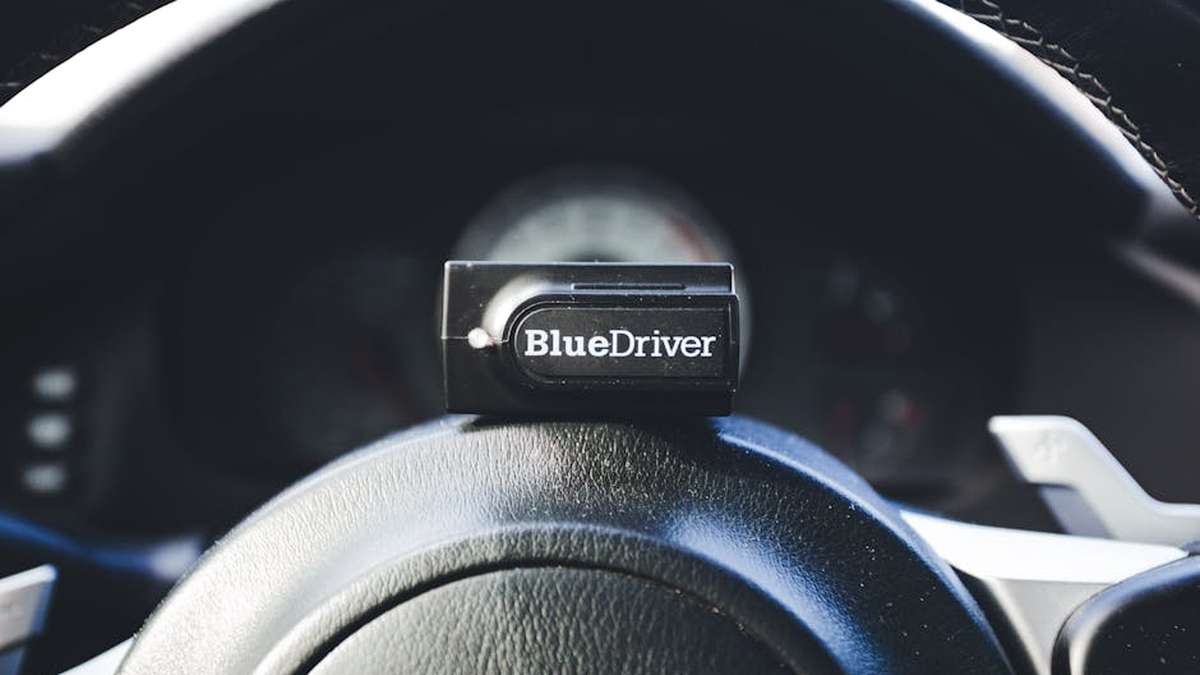
The BlueDriver is not just another basic code reader. It is a comprehensive diagnostic scan tool that wirelessly connects to your vehicle’s On-Board Diagnostics II (OBDII) port and communicates with your smartphone or tablet via Bluetooth. Paired with its highly-rated free app (available for iOS and Android), the BlueDriver transforms your mobile device into a powerful diagnostic interface, offering capabilities often associated with professional-grade shop tools, but at a fraction of the cost and with unparalleled ease of use for the individual.
Key Features: What Makes BlueDriver Stand Apart
- Read and Clear Codes: Access both generic (P0, P2, P3, U0) and manufacturer-specific (P1, P3, U1) Diagnostic Trouble Codes (DTCs). This includes not only powertrain but also ABS, Airbag, TPMS, and other system codes for many vehicle makes, a crucial differentiator from basic scanners.
- Live Data Streaming: Monitor vehicle sensors and parameters in real-time. View customizable dashboards, graphs, and digital readouts for metrics like engine RPM, coolant temperature, fuel system status, O2 sensor readings, and more.
- Freeze Frame Data: Capture a snapshot of critical operating conditions at the moment a DTC was set, providing invaluable context for diagnosing intermittent issues.
- Smog Check Readiness: Determine if your vehicle is ready for an emissions test by checking the status of all emissions monitors.
- Repair Reports: BlueDriver generates comprehensive repair reports based on the DTCs found. These reports include possible causes, reported fixes from professional technicians, and links to relevant online resources, aiding in precise troubleshooting.
- Mode 6 Data: Access advanced test results for continuously and non-continuously monitored systems, offering deeper insights into engine performance.
- Vehicle Information: Retrieve VIN, CalID, CVN, and other important vehicle details directly from the ECU.
- No Subscriptions, Free App Updates: The initial purchase price is the only cost. The accompanying app and its feature updates are free for life, ensuring ongoing value.
Pros and Cons: A Balanced Perspective
Pros:
- Comprehensive Diagnostics: Beyond generic engine codes, it reads ABS, Airbag, TPMS, and other manufacturer-specific system codes for many makes, mimicking capabilities of much pricier tools.
- User-Friendly Interface: The accompanying app is intuitive, well-designed, and constantly updated, making complex data accessible.
- Valuable Repair Reports: The integrated repair database helps pinpoint potential fixes and provides confidence in diagnosis.
- Real-Time Data: Customizable live data displays offer a dynamic view of vehicle operation, aiding in identifying performance anomalies.
- Wireless Convenience: Bluetooth connectivity eliminates messy cables and allows for diagnostic checks from outside the vehicle.
- No Recurring Fees: A one-time purchase provides lifetime access to features and updates.
- Broad Vehicle Compatibility: Works with all OBDII compliant vehicles (most cars and light trucks sold in the USA from 1996 onwards).
Cons:
- Price Point: It is significantly more expensive than entry-level generic OBDII readers, which may deter those on a very tight budget.
- Smartphone Dependency: Requires a smartphone or tablet (iOS or Android) to operate; it does not have a standalone screen.
- Not a Professional Shop Tool Replacement: While highly capable for DIY, it may lack some advanced bidirectional controls or coding functions found in multi-thousand-dollar professional diagnostic scanners.
- Internet Connection for Full Features: While core scanning works offline, accessing repair reports often requires an internet connection to fetch the latest database information.
Who Should Buy This: The Target User
The BlueDriver is ideally suited for: Related: Viofo A129 Pro Duo Review: Is This Top-Selling 4K Dash Cam Worth It for USA Drivers?
- Serious DIY Mechanics: Individuals who regularly perform their own maintenance and want a deeper understanding of their vehicle’s health than basic scanners provide.
- Car Enthusiasts: Those who enjoy monitoring vehicle performance, customizing dashboards, and delving into detailed engine parameters.
- Used Car Buyers: An excellent tool for pre-purchase inspections, allowing you to check for hidden codes or pending issues before making a significant investment.
- Anyone Desiring Dealer-Level Insights: If you’re tired of guessing or paying shop diagnostic fees for simple checks, BlueDriver offers a substantial return on investment.
Who Should Avoid This: Where BlueDriver Might Not Fit
While versatile, the BlueDriver might not be the best fit for: Related: Best Solar-Powered TPMS Systems for RVs & Cars in USA (2026)
- Professional Auto Repair Shops: While useful, it doesn’t replace the need for dedicated professional diagnostic tools with advanced bidirectional controls, flashing capabilities, and OEM-level programming often required in a shop environment.
- Casual Users Needing Only Basic Code Reading: If your only need is to read and clear generic “check engine” lights occasionally and you don’t care about live data or manufacturer-specific codes, a much cheaper basic wired scanner might suffice.
- Individuals Without a Smartphone/Tablet: As the device relies entirely on a mobile app, it’s unusable without a compatible smart device.
Pricing Insight: An Investment in Automotive Intelligence
The BlueDriver typically retails in the range of $100-$120 USD. While this is a higher initial outlay compared to basic OBDII dongles or handheld code readers that cost $20-$50, it represents significant value when considering its feature set. The inclusion of manufacturer-specific codes, live data graphing, and comprehensive repair reports effectively positions it against tools costing several hundred dollars more. The fact that there are no ongoing subscription fees for the app or updates further solidifies its long-term cost-effectiveness. For a DIY mechanic, avoiding just one diagnostic fee at a repair shop or making a more informed used car purchase can easily justify the BlueDriver’s price. Related: WeatherTech FloorLiner Review: The #1 All-Weather Protection for Your USA Vehicle?
Comparison with an Alternative: BlueDriver vs. A Basic Wired OBDII Scanner
To truly appreciate the BlueDriver’s capabilities, it’s helpful to compare it to a common alternative: a basic, wired handheld OBDII scanner (e.g., a sub-$50 unit found at auto parts stores). Related: FOXWELL NT301 OBD2 Scanner Review: Your Go-To Check Engine Light Fix for American Vehicles?
- BlueDriver:
- Connectivity: Bluetooth wireless to smartphone/tablet.
- Code Coverage: Reads generic AND manufacturer-specific codes (Powertrain, ABS, Airbag, TPMS, etc.).
- Data Display: Full graphical live data, customizable dashboards, freeze frame.
- Diagnostic Aids: Comprehensive repair reports with common fixes, Mode 6 data, Smog Check readiness.
- User Experience: Rich, interactive app interface; free updates.
- Convenience: Diagnose from anywhere around the car with your phone.
- Basic Wired OBDII Scanner:
- Connectivity: Wired connection to the OBDII port, built-in LCD screen.
- Code Coverage: Typically reads only generic powertrain (P0, P2, P3, U0) codes. Does not usually access ABS, Airbag, or manufacturer-specific codes.
- Data Display: Limited live data (often text-only), basic freeze frame data.
- Diagnostic Aids: May show DTC definition, but no advanced repair reports or Mode 6.
- User Experience: Basic buttons, small monochrome screen; limited update capabilities.
- Convenience: Must be physically connected to the car; often requires being seated in the vehicle.
The comparison clearly illustrates that while a basic scanner can tell you “why the check engine light is on” (generically), the BlueDriver provides the granular detail, context, and actionable intelligence needed for effective DIY troubleshooting and repair, moving far beyond simple code identification. Related: Thule Motion XT L Review: The Best Premium Rooftop Cargo Box for USA Road Trips?
Final Verdict: The Definitive Choice for USA DIY Mechanics
For USA-based DIY mechanics and car enthusiasts seeking a powerful, user-friendly, and comprehensive diagnostic tool, the BlueDriver Bluetooth OBDII Scanner stands as a top-tier recommendation. Its ability to read manufacturer-specific codes, coupled with its intuitive app, detailed repair reports, and robust live data capabilities, positions it well above most devices in its price segment. While it requires a smartphone and has a higher initial cost than rudimentary scanners, the value it delivers in terms of diagnostic insight, troubleshooting assistance, and long-term cost savings on shop visits is substantial. Investing in the BlueDriver is not just buying a scanner; it is acquiring a powerful diagnostic partner that empowers you to truly understand and maintain your vehicle with confidence and precision.
Please note: This review provides an analytical perspective on the BlueDriver Bluetooth OBDII Scanner. Product features, pricing, and availability are subject to change by the manufacturer or retailers.
Is the BlueDriver Bluetooth OBDII Scanner truly compatible with a wide range of vehicles commonly found in the USA, and is it easy for a DIY mechanic to set up?
Absolutely! The BlueDriver Bluetooth OBDII Scanner is designed to work with all OBDII compliant vehicles, which includes virtually every car, light truck, and SUV sold in the USA since 1996. This covers major American brands like Ford, Chevy, and Dodge, as well as popular Asian and European models. Setup is incredibly straightforward: just plug the device into your car’s OBDII port, download the free BlueDriver app, and connect via Bluetooth. The app guides you through the simple pairing process, making it highly accessible even for those new to DIY diagnostics.
What specific advanced diagnostic features does BlueDriver offer that are particularly beneficial for a DIY mechanic compared to a basic code reader?
Unlike basic code readers that only display generic Check Engine Light (CEL) codes, BlueDriver provides comprehensive diagnostics by reading and clearing ALL vehicle system codes, including ABS (Anti-lock Braking System), SRS (Supplemental Restraint System/Airbag), Transmission, TPMS, and more. It also offers live data graphing, freeze frame data, smog check readiness, and enhanced manufacturer-specific codes. Crucially for DIY mechanics, it generates “Repair Reports” which explain the code, potential causes, and verified fixes specific to your vehicle, going far beyond just telling you “what’s wrong.”
Are there any recurring subscription fees or additional costs associated with using the BlueDriver app and its advanced features?
No, there are absolutely no recurring subscription fees or hidden costs once you purchase the BlueDriver device. The accompanying BlueDriver app is completely free to download and use, and it includes all updates and advanced features without any in-app purchases or annual charges. This makes it a highly cost-effective long-term solution for USA DIY mechanics looking to save money on dealership diagnostic fees.
How does the BlueDriver help a DIY mechanic not just identify a problem, but also understand how to fix it?
The BlueDriver excels in empowering DIY mechanics with its unique “Repair Reports.” When a diagnostic trouble code is retrieved, the app doesn’t just display the code; it generates a detailed report for that specific code. These reports are compiled from a vast database of professional mechanic knowledge, offering common fixes, difficulty ratings, and even a list of parts commonly associated with the repair. This level of guided information helps you confidently determine if a repair is within your skill set or if it’s time to consult a professional, making it an invaluable tool for understanding and addressing vehicle issues.
Related Products
- WeatherTech FloorLiner Review: The #1 All-Weather Protection for Your USA Vehicle?
- FIXD Premium Review: The Smartest Car Diagnostic Tool for American Owners in 2024?
- Viair 88P Portable Air Compressor Review: The Must-Have Tire Inflator for USA Car Owners?
- Garmin DriveSmart 66 Review: The Smartest GPS Navigator for USA Road Trips in 2024?
- Thule Motion XT L Review: The Best Premium Rooftop Cargo Box for USA Road Trips?