





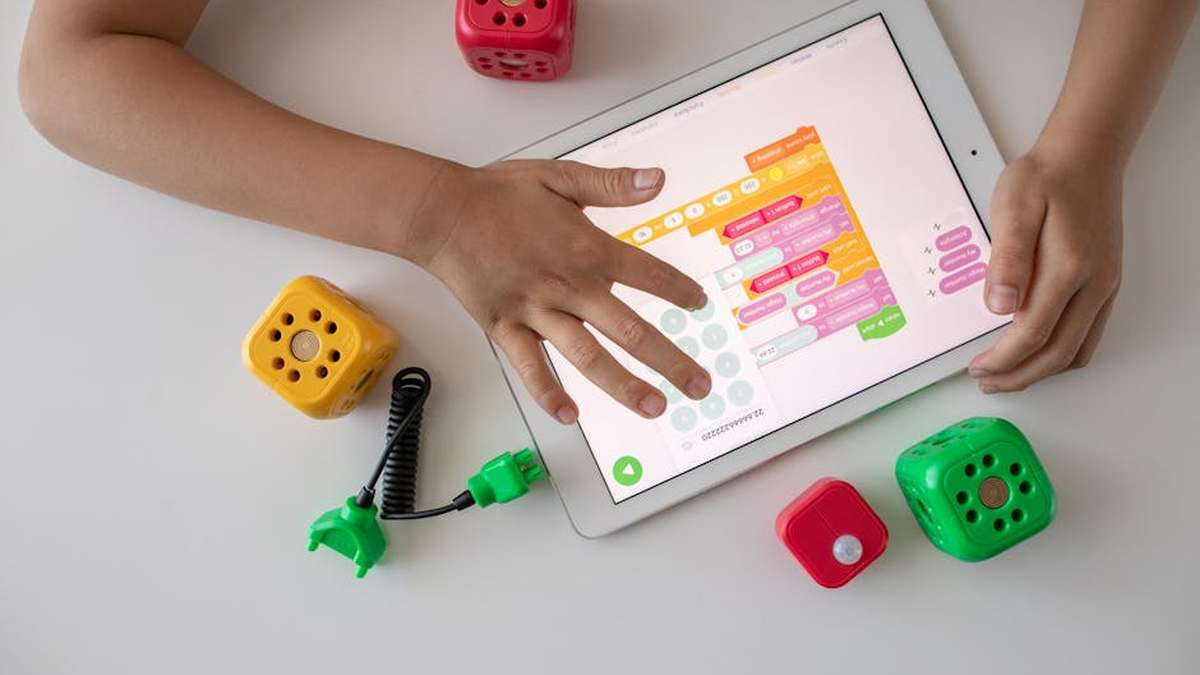
Introduction: Nurturing Future Innovators with Screen-Free Coding Toys
In an increasingly digital world, equipping young children with foundational STEM skills is more critical than ever. Yet, balancing screen time with essential hands-on learning remains a challenge for many parents. Enter screen-free coding robots – innovative toys designed to introduce computational thinking, problem-solving, and sequencing to preschoolers and early elementary children without the need for tablets or computers.
This comprehensive guide dives deep into two prominent contenders in this category: Learning Resources’ Code & Go Robot Mouse and Learning Resources’ Botley the Coding Robot. Both aim to demystify coding concepts through playful, tactile experiences, but they cater to slightly different age ranges and learning styles. We’ll break down their features, evaluate their strengths and weaknesses, and help you determine which robot is the perfect fit for your child’s early STEM journey.
Product Comparison Table
| Feature | Botley the Coding Robot | Code & Go Robot Mouse |
|---|---|---|
| Recommended Age Range | 5-9 years | 4-7 years |
| Core Skill Focus | Advanced sequencing, logic, critical thinking, object detection, line coding, basic robotics | Basic sequencing, directional coding, spatial reasoning, cause & effect, simple problem-solving |
| Screen-Free Operation | Yes, 100% screen-free programming via remote programmer | Yes, 100% screen-free programming via onboard buttons |
| Coding Method | Remote programmer with directional buttons (forward, backward, turn, special functions) | Direct button presses on the robot’s back (forward, backward, turn left, turn right) |
| Number of Code Steps | Up to 150 steps | Up to 40 steps |
| Special Features | Object detection, line following, loop function, sound effects, detachable arms | Light-up buttons, sound effects, cheese target |
| Expansion Kits Available | Yes (Activity Set, Action Challenge Accessory Set) | Yes (Activity Set, Maze Expansion) |
| Battery Requirements | Botley: 3 x AAA; Remote: 2 x AAA (not included) | Robot Mouse: 3 x AAA (not included) |
| Typical Price Range (USD) | $50 – $80 (base kit) | $25 – $45 (base kit) |
| Key Differentiator | More complex programming, advanced functions, larger scale play | Simpler, intuitive entry point, perfect for younger learners, compact |
Product A Overview: Botley the Coding Robot
Botley the Coding Robot
Botley the Coding Robot is designed to be an accessible entry point into robotics and advanced coding concepts for children aged 5-9. This robust robot utilizes a handheld remote programmer to sequence up to 150 steps, allowing for intricate command chains. Beyond simple directional movement, Botley boasts features like object detection, which enables it to “see” and react to obstacles, and a line-following mode, introducing basic sensor technology. The comprehensive activity set includes coding cards, tiles, cones, and other accessories to create diverse challenges and expand play possibilities. Botley encourages children to predict outcomes, debug sequences, and develop logical reasoning through hands-on experimentation. Related: The CodeSpark Robot: Is This the Best Beginner Coding Toy for Your Young Inventor?
Product B Overview: Code & Go Robot Mouse
Code & Go Robot Mouse
The Code & Go Robot Mouse, ideal for children aged 4-7, offers a more direct and immediate coding experience. Colby, the robot mouse, is programmed by pressing directional buttons directly on his back (forward, backward, turn left, turn right). Children then press “go” to watch him execute the sequence, reinforcing the cause-and-effect relationship of coding. The core set often includes maze grids, walls, and a cheese wedge target, providing a clear objective for each coding challenge. This system is highly intuitive, making it an excellent starting point for preschoolers to grasp fundamental concepts like sequencing, step-by-step instructions, and basic spatial awareness within a defined grid. Related: Osmo Genius Kit vs. LeapFrog LeapStart Go: Which Interactive Learning System Dominates for USA Elementary Kids?
Feature Comparison: A Deeper Dive
Coding Mechanism and Complexity
- Botley: Utilizes a separate remote programmer. This introduces the concept of input devices and allows for longer, more complex sequences (up to 150 steps) including loops and special functions (like detecting an object). The remote can feel a bit more abstract, requiring children to visualize the steps before hitting “transmit.”
- Robot Mouse: Programming is done directly on the robot’s back with large, color-coded buttons. This direct interaction provides immediate feedback and simplifies the process, making it highly suitable for younger hands and minds. The sequence limit (40 steps) is sufficient for introductory challenges but naturally caps complexity.
Problem Solving and Logic Development
- Botley: The addition of object detection and line-following capabilities allows for more dynamic and responsive problem-solving. Children learn to anticipate environmental changes and design code that reacts. Debugging longer sequences also hones critical thinking and systematic error identification.
- Robot Mouse: Focuses on sequential logic within a defined maze. Children learn to break down a larger task (getting to the cheese) into smaller, manageable steps. It’s excellent for understanding directional instructions and the concept of an algorithm.
Scalability and Expansion
- Botley: Offers a more robust ecosystem with expansion sets that add new challenges, coding cards, and even interactive accessories. Its inherent features (object detection, line following) also provide more avenues for open-ended, creative play beyond structured tasks.
- Robot Mouse: While also having expansion packs (maze add-ons), its core functionality remains focused on navigating a grid. The complexity scales by making mazes larger or more intricate, but the coding commands themselves don’t significantly evolve beyond directional movements.
Durability and Engagement Factor
- Both robots are generally well-regarded for their child-friendly construction and durability. Botley, being a larger unit with more moving parts (like detachable arms), might feel a bit more substantial.
- Engagement: Botley’s “personality” (sounds, lights, movements) and varied functionalities tend to hold the attention of slightly older children longer, offering more varied play scenarios. The Robot Mouse’s charm lies in its simplicity and the clear objective of finding the cheese, which is highly motivating for preschoolers.
Pros and Cons: Botley the Coding Robot
Pros:
- Advanced Concepts: Introduces complex sequencing, loops, object detection, and line following.
- Greater Longevity: Higher ceiling for learning and creative play as children grow.
- Comprehensive Kit: Often comes with a rich array of accessories for diverse challenges.
- Scalable: Compatible with expansion sets for ongoing engagement.
- Screen-Free: Fully utilizes hands-on programming.
Cons:
- Higher Price Point: Generally more expensive than the Robot Mouse.
- Steeper Learning Curve: Might be slightly overwhelming for children at the absolute youngest end of its recommended age range (e.g., a young 5-year-old).
- Battery Dependent: Requires 5 AAA batteries for both robot and remote.
Pros and Cons: Code & Go Robot Mouse
Pros:
- Excellent Entry Point: Super simple and intuitive for preschoolers (ages 4+).
- Affordable: Generally a more budget-friendly option.
- Direct Interaction: Onboard buttons provide immediate, tangible feedback.
- Clear Objective: Mazes and cheese target make goals easy to understand and achieve.
- Compact & Portable: Smaller size is easy to store and transport.
Cons:
- Limited Complexity: Less room for advanced coding concepts as children grow.
- Repetitive Play: Can become somewhat repetitive once basic maze navigation is mastered without expansions.
- Battery Dependent: Requires 3 AAA batteries.
Which One is Better For Whom?
Choose Botley the Coding Robot if:
- Your child is 5 years or older and demonstrates an aptitude for puzzles or logical thinking.
- You’re looking for a coding robot with a higher learning ceiling and more advanced features like object detection and loops.
- You want a toy that can grow with your child and offer diverse, open-ended play scenarios.
- You’re willing to invest in a more comprehensive and feature-rich STEM toy.
Choose Code & Go Robot Mouse if:
- Your child is a preschooler (4-5 years old) and new to coding toys.
- You want an extremely intuitive and straightforward introduction to sequencing and directional coding.
- Your primary goal is to teach basic cause-and-effect and problem-solving in a fun, accessible way.
- You’re looking for a more budget-friendly option for initial exploration into coding.
Final Verdict: Tailoring Technology to Your Child’s Growth
Both Botley the Coding Robot and Code & Go Robot Mouse excel at their respective missions: to provide engaging, screen-free introductions to computational thinking. The “better” choice ultimately depends on your child’s age, developmental stage, and your family’s specific educational goals and budget. Related: Ticket to Ride First Journey vs. Catan Junior: Which Strategy Board Game is Best for Family Fun (Ages 6-10)?
The Code & Go Robot Mouse stands out as an exceptional entry point for the youngest learners. Its simplicity, direct programming, and clear objectives make it an ideal first coding toy, building confidence and fundamental skills with immediate gratification. It’s perfect for families dipping their toes into early STEM. Related: LEGO Mindstorms EV3 vs. Spike Prime: Which Robotics Kit is Best for Advanced STEM Learning (Ages 10+)?
The Botley the Coding Robot, while requiring a slightly older or more cognitively developed child, offers a significantly deeper and more complex coding experience. Its advanced features and expansion capabilities ensure longevity and provide ample room for growth, challenging children to think more critically and creatively about programming. It’s an investment in a more sophisticated STEM journey. Related: Best Educational Board Games for Kids 6-12 Daily Use in USA (2026)
Regardless of your choice, both robots are valuable tools for fostering curiosity, logical reasoning, and early problem-solving skills – essential building blocks for the innovators of tomorrow. Consider your child’s readiness and which robot best aligns with their current learning stage to make the ultimate decision.