Introduction
In 2024, smart OBD2 scanners have become invaluable tools for US car owners, offering insights into vehicle health that were once only accessible at mechanic shops. Two prominent names dominating this space are FIXD and BlueDriver. Both aim to demystify the dreaded “Check Engine Light” and empower drivers with diagnostic information, but they cater to different needs and offer varying levels of functionality.
This detailed comparison will put FIXD and BlueDriver head-to-head, analyzing their features, ease of use, target audience, and overall value proposition for American drivers. By the end, you’ll have a clear understanding of which device aligns best with your diagnostic needs and budget.
Comparison Table
| Feature | FIXD Smart Vehicle Monitor | BlueDriver Bluetooth Professional OBDII Scan Tool |
|---|---|---|
| Price Point (Approx.) | Low initial device cost ($20-$60), premium features often require subscription (FIXD Premium $70-$100/year) | Higher initial device cost ($90-$120), all app features included with no subscription |
| Connectivity | Bluetooth Low Energy (BLE) | Bluetooth 4.0 (BLE) |
| App Compatibility | iOS, Android | iOS, Android |
| Basic OBD2 (Read/Clear Codes) | Yes, with simplified explanations | Yes, with detailed code definitions and potential fixes |
| Live Data Stream | Limited parameters, often behind premium subscription | Extensive parameters, real-time graphing, customizable dashboards |
| Freeze Frame Data | Yes, simplified view | Yes, detailed capture of engine conditions at the time of fault |
| I/M Readiness Monitors | Yes | Yes, for emissions testing preparation |
| Enhanced Diagnostics (ABS, Airbag, TPMS, etc.) | Limited to very few manufacturers/models, often premium | Extensive coverage for many manufacturers (ABS, SRS, Transmission, etc.) |
| Battery Test | Yes, basic voltage monitoring (often premium feature) | No dedicated battery test, but monitors system voltage |
| Smog Check Helper | Yes, with I/M Readiness status | Yes, with I/M Readiness status and historical data |
| Vehicle Compatibility | Most gasoline vehicles 1996 and newer, some diesels | Most gasoline vehicles 1996 and newer, some diesels |
| Reporting Features | Basic reports, maintenance timeline (often premium) | Generate, share, and export professional reports (PDF/CSV) |
| Maintenance Reminders | Yes, based on mileage/time (often premium) | No, focus is purely diagnostic |
Product A Overview: FIXD Smart Vehicle Monitor
The FIXD Smart Vehicle Monitor is designed with simplicity and accessibility in mind, primarily targeting the average car owner who wants to understand their vehicle’s health without being overwhelmed by technical jargon. Its core appeal lies in its ability to translate complex check engine codes into plain English explanations directly on your smartphone. Related: Garmin Dash Cam Mini 2 vs. Viofo A129 Pro Duo: Which Compact 4K Dash Cam Is Best for USA Drivers in 2024?
Beyond basic code reading, FIXD aims to be a preventative maintenance assistant, offering reminders for scheduled services like oil changes, tire rotations, and inspections. While the physical device has a relatively low entry cost, many of its more advanced features and deeper insights are bundled into a premium subscription service (FIXD Premium), which unlocks functionalities like estimated repair costs, dedicated mechanic hotlines, and expanded diagnostic capabilities for systems beyond the powertrain. Related: Best 4K AI Dash Cams with Smart Parking Mode in USA (2026)
Product B Overview: BlueDriver Bluetooth Professional OBDII Scan Tool
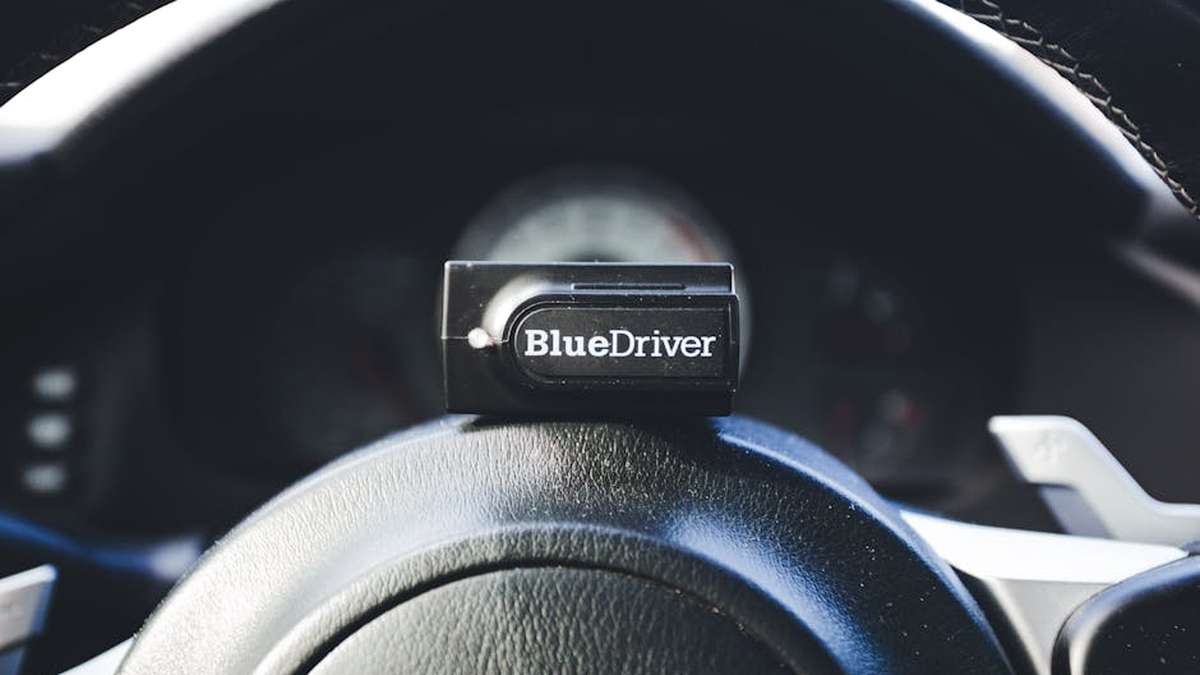
The BlueDriver Bluetooth Professional OBDII Scan Tool, developed by Lemur Vehicle Monitors, positions itself as a more robust and feature-rich solution for serious DIYers, home mechanics, and even small automotive businesses. It offers professional-grade diagnostic capabilities that extend well beyond the typical check engine light, delving into manufacturer-specific codes and enhanced system diagnostics. Related: Deep Dive Review: Is the ‘GuardianDrive 500S’ 4K AI Dash Cam USA’s Smartest Pick for 24/7 Vehicle Protection?
Unlike FIXD, BlueDriver operates on a one-time purchase model for the device, with all its extensive app features included for life—no subscriptions required. It provides comprehensive live data streaming with graphing capabilities, detailed repair reports, and access to manufacturer-specific codes for systems like ABS (Anti-lock Braking System), SRS (Supplemental Restraint System/Airbag), and transmission for a wide range of vehicles. Related: Best Smart Driving & Safety Gadgets in USA (2026)
Feature Comparison
Basic OBD2 Functions (Read/Clear Codes)
Both devices excel at reading and clearing standard OBD2 codes (P-codes). FIXD presents these codes with user-friendly explanations, often simplifying the issue for non-technical users. BlueDriver, while also providing clear explanations, dives deeper, often including common causes and verified fixes from a vast database, making it more actionable for those looking to perform repairs. Related: A200 Wireless CarPlay & Android Auto Adapter Review: Unlock Untethered Convenience for Your USA Car in 2024
Advanced Diagnostics (Live Data, Freeze Frame, Readiness Monitors)
This is where the two truly diverge. BlueDriver offers extensive live data streaming, allowing users to monitor numerous sensors in real-time with customizable dashboards and graphing capabilities. This is crucial for diagnosing intermittent issues or observing sensor performance. It also provides detailed freeze frame data, capturing a snapshot of engine conditions at the moment a fault code was set.
FIXD offers live data, but typically with fewer parameters and often requires a premium subscription for full access and historical data. While it includes I/M Readiness Monitors (helpful for emissions checks), its depth for advanced diagnostics is generally limited compared to BlueDriver.
Enhanced Diagnostics (ABS, Airbag, etc.)
BlueDriver significantly outperforms FIXD in this category. It offers manufacturer-specific enhanced diagnostics for systems like ABS, SRS (Airbag), Transmission, and more, for a vast array of makes and models. This means it can read and clear codes for non-powertrain issues that FIXD often cannot access. FIXD’s capability in this area is minimal, usually restricted to a very select few vehicle models and often requiring the premium subscription.
Ease of Use and App Interface
FIXD’s app is arguably simpler and more intuitive for first-time users, with a clean layout focused on actionable information and maintenance reminders. Its “health score” and simplified explanations are great for quickly understanding the situation. BlueDriver’s app is also user-friendly but presents a more professional and data-rich interface, which might require a slightly steeper learning curve for complete beginners due to the sheer volume of available data and options.
Vehicle Coverage
Both devices cover most gasoline vehicles sold in the US since 1996 (and some diesels). However, BlueDriver’s strength lies in its extensive database of manufacturer-specific codes and enhanced diagnostics, providing deeper insights for a broader range of vehicles than FIXD typically offers.
Price and Subscription Model
FIXD boasts a lower initial hardware cost, making it an attractive entry point. However, many of its most useful features, like detailed repair costs, maintenance history, and full access to live data, are locked behind the recurring FIXD Premium subscription. BlueDriver, while having a higher upfront cost for the device, provides all its comprehensive features with no subscription fees, making it a more cost-effective long-term solution for frequent users.
FIXD Pros
- Extremely User-Friendly: Designed for the average car owner with simple explanations.
- Affordable Entry Point: Low initial cost for the device.
- Maintenance Reminders: Helps keep track of scheduled services.
- Clear Explanations: Translates error codes into understandable language.
- Proactive Approach: Focus on preventative care and vehicle health monitoring.
FIXD Cons
- Subscription Required for Full Features: Many advanced features are paywalled behind FIXD Premium.
- Limited Advanced Diagnostics: Not suitable for deep-dive troubleshooting of complex issues.
- Fewer Live Data Parameters: Less extensive real-time data compared to competitors.
- Basic Reporting: Reports are less detailed and customizable.
- Less Manufacturer-Specific Coverage: Limited access to non-powertrain systems.
BlueDriver Pros
- Professional-Grade Diagnostics: Comprehensive code reading, live data, and enhanced system access.
- No Subscription Fees: All features included after the initial device purchase.
- Extensive Live Data: Monitor numerous parameters with graphing capabilities.
- Manufacturer-Specific Codes: Access to ABS, SRS, transmission, and other system codes.
- Detailed Repair Reports: Generate, save, and share professional reports with verified fixes.
- Wide Vehicle Compatibility: Deep coverage for many makes and models.
BlueDriver Cons
- Higher Initial Cost: More expensive upfront than FIXD.
- Steeper Learning Curve: More features can be slightly overwhelming for absolute beginners.
- Less Focus on Preventative Reminders: Primarily a diagnostic tool, not a maintenance planner.
- Can Be Overkill: May offer more features than a casual user truly needs.
Which One is Better for Whom?
Choose FIXD if you are:
- A casual car owner who primarily wants to understand why their “Check Engine Light” is on in simple terms.
- Someone who wants maintenance reminders and a general overview of their vehicle’s health.
- Looking for an affordable entry point into OBD2 diagnostics and don’t mind a subscription for advanced features.
- Less technically inclined and prefer a highly simplified interface.
Choose BlueDriver if you are:
- A serious DIYer or home mechanic who wants professional-grade diagnostic capabilities.
- Looking to troubleshoot complex issues, including those related to ABS, airbags, or transmission.
- Interested in extensive live data monitoring, graphing, and detailed freeze frame data.
- Prefer a one-time purchase with no recurring subscription fees for full functionality.
- Someone who needs detailed reports for repair logs or pre-purchase inspections.
Final Verdict
Both FIXD and BlueDriver are excellent smart OBD2 scanners for US car owners in 2024, but they cater to distinct user profiles. Your choice ultimately depends on your level of automotive expertise, your diagnostic needs, and your budget tolerance for subscriptions.
For the average driver seeking basic fault code explanations, maintenance reminders, and a general peace of mind about their vehicle’s health without getting too deep into technicalities, FIXD is the superior choice. Its ease of use and simple interface make vehicle diagnostics accessible to everyone.
However, for the enthusiast, serious DIYer, or anyone who desires comprehensive, professional-grade diagnostics without ongoing subscription costs, BlueDriver is the undisputed champion. Its extensive feature set, manufacturer-specific capabilities, and detailed data analysis provide a depth of insight that FIXD cannot match.
Consider your diagnostic habits: Do you want a helpful assistant, or do you want to be the mechanic? Your answer will lead you to the right smart OBD2 scanner.
Disclaimer: Product features, pricing, and availability are subject to change by the manufacturers. This comparison is based on information available in 2024 and aims to provide general guidance. Always verify current details before making a purchase. No guarantees of specific outcomes or performance are implied.
Which scanner provides a wider range of diagnostic features essential for common US car models?
BlueDriver generally offers a more comprehensive suite of diagnostic features, including live data, freeze frame data, smog check readiness, and the ability to read and clear manufacturer-specific (enhanced) codes for many major US car brands. FIXD primarily focuses on reading and clearing basic engine codes and providing maintenance reminders. For deeper insights into common US car issues beyond just generic check engine lights, BlueDriver often has the edge.
For a typical US car owner, which app is more user-friendly and easier to understand: FIXD or BlueDriver?
FIXD is often lauded for its extreme simplicity, providing very basic interpretations of codes and maintenance reminders, which can be great for beginners. BlueDriver, while offering more advanced features, also maintains a very intuitive and well-designed app interface with clear explanations and guided repair reports. For someone who wants immediate, very basic information, FIXD might feel slightly simpler initially. However, BlueDriver’s comprehensive yet accessible approach makes its advanced features user-friendly for most, offering more long-term utility without a steep learning curve.
Can either FIXD or BlueDriver read manufacturer-specific codes and support advanced functions for specific US car makes?
BlueDriver excels in this area, offering the ability to read and clear manufacturer-specific enhanced codes for many major US car brands (e.g., Ford, GM, Chrysler, Toyota, Honda, etc.), in addition to generic OBD2 codes. It also supports some ABS and SRS codes for a broader range of vehicles. FIXD primarily focuses on generic OBD2 codes, meaning it might miss specific manufacturer-defined issues that BlueDriver can identify, which is a significant advantage for US car owners dealing with potentially complex or intermittent problems.
Considering the typical price points, which smart OBD2 scanner offers better long-term value for a US car owner in 2024?
While FIXD often has a lower initial price point and can be appealing for its basic functionality, BlueDriver generally offers superior long-term value for the typical US car owner. Its comprehensive diagnostic capabilities, ability to read manufacturer-specific codes, live data, and guided repair reports can help diagnose issues more accurately and potentially prevent costly unnecessary repairs or provide better information to mechanics. For a slightly higher investment, BlueDriver provides a much deeper understanding of your vehicle’s health, making it a more robust and valuable tool over time.
Related Products
- Deep Dive Review: Is the ‘GuardianDrive 500S’ 4K AI Dash Cam USA’s Smartest Pick for 24/7 Vehicle Protection?
- Best Smart Driving & Safety Gadgets in USA (2026)
- RoadView Ultra 4K Dash Cam Review: Is This The Smartest AI Parking Monitor & Collision Detector for Your USA Car in 2024?
- Garmin Dash Cam Mini 2 vs. Viofo A129 Pro Duo: Which Compact 4K Dash Cam Is Best for USA Drivers in 2024?
- A200 Wireless CarPlay & Android Auto Adapter Review: Unlock Untethered Convenience for Your USA Car in 2024