





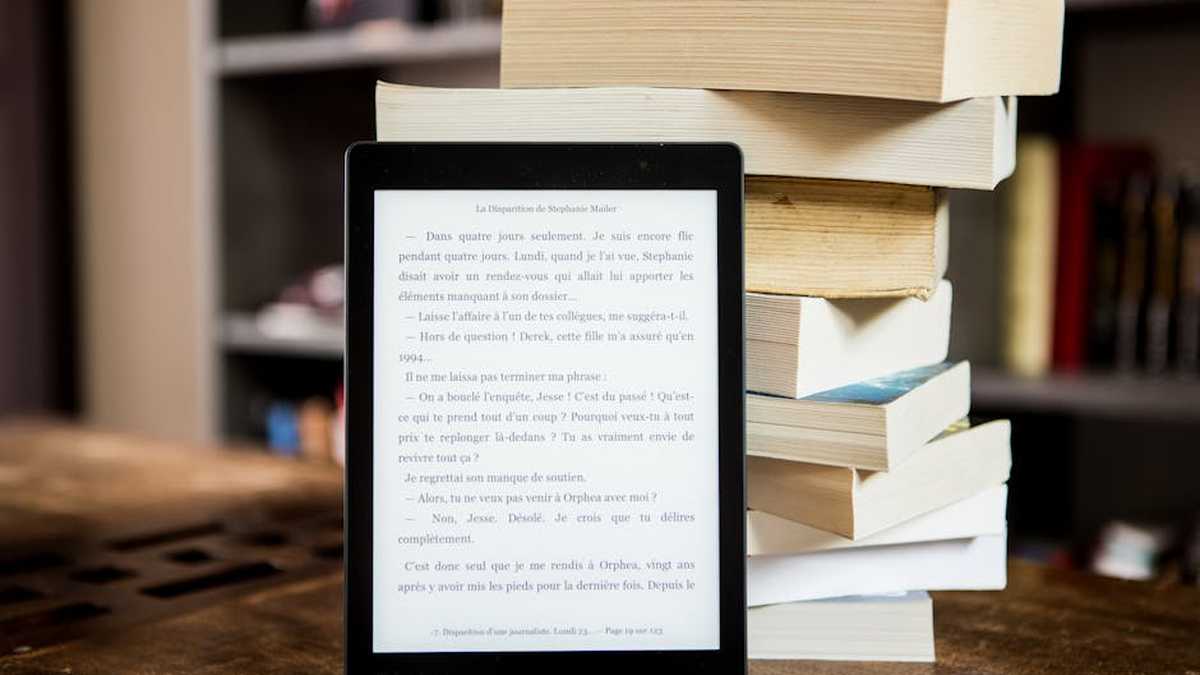
Introduction: Navigating the E-Reader Landscape for US Consumers
For avid readers and frequent travelers in the United States, an e-reader is more than a gadget; it’s a portable library, a gateway to endless stories without the bulk. When it comes to striking the perfect balance between features, value, and convenience, two devices consistently rise to the top: the Amazon Kindle Paperwhite and the Kobo Libra 2. Both offer crisp E Ink displays, waterproofing, and integrated lighting, but their philosophies regarding content, design, and user experience diverge significantly. This detailed comparison aims to cut through the marketing noise, providing a data-driven analysis to help US consumers decide which e-reader best suits their reading habits and travel needs.
E-Reader Comparison Table
| Feature | Kindle Paperwhite (11th Gen) | Kobo Libra 2 |
|---|---|---|
| Screen Size | 6.8 inches | 7 inches |
| Resolution | 1246 x 1648 pixels | 1264 x 1680 pixels |
| Pixels Per Inch (PPI) | 300 PPI | 300 PPI |
| Storage Options | 8GB (standard), 16GB (Signature Edition) | 32GB (standard) |
| Waterproofing | IPX8 (up to 60 mins in 2m fresh water) | IPX8 (up to 60 mins in 2m fresh water) |
| Front Light | Adjustable warm light (adaptive in Signature Edition) | ComfortLight PRO (adjustable brightness & color temperature) |
| Buttons for Page Turns | No (Touchscreen only) | Yes (Physical page-turn buttons) |
| Connectivity | Wi-Fi | Wi-Fi, Bluetooth |
| USB Port | USB-C | USB-C |
| Audiobooks | Audible integration (via Bluetooth headphones) | Kobo Audiobooks (via Bluetooth headphones) |
| Public Library Access (US) | OverDrive (via Amazon partnership, limited direct access) | Native OverDrive integration |
| Ecosystem | Amazon Kindle Store | Kobo Store, OverDrive, Pocket |
| File Formats | AZW3, AZW, TXT, PDF, MOBI (unprotected), PRC; HTML, DOC, DOCX, JPEG, GIF, PNG, PMP (conversion); AAX (Audible audio) | EPUB, EPUB3, FlePub, PDF, MOBI, JPEG, GIF, PNG, BMP, TIFF, TXT, HTML, RTF, CBZ, CBR, Kobo Audiobooks |
| Starting Price (MSRP) | ~$139.99 (with ads) | ~$189.99 |
Product A Overview: Kindle Paperwhite (11th Gen)
The Amazon Juggernaut for Mass Appeal
The Kindle Paperwhite (11th Gen) represents Amazon’s most popular e-reader, balancing premium features with an attractive price point. It features a larger 6.8-inch display compared to previous models, maintaining the crisp 300 PPI resolution that makes text look like print on paper. With IPX8 waterproofing, it’s a reliable companion for poolside reading or a relaxing bath. Its integration with Amazon’s vast Kindle ecosystem, including millions of titles and Audible audiobooks, is its primary strength. For travelers, the compact size and robust access to content from virtually anywhere make it a compelling choice.
Product B Overview: Kobo Libra 2
The Open-Minded Challenger with Physical Flair
Kobo, a subsidiary of Rakuten, positions the Libra 2 as a premium mid-range e-reader for those who value an open ecosystem and ergonomic design. Boasting a slightly larger 7-inch E Ink Carta 1200 display with 300 PPI, it offers excellent readability. A key differentiator is its physical page-turn buttons and asymmetric design, making one-handed reading more comfortable. With 32GB of storage standard, native OverDrive integration for public library access, and support for a wider range of file formats, the Libra 2 appeals to readers who prefer more flexibility and less platform lock-in. It also features Kobo Audiobooks, accessible via Bluetooth.
Related: FlowState Digital Planner Pro Review: My Deep Dive Into the Top Digital System for US Professionals
Feature Comparison: A Closer Look
Display Quality and Size
Both devices offer a fantastic 300 PPI E Ink display, ensuring text is razor-sharp. The Paperwhite’s 6.8-inch screen is a significant upgrade from its predecessors, while the Libra 2 edges it out slightly with a 7-inch display. This difference is minor in practice but gives the Libra 2 a tiny bit more screen real estate. Both feature adjustable front lights, with the Paperwhite offering warm light (adaptive in the Signature Edition) and the Libra 2’s ComfortLight PRO providing full color temperature adjustment. The Libra 2’s E Ink Carta 1200 screen technology offers slightly faster page turns and better contrast, though the difference is subtle for most users.
Related: Synapse AI Learning Assistant Review: Is This the Must-Have Study App for US College Students?
Design & Ergonomics
This is where the devices diverge most significantly. The Kindle Paperwhite offers a symmetrical, flush-front design with a uniform bezel. Page turns are exclusively via touchscreen taps. The Kobo Libra 2, however, embraces an asymmetric design with a wider bezel on one side, housing physical page-turn buttons. This design is often praised for making one-handed reading more comfortable, allowing users to grip the wider bezel without obscuring the screen and to turn pages with a thumb click. For many, physical buttons are a game-changer, especially when traveling or reading in less stable environments.
Related: DeepFocus Noise-Cancelling Headphones Review: My Verdict on the Best Study Headphones for US Students
Software & User Experience
Amazon’s Kindle interface is streamlined and primarily focused on getting you into your books. It’s intuitive, but deeply integrated with the Amazon ecosystem, often pushing Kindle Store content. Kobo’s software, while also user-friendly, offers greater customization for fonts, margins, and reading statistics. Its native OverDrive integration is a huge plus for US users who frequently borrow books from public libraries, allowing direct browsing and borrowing from the device. The Paperwhite supports OverDrive through Amazon’s Send to Kindle feature, which requires a few more steps and can be less direct.
Related: PixelScribe Digital Notebook Review: A True ReMarkable Alternative for US Study & Work?
Ecosystem & Content Access
This is arguably the most critical differentiator.
- Kindle Paperwhite: Relies on the vast Amazon Kindle Store, which boasts millions of titles, often with competitive pricing and exclusive content. Prime Reading offers free access to a rotating selection of books. Audible integration is seamless. However, it’s a closed ecosystem, meaning you’re primarily buying books from Amazon. While you can send personal documents (PDFs, ePubs converted by Amazon) to your Kindle, the process is Amazon-centric.
- Kobo Libra 2: While it has its own Kobo Store, its strength lies in its open approach. Native OverDrive integration is a standout feature for US readers, making library borrowing incredibly convenient. It supports a wider array of file formats (including EPUB and CBZ/CBR for comics out of the box), making it easier to load content from sources other than Kobo’s store. Kobo’s Pocket integration allows users to save web articles for offline reading, a fantastic feature for travelers.
Related: MasterMind Online Course Platform Review: Unbiased Look at Its Value for US Skill Development
Battery Life & Charging
Both devices offer excellent battery life, typically lasting weeks on a single charge, depending on usage (light intensity, Wi-Fi usage). Both now feature modern USB-C charging, which is a welcome convenience for travelers who want to minimize cable clutter.
Pros and Cons for Both E-Readers
Kindle Paperwhite (11th Gen)
- Pros:
- Seamless integration with the massive Amazon ecosystem (Kindle Store, Audible).
- Excellent value for money, especially during sales.
- Sleek, modern flush-front design.
- Reliable performance and user-friendly interface.
- USB-C charging and IPX8 waterproofing.
- Cons:
- Closed ecosystem – less flexible with non-Amazon content.
- No physical page-turn buttons.
- OverDrive integration is less direct than Kobo’s.
- Standard 8GB storage might be limiting for audiobook heavy users.
Kobo Libra 2
- Pros:
- Native, direct OverDrive integration for easy library borrowing.
- Physical page-turn buttons and ergonomic asymmetric design.
- Wider support for open file formats (EPUB, CBZ/CBR, etc.).
- Standard 32GB storage offers ample space for books and audiobooks.
- ComfortLight PRO with full color temperature adjustment.
- Pocket integration for reading web articles offline.
- Cons:
- Higher starting price than the Paperwhite.
- Kobo Store selection, while vast, isn’t as dominant as Amazon’s.
- Bluetooth audiobooks are tied to Kobo’s platform, not Audible.
- Less brand recognition/ecosystem familiarity in the US compared to Kindle.
Which One is Better For Whom?
For the Amazon Loyalist, Frequent Traveler, and Value Seeker: The Kindle Paperwhite
If you are already deeply invested in the Amazon ecosystem – buying Kindle books, subscribing to Audible, or a Prime member – the Kindle Paperwhite is a natural fit. Its seamless integration with your existing Amazon library and services provides unparalleled convenience. For frequent travelers, its compact size, robust content access (especially via Wi-Fi from Amazon’s cloud), and value-for-money proposition (especially if you catch it on sale) make it an excellent choice. If you don’t mind navigating Amazon’s slightly indirect OverDrive solution or primarily buy your books, the Paperwhite will serve you exceptionally well.
For the Open Ecosystem Advocate, Library Enthusiast, and Ergonomics Priority: The Kobo Libra 2
The Kobo Libra 2 is the clear winner for readers who value flexibility, open standards, and direct public library access in the US. Its native OverDrive integration is a huge convenience, making it effortless to borrow books without jumping through hoops. If you prefer loading books from various sources, value the tactile feedback of physical page-turn buttons, or prioritize one-handed reading comfort with its ergonomic design, the Libra 2 stands out. The larger standard storage and Pocket integration also cater well to users who consume diverse digital content beyond just purchased books.
Traveler’s Note: Both devices are excellent travel companions due to their compact size, long battery life, and waterproofing. The choice for a traveler often boils down to their preferred content source (Amazon vs. libraries/other stores) and whether physical page-turn buttons enhance their on-the-go reading experience.
Final Verdict
Choosing between the Kindle Paperwhite and the Kobo Libra 2 ultimately comes down to personal priorities and existing habits.
- If ease of access to the vast Amazon ecosystem, a slightly lower price point, and a clean, touch-based interface are your top priorities, the Kindle Paperwhite is the better choice. It’s a fantastic, reliable e-reader that fulfills the needs of the majority of US readers.
- If native public library support (OverDrive), an open ecosystem for diverse file formats, ergonomic design with physical page-turn buttons, and maximum storage are more important to you, the Kobo Libra 2 offers a more flexible and often more comfortable reading experience. It’s a premium offering for those willing to pay a little extra for these specific advantages.
Both e-readers are excellent devices with high-resolution screens and robust features. For the typical US avid reader and traveler, neither choice is inherently “wrong,” but the right one will significantly enhance their reading journey.
Which e-reader offers better access to books and library services for avid readers in the US?
The choice between the Kindle Paperwhite and Kobo Libra 2 for book access depends on your preferred ecosystem. The Kindle Paperwhite deeply integrates with Amazon’s vast Kindle Store, offering millions of titles and exclusive content, along with seamless Goodreads integration. For US users, it supports OverDrive for public library e-books via the Libby app, though the process is often smoother on Kobo. The Kobo Libra 2 truly shines with its direct, built-in OverDrive integration, making borrowing library books incredibly easy and user-friendly right from the device. Kobo also supports a wider range of open file formats like EPUB, making it more flexible if you source books from various places outside a proprietary store.
For frequent travelers, which e-reader is more practical and durable: the Kindle Paperwhite or Kobo Libra 2?
Both the Kindle Paperwhite and Kobo Libra 2 are excellent travel companions, featuring IPX8 waterproofing, making them resilient against splashes or accidental dips. The Kindle Paperwhite is slightly lighter and more compact, making it easy to slip into any bag. Its battery life is generally excellent, lasting weeks. The Kobo Libra 2, while a bit larger, offers physical page-turn buttons, which some travelers prefer for one-handed reading on the go, especially when holding a coffee or navigating public transport. Its larger screen might also be a benefit for some. Both offer good glare-free reading in bright conditions, essential for outdoor travel. The decision often comes down to preferred ergonomics and screen size.
Which device provides a more comfortable and customizable reading experience for long reading sessions?
Both devices offer high-resolution E Ink screens designed for comfortable reading, mimicking physical paper. The Kindle Paperwhite features a 6.8-inch display with adjustable warm light, reducing eye strain during evening reads. It offers several font choices and sizes. The Kobo Libra 2, with its 7-inch display, provides a slightly larger reading area, which can be advantageous for long sessions. It also boasts adjustable ComfortLight PRO (warm light) and offers extensive font customization, including font weight and margins, giving readers a high degree of control over their page layout. Many avid readers find Kobo’s greater customization options and potentially larger screen more conducive to marathon reading sessions.
Considering overall value, which e-reader is the better investment for a US avid reader who travels regularly?
The “better investment” largely depends on your priorities. The Kindle Paperwhite (starting around $139.99) is an excellent choice if you’re deeply invested in the Amazon ecosystem, value a vast selection of readily available content, and prefer a slightly more compact device for travel. It offers a premium reading experience and reliable performance. The Kobo Libra 2 (starting around $189.99) is a superb investment if seamless public library integration (OverDrive), support for open file formats, and advanced customization options for your reading experience are top priorities. Its physical page-turn buttons and slightly larger screen are also significant advantages for many. Both offer weeks of battery life and waterproofing, making them highly capable travel devices. If library borrowing is a frequent activity, the Kobo Libra 2 often provides superior long-term value for a US avid reader.
Related Products
- Notion vs. Evernote: The Ultimate Knowledge Hub for US Students and Remote Workers?
- Coursera vs. edX: Which Online Learning Platform Delivers More US Career Advancement in 2024?
- PixelScribe Digital Notebook Review: A True ReMarkable Alternative for US Study & Work?
- GoalForge App Premium Review: My Honest Opinion on the Best Goal Tracking App for US Users
- The Modern Learner’s Toolkit Review: Is This the Essential Guide for Lifelong Learners in the USA?



