





Introduction
For US university students navigating demanding academic schedules, the ability to take efficient, organized, and distraction-free notes is paramount. Traditional notebooks can become cumbersome, while general-purpose tablets often introduce a myriad of distractions. E-Ink tablets have emerged as a compelling solution, offering a digital platform with a paper-like writing experience, extended battery life, and minimal eye strain. This guide meticulously compares two leading contenders in this specialized market: the Remarkable 2 and the Onyx Boox Note Air 3 C. We aim to equip you with the insights necessary to choose the device that best aligns with your note-taking style, academic needs, and budget.
Comparison Table
| Feature | Remarkable 2 | Onyx Boox Note Air 3 C |
|---|---|---|
| Display | 10.3″ Monochrome E-Ink Carta (226 DPI) | 10.3″ Kaleido 3 Color E-Ink (300 DPI B/W, 150 DPI Color) |
| Stylus | Marker Plus (magnetic, eraser), Marker (no eraser) | Boox Pen 2 Pro (magnetic, eraser) |
| Operating System | Custom Linux-based OS | Android 12 |
| Storage | 8 GB (approx. 6.5 GB usable) | 128 GB |
| RAM | 1 GB | 4 GB |
| Processor | Dual-core ARM | Qualcomm Octa-core |
| Connectivity | Wi-Fi (2.4GHz & 5GHz), USB-C | Wi-Fi (2.4GHz & 5GHz), Bluetooth 5.0, USB-C |
| Battery Life | Up to 2 weeks (typical use) | Days to a week (highly dependent on color/app usage) |
| Weight | ~403g (0.89 lbs) | ~450g (0.99 lbs) |
| Dimensions | 187 x 246 x 4.7 mm | 226 x 193 x 5.8 mm |
| Distraction Level | Extremely low (no apps) | Moderate (Android app access) |
| Color Support | No | Yes (4096 colors) |
| Subscription Required | Remarkable Connect for cloud sync/features | No (for core features) |
| Price (Approx.) | Device $299-399 (plus stylus/folio) | Device $549-599 (stylus included) |
Remarkable 2 Overview
The Remarkable 2 is widely celebrated for its singular focus: replicating the tactile experience of writing on paper. Its 10.3-inch monochrome E-Ink screen, combined with a custom Linux-based operating system, provides an unparalleled, distraction-free environment for note-taking, sketching, and reading. With an ultra-low latency stylus and a textured display, the Remarkable 2 truly shines for those who value simplicity and a highly realistic writing feel. It excels at turning handwritten notes into typed text, annotating PDFs, and organizing documents in a straightforward manner. Its minimalist design and exceptional thinness make it incredibly portable and a pleasure to handle.
Onyx Boox Note Air 3 C Overview
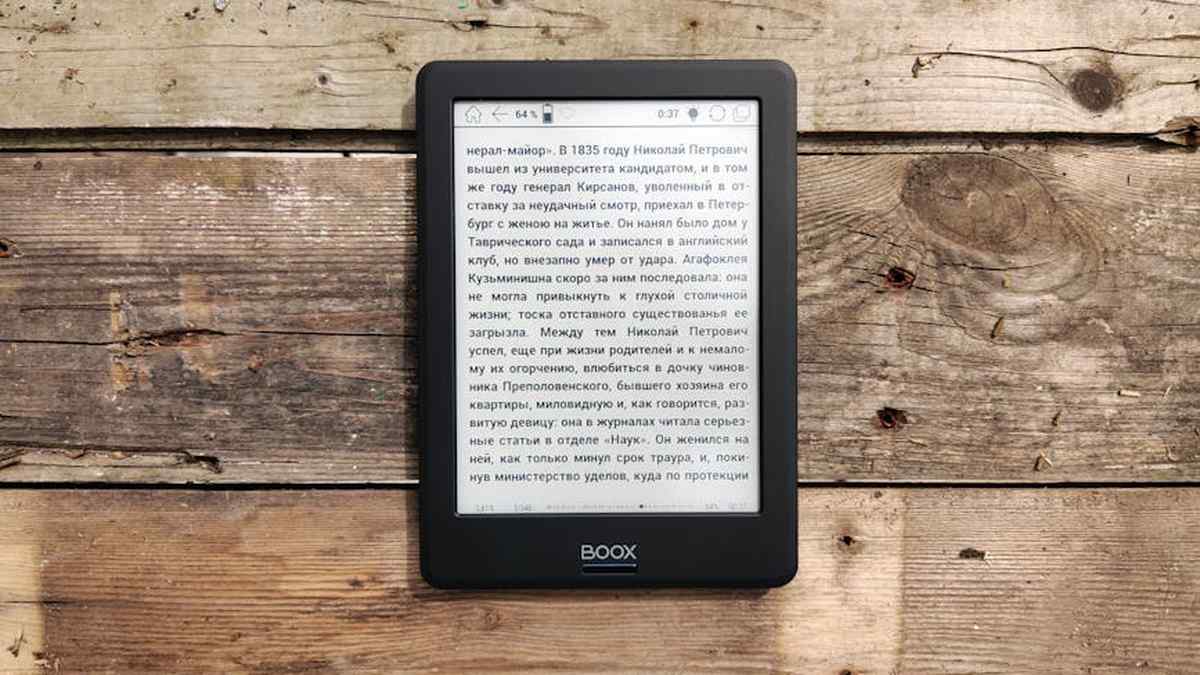
The Onyx Boox Note Air 3 C represents a more versatile and feature-rich approach to the E-Ink tablet. Its standout feature is the 10.3-inch Kaleido 3 color E-Ink display, bringing vibrant hues to textbooks, graphs, and presentations – a significant advantage for certain academic disciplines. Running on a full Android 12 operating system, the Note Air 3 C grants users access to the Google Play Store, opening up a world of third-party applications for reading, cloud storage, and productivity. This device offers a robust processor and ample storage, making it suitable for more demanding tasks beyond just note-taking, functioning closer to a traditional tablet while retaining the benefits of E-Ink.
Related: Tiago Forte’s PARA System vs. David Allen’s GTD: Choosing Your Perfect US Personal Knowledge Management System
Feature Comparison
Display and Writing Experience
- Remarkable 2: Offers a pure monochrome experience with a highly textured surface, providing the closest sensation to pen-on-paper. Its display is optimized for crisp black-and-white text and detailed line drawings. Latency is exceptionally low, making writing feel natural and immediate.
- Onyx Boox Note Air 3 C: Features a color E-Ink screen, which is a game-changer for subjects requiring visual aids. While the color layer adds versatility, it can subtly affect the black-and-white text clarity compared to a dedicated monochrome screen. The writing experience is excellent, though some users might find it slightly less “grippy” than the Remarkable 2.
Operating System and Ecosystem
- Remarkable 2: Its custom Linux OS is designed for a single purpose: distraction-free focus. There are no third-party apps, notifications, or web browsing. Its ecosystem is tightly controlled, with cloud synchronization (Connect subscription required for full features) and desktop/mobile apps for seamless file transfer.
- Onyx Boox Note Air 3 C: Runs on Android 12, providing immense flexibility. You can install virtually any Android app, from Kindle and Google Docs to Notion and academic journal readers. This versatility comes with the potential for distraction, though Boox offers tools to optimize app performance on E-Ink.
Storage and Performance
- Remarkable 2: Comes with 8 GB of internal storage (around 6.5 GB usable), which is ample for thousands of documents and notebooks given their small file size. Performance is smooth for its intended note-taking and reading tasks.
- Onyx Boox Note Air 3 C: Boasts a generous 128 GB of storage and 4 GB of RAM, coupled with a powerful Octa-core processor. This hardware makes it significantly more capable of handling complex PDFs, multiple open applications, and general Android operations.
Battery Life and Portability
- Remarkable 2: Known for its exceptional battery life, often lasting up to two weeks on a single charge with typical use, thanks to its monochrome display and minimalist OS. Its ultra-thin and lightweight design makes it highly portable.
- Onyx Boox Note Air 3 C: Battery life is good for an Android tablet but shorter than the Remarkable 2, especially with frequent color use or running multiple apps. It typically lasts several days to a week. It is slightly thicker and heavier than the Remarkable 2, but still very portable.
PDF Annotation and Note-Taking Features
- Remarkable 2: Offers robust PDF annotation tools, layers for notes, various pen types, and efficient organization. It includes a basic OCR (handwriting conversion) and allows for easy sharing of documents.
- Onyx Boox Note Air 3 C: Provides extensive PDF annotation capabilities with more advanced tools and customizability. Its Android nature allows for the use of third-party PDF readers and note-taking apps, offering unparalleled flexibility. It also includes OCR and advanced features like split-screen multitasking.
Pros and Cons
Remarkable 2 Pros:
- Unrivaled Writing Experience: Closest feel to pen on paper.
- Distraction-Free: No apps, no notifications, pure focus.
- Exceptional Battery Life: Weeks on a single charge.
- Sleek Design and Portability: Extremely thin and lightweight.
- Superior for Monochrome Documents: Crisp text and images.
Remarkable 2 Cons:
- Monochrome Only: Cannot display color, limiting for certain materials.
- Closed Ecosystem: Limited integration with third-party apps.
- Connect Subscription: Required for full cloud sync and handwriting conversion features.
- Limited Storage: 8 GB might be a constraint for some (though typically sufficient for notes).
- Higher Entry Cost: Stylus and folio are often separate purchases.
Onyx Boox Note Air 3 C Pros:
- Color E-Ink Display: Essential for visual learners, graphs, and colorful textbooks.
- Android OS & App Ecosystem: Access to Google Play Store apps (Kindle, OneNote, etc.).
- Powerful Hardware: Faster processor, more RAM and storage.
- Versatility: Functions as a more complete tablet while retaining E-Ink benefits.
- Stylus Included: Comes with the device, often with an eraser.
Onyx Boox Note Air 3 C Cons:
- Potential for Distraction: Android apps can lead to off-task activities.
- Slightly Less “Paper-like” Feel: While excellent, some find the writing surface slightly smoother.
- Shorter Battery Life: Especially with color use and app multitasking.
- Higher Price Point: Generally more expensive than the Remarkable 2.
- Color Clarity: Color layers can slightly reduce the sharpness of black text compared to pure monochrome.
Which One Is Better For Whom
Choose the Remarkable 2 if you are a student who:
- Prioritizes a pure, distraction-free note-taking experience above all else.
- Mainly works with black-and-white documents, textbooks, and handwritten notes.
- Values the tactile sensation of writing on paper digitally.
- Prefers a minimalist interface and a dedicated device for focus.
- Needs exceptional battery life for long study sessions without charging.
- Majors in fields like humanities, law, or subjects where visual complexity is minimal.
Choose the Onyx Boox Note Air 3 C if you are a student who:
- Requires color in your study materials (e.g., graphs, diagrams, colorful PDFs, presentations).
- Needs access to a wide range of Android apps for reading, productivity, or cloud storage.
- Wants a versatile device that can function both as an E-Ink notebook and a limited E-Ink tablet.
- Handles complex PDFs, research papers, or digital textbooks that benefit from a powerful processor.
- Majors in STEM fields, medicine, art, or any discipline where visual accuracy and varied content are crucial.
- Is comfortable managing potential distractions of an Android device.
Final Verdict
The choice between the Remarkable 2 and the Onyx Boox Note Air 3 C ultimately hinges on your specific academic workflow and priorities as a US university note-taker.
Related: Single Review: [Note-Taking App Name] for Digital Learners – Is This the Ultimate Study Tool for USA University Students?
The Remarkable 2 stands as the undisputed champion for those seeking the ultimate distraction-free, paper-like writing experience. Its simplicity is its strength, offering an environment tailored purely for focused note-taking and reading black-and-white documents. If your primary goal is to replicate the physical notebook with digital convenience and minimal distractions, the Remarkable 2 is an exceptional choice.
Related: In-Depth Review of The [Memory Improvement Program]: Can It Actually Enhance Recall for Older Americans?
The Onyx Boox Note Air 3 C, conversely, is a powerful and versatile tool designed for students who need more functionality from their E-Ink device. Its color display and Android operating system open doors to a vast ecosystem of apps and content, making it ideal for fields requiring visual differentiation, multi-format content consumption, or seamless integration with existing Android-based workflows. If you need a digital notebook that also serves as a robust E-Ink tablet for diverse academic needs, the Note Air 3 C delivers.
Related: Evernote vs. OneNote: Head-to-Head Comparison for USA Note-Takers & Digital Organizers.
Consider your major, your typical study materials, and your tolerance for digital distractions. Both devices represent the pinnacle of E-Ink technology, but their philosophies are distinct. Your “best” E-Ink tablet will be the one that most effectively empowers your individual path to academic success.
Related: My Take on The [Specific Goal-Setting Journal]: A US Perspective on Achieving Ambitious Personal & Career Milestones
For a US university student on a budget, which e-ink tablet—the Remarkable 2 or Onyx Boox Note Air 3 C—provides the best overall value for note-taking and academic use?
While the Remarkable 2 typically has a lower upfront cost for the device itself, the Onyx Boox Note Air 3 C offers broader Android app compatibility, which might reduce the need for other devices, potentially offering different long-term value for diverse academic needs.
How do the Remarkable 2 and Onyx Boox Note Air 3 C compare specifically for handwriting lecture notes, annotating textbooks (PDFs), and sketching diagrams common in university courses?
The Remarkable 2 is highly praised for its paper-like writing feel, making it excellent for pure handwriting and PDF annotation. The Onyx Boox Note Air 3 C offers a responsive writing experience as well, with the added benefit of color for diagrams and highlighting, along with more versatile PDF tools through its Android OS.
Beyond basic note-taking, which device—the Remarkable 2 or Onyx Boox Note Air 3 C—offers superior software features and cloud integration crucial for a US university student’s academic workflow, such as syncing with Canvas, Google Drive, or OneDrive?
The Onyx Boox Note Air 3 C, running on Android, offers native access to a wider range of cloud services and third-party apps, potentially integrating more seamlessly into existing university ecosystems like Canvas or Google Drive directly. The Remarkable 2 has its own cloud service and integrates with a select few major services, but relies more on its dedicated desktop and mobile apps for broader file management.
Given the need for long study sessions and reviewing complex materials, how do the displays of the Remarkable 2 (monochrome) and Onyx Boox Note Air 3 C (color Kaleido 3) impact eye comfort and the readability of academic texts for university students?
Both devices offer glare-free e-ink displays designed for eye comfort, mimicking paper. The Remarkable 2’s high-contrast monochrome screen is excellent for text-heavy documents. The Onyx Boox Note Air 3 C’s Kaleido 3 color screen can enhance readability for graphs, charts, and colorful textbooks, but its color layer might slightly reduce the crispness of pure black text compared to a dedicated monochrome screen.
Related Products
- Tiago Forte’s PARA System vs. David Allen’s GTD: Choosing Your Perfect US Personal Knowledge Management System
- Mind Mapping Software (e.g., XMind) vs. Traditional Cornell Notes: Optimizing Learning for USA Visual Thinkers
- Forest App vs. Focusmate: Boosting Productivity & Study Accountability for US College Students
- Audible vs. Kindle Unlimited: The Superior Choice for USA Audiobook & eBook Enthusiasts?
- “Atomic Habits” vs. “Deep Work”: Which Bestseller Best Boosts Focus for US Professionals?



