





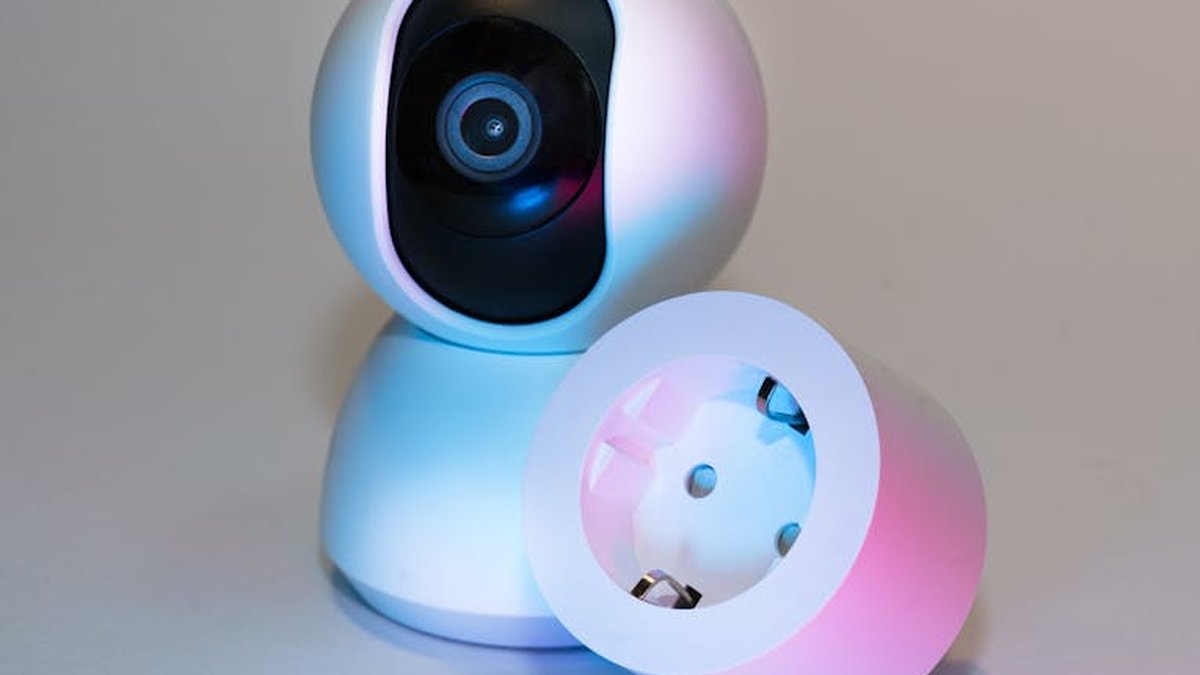
Introduction: Enhancing Senior Well-being Through Smart Home Technology
As the demographic landscape continues its evolution, the imperative to support the safety, comfort, and independence of seniors living in their homes has gained significant prominence. Smart home automation, once perceived as a futuristic luxury, has matured into a robust and accessible toolkit for achieving these goals. By strategically integrating intelligent devices, families and caregivers can cultivate environments that offer enhanced peace of mind, streamline daily routines, and proactively mitigate potential risks. This analytical guide reviews a curated selection of leading smart home products, specifically tailored for senior safety and autonomy, providing an authoritative perspective on their features, benefits, and suitability for diverse needs within the US market for 2026.
Comparison Table: Top Smart Home Solutions for Seniors
| Product Category | Key Feature Highlights for Seniors | Estimated Price Range (USD) | Best For |
|---|---|---|---|
| Smart Medical Alert System | 24/7 professional monitoring, automatic fall detection, two-way communication, GPS tracking. | $30-$60/month (subscription) + equipment fees. | Immediate emergency response and constant professional oversight for high-risk individuals. |
| Voice Assistant Smart Hub | Intuitive voice control for tasks, video calling, visual reminders, smart device integration. | $80-$250. | Centralized control, communication, and information hub for tech-adaptable seniors. |
| Smart Video Doorbell | Remote visitor screening, motion alerts, two-way audio, package delivery monitoring. | $100-$250 (device) + optional subscription. | Door security, convenient communication, and deterring unwanted visitors. |
| Smart Door Locks | Keyless entry, remote access for trusted individuals, activity logs, auto-locking. | $150-$300. | Enhanced security, convenient access management for caregivers, and eliminating lost keys. |
| Smart Lighting System | Automated scheduling, voice control, motion activation, dimming to prevent glare. | $50-$300+ (starter kits to full systems). | Preventing falls, improving home navigation, and enhancing home security. |
| Smart Fall Detection & Monitoring | Non-wearable radar-based fall detection, privacy-focused monitoring without cameras. | $200-$400 (device) + optional subscription. | Passive, private fall monitoring in critical areas, ideal for those who dislike wearables. |
| Smart Thermostat | Remote temperature control, adaptive scheduling, voice command for climate adjustments. | $150-$250. | Maintaining comfortable and safe indoor climate, remote adjustments by caregivers, energy efficiency. |
In-Depth Product Reviews
1. Philips Lifeline GoSafe 2
The Philips Lifeline GoSafe 2 stands as a premier personal emergency response system, offering comprehensive features designed to protect active seniors both within and beyond the confines of their homes.
Key Features:
- Advanced Automatic Fall Detection: Utilizes sophisticated algorithms and multiple sensors to detect falls reliably.
- Six Location Technologies: Pinpoints user location with precision using GPS, Wi-Fi, and cellular triangulation for rapid response.
- Integrated Two-Way Communication: Features a built-in speaker and microphone for direct communication with the 24/7 monitoring center.
- Water-Resistant Design: The wearable device can be worn in showers and baths, critical areas where falls frequently occur.
- Professional 24/7 Monitoring: Connects users to highly trained emergency responders around the clock.
Pros:
- Offers robust protection for both indoor and outdoor environments.
- High accuracy in fall detection, reducing false alarms while ensuring critical events are caught.
- Direct and immediate connection to emergency services and pre-approved contacts.
- Designed for ease of use, often requiring only a single button press for assistance.
Cons:
- Involves a recurring monthly subscription fee, which is a continuous expenditure.
- The wearable device necessitates regular charging to maintain functionality.
- While advanced, no system is entirely immune to occasional false alarms.
Best For: Seniors who maintain an active lifestyle, frequently venture outside the home, or possess a heightened risk of falls, requiring comprehensive, professional 24/7 monitoring and swift emergency intervention. Related: Fingerprint Smart Lock Review: Unlocking Effortless Security for USA Families & Airbnbs (2024)
Price Range: Typically involves an initial equipment fee (which may vary or be waived) and a monthly subscription ranging from approximately $40-$60 USD, depending on the chosen service plan and included features. Related: Smart Outdoor Camera Review: Stop Porch Pirates with AI Person Detection (USA 2024)
Ensure continuous protection and rapid emergency response for your loved ones. Related: Smart Zoned Thermostat Review: Finally Slash USA Energy Bills by 30%? (2024 Test)
2. Amazon Echo Show 10 (3rd Gen)
The Amazon Echo Show 10 (3rd Gen) integrates a dynamic display with the Alexa voice assistant, serving as a versatile central hub for communication, entertainment, and smart home control, proving particularly beneficial for seniors. Related: August Smart Lock Pro Review: Unlocking Daily Convenience and Security for USA Homeowners
Key Features:
- Motion-Tracking Screen: The display automatically rotates to keep the user in frame during video calls and when interacting with content.
- Enhanced Video Calling & Messaging: Facilitates easy connection with family and friends via Alexa-to-Alexa calls, Zoom, or other supported platforms.
- Intuitive Voice Control: Allows for seamless management of smart lights, thermostats, music, and more using simple voice commands.
- Visual Reminders & Calendars: Capable of displaying important appointments, medication schedules, and daily tasks prominently.
- “Drop In” Intercom Feature: Authorized family members can initiate a quick, hands-free audio or video call to check in, similar to an intercom.
Pros:
- Minimizes the need for physical interaction with devices through robust voice control.
- Features a large, clear screen ideal for video calls, photos, and visual information display.
- Functions as a centralized command center for integrating and managing various smart home devices.
- The “Drop In” feature provides a convenient and non-intrusive method for family members to connect.
Cons:
- Requires a consistent and reliable high-speed internet connection to operate effectively.
- Might present a learning curve for seniors with limited prior experience with smart technology.
- Potential privacy considerations due to always-on microphones and cameras, although these features are manageable.
Best For: Seniors who are comfortable with or willing to adapt to voice commands, desire simplified video communication with family, and benefit from a centralized control point for their smart home devices and daily reminders. Related: Best Smart Home Automation Systems to Deter Burglars in USA (2026)
Price Range: Approximately $180-$250 USD.
Simplify daily routines and enhance connectivity with intuitive voice control.
3. Ring Video Doorbell Pro 2
The Ring Video Doorbell Pro 2 significantly enhances front door security and convenience, enabling seniors to remotely see, hear, and speak to visitors from any location without needing to physically approach or open the door.
Key Features:
- 3D Motion Detection & Bird’s Eye View: Utilizes advanced radar-based motion sensing for precise alerts and a top-down perspective of activity.
- Head-to-Toe HD+ Video: Provides an expanded field of view, allowing users to see a person from head to toe and monitor packages left on the doorstep.
- Two-Way Talk with Noise Cancellation: Ensures clear and effective communication with visitors, even in noisy environments.
- Real-Time Notifications: Delivers instant alerts to a smartphone, tablet, or compatible Echo device when motion is detected or the doorbell is pressed.
- Alexa Greetings: Can be configured to answer the door automatically, taking messages or providing instructions for visitors.
Pros:
- Significantly bolsters front door security and acts as a deterrent to potential intruders.
- Enables safe screening of visitors without physical confrontation or effort.
- Offers peace of mind through continuous remote monitoring capabilities.
- Seamlessly integrates with other smart home systems, including Amazon Alexa-enabled devices.
Cons:
- May require professional installation or a degree of DIY proficiency for hardwiring.
- A Ring Protect Plan subscription is essential for accessing video recording history and advanced features.
- Performance is dependent on a stable and robust Wi-Fi connection.
Best For: Seniors concerned about doorstep security, those who face difficulties quickly reaching the door, or individuals desiring to screen visitors and receive timely package delivery alerts remotely.
Price Range: Approximately $200-$250 USD for the device, with optional Ring Protect Plan subscriptions typically ranging from $3-$10 per month.
Secure your home’s entrance and manage visitors effortlessly.
4. August Smart Lock Pro + Connect
The August Smart Lock Pro + Connect transforms an existing deadbolt into an intelligent access solution, providing keyless entry, remote access management, and activity tracking, which can be immensely valuable for senior independence and controlled caregiver access.
Key Features:
- Keyless Automatic Entry: Features auto-unlock functionality as the user approaches the door and auto-locks upon departure.
- Grant Virtual Keys: Allows for the creation and management of temporary or permanent virtual keys for caregivers, family members, or service providers.
- Comprehensive Activity Feed: Maintains a detailed log of who enters and exits the home, along with timestamps.
- Voice Control Integration: Compatible with popular voice assistants such as Amazon Alexa, Google Assistant, and Apple HomeKit.
- Retains Existing Keys: Designed to install over most standard deadbolts, preserving the option to use original physical keys as a backup.
Pros:
- Eliminates the inconvenience and risk associated with carrying or losing physical keys.
- Simplifies and secures caregiver access without the need for key duplication or exchange.
- Provides an audit trail of door activity, enhancing peace of mind for families.
- Relatively straightforward installation over most existing deadbolts.
Cons:
- Requires the August Connect Wi-Fi bridge (often bundled) for remote access capabilities.
- Full utilization may depend on the user’s comfort with smartphones or voice commands.
- Operates on batteries, necessitating periodic replacement (though battery life is typically extensive).
Best For: Seniors who prefer or require keyless entry, families needing to manage and monitor caregiver access, or individuals desiring detailed logs of entry and exit activity without traditional key management.
Price Range: Approximately $150-$250 USD for the combined lock and Connect module bundle.
Enhance home security and simplify access for trusted individuals.
5. Lutron Caséta Wireless Smart Lighting Starter Kit
Lutron Caséta offers a highly reliable and user-friendly smart lighting solution that can substantially enhance safety and convenience for seniors by automating lights and providing effortless control without the need to physically operate switches.
Key Features:
- Versatile Wireless Control: Manage lights from anywhere using pico remotes, the companion app, or voice commands.
- Personalized Scheduling: Program lights to turn on/off at specific times, which can also simulate occupancy for security.
- Motion Sensor Compatibility: Integrate with add-on motion sensors to automatically illuminate rooms upon entry.
- Customizable “Scenes”: Create specific lighting levels and moods for various activities or times of the day.
- Robust Connectivity: Utilizes Lutron’s proprietary Clear Connect RF technology, known for its exceptional reliability and stability, often surpassing standard Wi-Fi.
Pros:
- Significantly reduces the risk of falls by ensuring well-lit pathways throughout the home.
- Easy to operate with large buttons on pico remotes or intuitive voice commands.
- Boosts home security by creating the illusion of occupancy, deterring potential intruders.
- Offers highly reliable performance due to its dedicated radio frequency communication.
Cons:
- Requires the Caséta Smart Bridge for app-based and voice control functionalities.
- The initial investment for a comprehensive system can be higher compared to individual smart bulbs.
- Installation of dimmers/switches may necessitate basic electrical knowledge or professional assistance.
Best For: Seniors who are prone to falls, individuals who may forget to manage lights, or those seeking a robust, reliable, and user-friendly system to enhance home safety and comfort through automated and easily controllable lighting.
Price Range: Starter kits typically range from $100-$200 USD, with individual dimmers/switches priced around $50-$70 USD.
Illuminate your living spaces intelligently and enhance safety.
6. Walabot Home
Walabot Home presents an innovative, non-wearable fall detection solution leveraging advanced radar technology. This system detects falls without requiring seniors to wear any device, making it a privacy-conscious option for monitoring critical areas such as bathrooms and bedrooms.
Key Features:
- Non-Wearable Technology: Detects falls through radar signals, eliminating the need for pendants, watches, or other body-worn devices.
- Strict Privacy Focus: Utilizes radar, not cameras, ensuring complete visual privacy while still detecting falls effectively.
- Automatic Emergency Calling: Automatically dials pre-set emergency contacts (or a monitoring center) when a fall is identified.
- Targeted “High-Risk” Area Monitoring: Ideally suited for installation in bathrooms, bedrooms, and other private spaces where falls are common and privacy is paramount.
- Simplified Installation: Mounts discreetly on a wall and requires only a standard power outlet for operation.
Pros:
- Preserves user privacy by avoiding camera use entirely.
- No need for the user to remember to wear or charge a device.
- Capable of detecting falls even if the individual is unconscious or unable to manually call for help.
- Specifically engineered for reliable fall detection in sensitive, private areas of the home.
Cons:
- Coverage is confined to the specific room where the device is installed.
- Requires an active phone line or stable Wi-Fi connection to notify emergency contacts.
- Initial setup and calibration may involve a slight learning curve for some users.
- Does not offer direct two-way communication through the device itself, unlike some PERS units.
Best For: Seniors who highly value privacy and prefer not to wear monitoring devices, families seeking passive and reliable fall detection in critical areas like bathrooms or bedrooms, and those looking for a modern alternative to traditional medical alert systems.
Price Range: Approximately $200-$300 USD, often with an optional monthly service fee for enhanced features or professional monitoring.
Ensure continuous, private fall protection without the need for wearables.
7. ecobee Smart Thermostat Premium
The ecobee Smart Thermostat Premium provides advanced, intelligent climate control, ensuring that seniors maintain a comfortable and safe home temperature while simultaneously promoting energy conservation and allowing for convenient remote adjustments by caregivers.
Key Features:
- Included Room Sensors: Detects both occupancy and temperature across multiple rooms, optimizing comfort where it is most needed.
- Integrated Voice Control: Features built-in Amazon Alexa, enabling easy temperature adjustments and other smart home commands via voice.
- Broad Smart Home Integrations: Seamlessly works with major platforms including Apple HomeKit, Google Assistant, and Samsung SmartThings.
- HVAC Monitoring & Alerts: Offers valuable insights into HVAC system performance, provides maintenance reminders, and can alert to potential issues.
- Built-in Air Quality Sensor: Continuously monitors indoor air quality and provides actionable tips for improvement.
Pros:
- Effectively prevents discomfort or health risks associated with extreme indoor temperatures.
- Remote control capabilities allow caregivers to monitor and adjust settings, ensuring safety and comfort.
- Significant energy savings can help offset the initial purchase cost over time.
- Voice control simplifies temperature management, especially beneficial for seniors with mobility challenges.
Cons:
- Typically requires a C-wire for installation, though a power extender kit is often included for homes without one.
- The extensive feature set might be perceived as overly complex for seniors unfamiliar with smart technology.
- Some advanced features may not be fully utilized by all users.
- Initial setup and configuration can be more involved than a traditional thermostat.
Best For: Seniors who benefit from precise temperature regulation, families seeking to monitor and adjust the home climate remotely, and individuals looking for energy efficiency combined with a consistently comfortable living environment.
Price Range: Approximately $200-$250 USD.
Maintain the perfect home climate effortlessly and efficiently.
Buying Guide: Choosing the Right Smart Home System for Seniors
Selecting the optimal smart home automation system for seniors requires a deliberate evaluation of several key factors beyond mere product specifications. Here’s a structured guide to assist in making an informed decision:
- Ease of Use: This is paramount. Prioritize devices with intuitive interfaces, large buttons (where applicable), clear voice command recognition, and simplified app navigation. Complex systems requiring frequent troubleshooting can lead to frustration and disuse.
- Reliability and Connectivity: Ensure that selected devices maintain stable connections, whether via Wi-Fi, Zigbee, Z-Wave, or cellular. Intermittent connectivity can compromise safety. Consider systems with battery backups for critical devices.
- Privacy and Data Security: Thoroughly understand how each device collects, stores, and utilizes personal data. Look for robust encryption protocols and transparent privacy policies. For systems with cameras, verify options for privacy modes, local storage, or clear indicators when recording.
- Scalability and Integration: Assess if the chosen system can expand to accommodate future needs or integrate seamlessly with other smart devices. A central hub (like the Amazon Echo Show) can often simplify cross-device management.
- Professional Monitoring vs. Self-Monitoring: Determine if 24/7 professional monitoring (e.g., for medical alert systems or security) is a necessity, or if family/caregiver self-monitoring via alerts and remote access is sufficient for specific devices.
- Installation Requirements: Evaluate the complexity of installation. Some devices are designed for easy DIY setup, while others may require professional installation, which should be factored into the overall cost and timeline.
- Ongoing Costs: Beyond the initial purchase price, many smart home devices entail recurring monthly or annual subscription fees for advanced features, cloud storage, or professional monitoring services. Budget accordingly for these continuous expenses.
- Caregiver Access and Management: Investigate how easily trusted caregivers can be granted secure access to control devices, receive critical alerts, or monitor activity remotely, if desired.
- Battery Life and Maintenance: For battery-operated devices (e.g., smart locks, motion sensors), consider the expected battery life and the ease and frequency of battery replacement.
- Accessibility Features: Look for specific features that cater to seniors with sensory or cognitive impairments, such as adjustable font sizes, high-contrast display modes, auditory feedback, or simplified control panels.
Conclusion
Smart home automation represents a pivotal advancement in empowering seniors to live securely and independently within the comfort of their own residences. From sophisticated fall detection and rapid emergency response systems to simplified lighting controls, enhanced home security, and seamless communication tools, the market offers a rich tapestry of solutions. When making purchasing decisions, an analytical and thoughtful approach that prioritizes ease of use, unwavering reliability, and the unique individual needs of the senior will undoubtedly lead to the most beneficial outcomes. By strategically integrating these intelligent technologies, families and caregivers can establish environments that not only provide profound peace of mind but also significantly enrich the quality of life for seniors across the USA by 2026 and well into the future.