





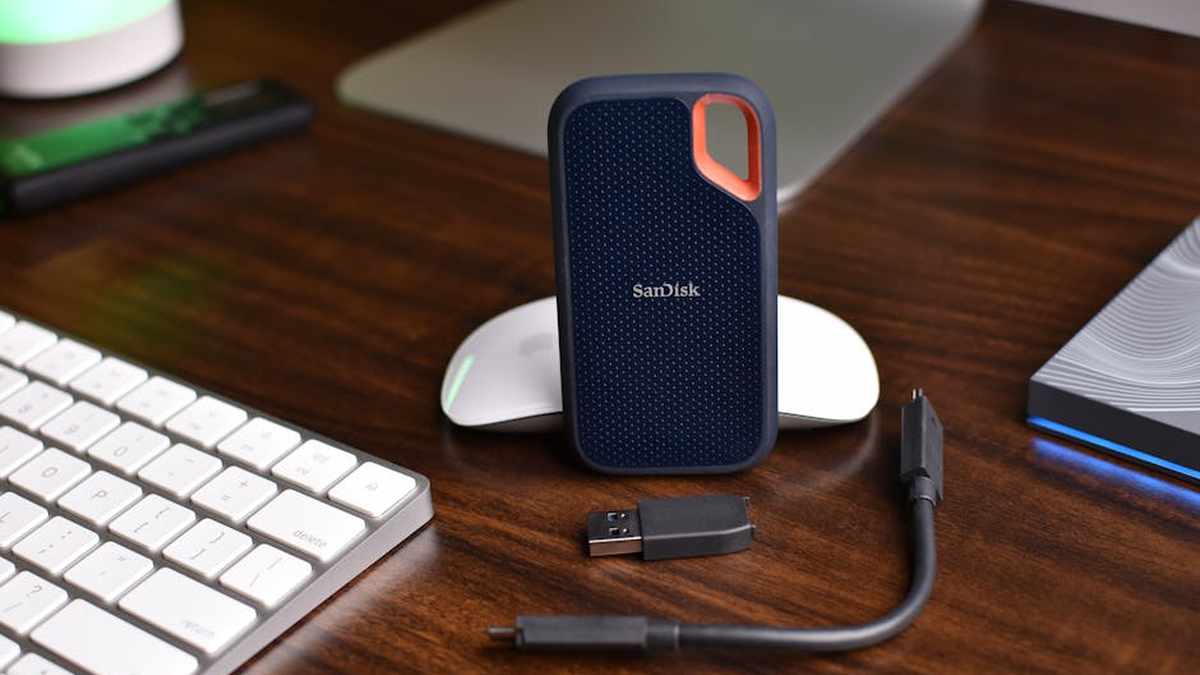
Introduction to Elevating Your WFH Multi-Display Setup
In the evolving landscape of remote work, a robust and efficient multi-display setup is no longer a luxury but a fundamental requirement for many professionals. As we look towards 2026, the demand for powerful, reliable, and versatile USB-C docking stations capable of driving multiple high-resolution monitors while providing ample connectivity options continues to grow. This comprehensive guide reviews the leading USB-C docking stations designed to streamline your work-from-home experience, ensuring seamless productivity, organized workspaces, and future-proof connectivity for years to come in the USA market.
Comparison Table: Top USB-C Docking Stations
| Product | Key Features | Displays Supported | Power Delivery (PD) | Price Range |
|---|---|---|---|---|
| CalDigit TS5 Thunderbolt 4 Dock | 18 Ports, PCIe Gen 4, USB-C 20Gbps, Ethernet 2.5GbE | Dual 6K @ 60Hz or Triple 4K @ 60Hz | 120W | $300 – $380 |
| OWC Thunderbolt Pro Dock Gen 2 | 15 Ports, SD 4.0, CFexpress, DisplayPort 1.4, USB-A 10Gbps | Dual 8K @ 30Hz or Dual 4K @ 120Hz | 96W | $280 – $350 |
| Anker 778 Thunderbolt 4 Docking Station | 12 Ports, USB-C 10Gbps, HDMI 2.1, Ethernet 1Gbps | Dual 4K @ 60Hz or Single 8K @ 30Hz | 100W | $250 – $300 |
| Kensington SD5770T Thunderbolt 4 Dual 8K Dock | 13 Ports, 2.5GbE Ethernet, UHS-II SD Card Reader, Security Slots | Dual 8K @ 30Hz or Quad 4K @ 60Hz (via MST Hub) | 90W | $290 – $360 |
| Dell WD22TB4 Thunderbolt 4 Dock | Modular design, DP 1.4, HDMI 2.1, Enterprise features | Dual 4K @ 60Hz or Single 8K @ 30Hz | 90W | $270 – $340 |
| Plugable TBT4-UDZ2 Thunderbolt 4 Dock | 16 Ports, DisplayPort 1.4, USB-A 10Gbps, Audio Jack | Dual 4K @ 60Hz or Single 8K @ 30Hz | 96W | $220 – $280 |
| StarTech.com TB4 Dock (DOCK4TBL4PD) | 11 Ports, 2.5G Ethernet, USB-A BC 1.2, Compact Design | Dual 4K @ 60Hz or Single 8K @ 30Hz | 96W | $240 – $310 |
Detailed Product Reviews
CalDigit TS5 Thunderbolt 4 Dock
Key Features
- 18 Versatile Ports: 5x Thunderbolt 4 (including host), 5x USB-A (10Gbps), 2x USB-C (20Gbps), DisplayPort 1.4, 2.5 Gigabit Ethernet, SD 4.0, Micro SD 4.0, Audio In/Out.
- Up to Dual 6K @ 60Hz or Triple 4K @ 60Hz Display Support.
- 120W Power Delivery for charging demanding laptops.
- Robust aluminum enclosure for optimal heat dissipation.
- Supports PCIe Gen 4 SSD enclosure capability (with optional module).
Pros
- Unparalleled port selection, including high-speed USB-C (20Gbps).
- Highest power delivery among professional docks.
- Exceptional display output capabilities, ideal for multiple high-resolution monitors.
- Future-proof Thunderbolt 4 connectivity.
- Premium build quality and reliable performance.
Cons
- Premium price point.
- Relatively large footprint for some desk setups.
- Requires a powerful external power brick.
Best For
Creative professionals, video editors, CAD designers, or any power user who requires maximum connectivity, display output, and power delivery for the most demanding multi-monitor setups and high-speed peripheral access. Ideal for those running advanced Thunderbolt 4 or USB4 laptops.
Price Range: $300 – $380 Related: Uplift V2 Standing Desk Review: My Honest Experience with This Top WFH Productivity Tool
Elevate your workspace with the ultimate connectivity. Check current pricing and availability. Related: Best 4K Webcams for Professional Remote Meetings in USA 2026
OWC Thunderbolt Pro Dock Gen 2
Key Features
- 15 Ports: 4x Thunderbolt 4, 3x USB-A (10Gbps), 1x USB-C (10Gbps), DisplayPort 1.4, 2x SD 4.0 Card Readers, 2x CFexpress Type B Slots, 2.5 Gigabit Ethernet, Audio In/Out.
- Supports Dual 8K @ 30Hz or Dual 4K @ 120Hz.
- 96W Power Delivery to the host laptop.
- Integrated media card readers for rapid data transfer from cameras.
- Enterprise-level build and reliability.
Pros
- Exceptional for media professionals with integrated CFexpress and dual SD 4.0 slots.
- High refresh rate display support for gaming or smooth professional workflows.
- Robust data transfer speeds across all ports.
- Solid construction with OWC’s reputation for quality.
- Reliable performance for high-bandwidth tasks.
Cons
- Higher cost due to specialized media slots.
- DisplayPort only; no HDMI without an adapter.
- May be overkill for users not needing advanced media card support.
Best For
Photographers, videographers, content creators, and professionals who frequently work with large media files and require ultra-fast card readers alongside comprehensive multi-display capabilities. Best suited for high-end creative workstations. Related: Top 5 Amazon Viral Electric Standing Desk Converters for Small Home Offices in USA (2026)
Price Range: $280 – $350 Related: The 7 Best Amazon Viral Ergonomic Office Chairs for All-Day WFH Comfort in USA (2026)
Unlock your creative potential with advanced media hub features. Explore detailed specifications and purchase options. Related: Fully Jarvis Standing Desk Review: My Honest 6-Month Experience in a Dedicated Remote Work Setup
Anker 778 Thunderbolt 4 Docking Station
Key Features
- 12 Ports: 3x Thunderbolt 4 (1 host), 3x USB-A (10Gbps), 1x USB-A (480Mbps), 2x HDMI 2.1, Gigabit Ethernet, SD Card Slot, Audio Jack.
- Supports Dual 4K @ 60Hz or Single 8K @ 30Hz.
- 100W Power Delivery to charge most laptops.
- Sleek, compact design for a minimalist desk setup.
- Anker’s reputation for quality and value.
Pros
- Excellent balance of features, performance, and price.
- Dual HDMI 2.1 ports for wide monitor compatibility and high resolutions.
- Reliable 100W power delivery.
- Compact and well-designed for a tidy workspace.
- Wide compatibility with Thunderbolt 4, Thunderbolt 3, and USB4 laptops.
Cons
- Only Gigabit Ethernet, not 2.5GbE.
- No DisplayPort output, requiring adapters for some monitors.
- Only one USB-A 480Mbps port (older standard).
Best For
General professionals, developers, and home office users who need a high-performance, cost-effective Thunderbolt 4 dock with native HDMI support for dual 4K monitors, reliable power delivery, and a clean aesthetic.
Price Range: $250 – $300
Get a powerful and reliable dock for a smart home office setup. View deals and customer reviews.
Kensington SD5770T Thunderbolt 4 Dual 8K Dock
Key Features
- 13 Ports: 4x Thunderbolt 4 (1 host), 4x USB-A (10Gbps), 1x USB-C (10Gbps), 2x DisplayPort 1.4, 2.5 Gigabit Ethernet, SD Card Slot, Audio Jack, Kensington security slot.
- Supports Dual 8K @ 30Hz or Quad 4K @ 60Hz (via MST hub on secondary Thunderbolt ports).
- 90W Power Delivery to the host.
- Zero-footprint mounting option with optional bracket.
- Enterprise-grade features for IT management and security.
Pros
- Exceptional display flexibility, including quad 4K potential.
- Robust 2.5 Gigabit Ethernet for faster network speeds.
- Integrated security features (Kensington lock slot).
- Solid connectivity for a professional environment.
- Zero-footprint mounting helps clear desk space.
Cons
- Quad display requires specific monitor setups and potentially additional MST hubs.
- Only DisplayPort; HDMI requires an adapter.
- 90W PD might be insufficient for some power-hungry laptops under heavy load.
Best For
IT professionals, enterprise users, and power users who require high-security features, flexible multi-monitor support (including potential for more than two displays), and robust network connectivity in a corporate or advanced home office environment.
Price Range: $290 – $360
Secure and expand your professional workstation. Shop now for secure and scalable docking.
Dell WD22TB4 Thunderbolt 4 Dock
Key Features
- Modular design with swappable modules for future upgrades (e.g., HDMI 2.1, more USB ports).
- Multiple USB-A and USB-C ports, DP 1.4, HDMI 2.1, Gigabit Ethernet, Audio.
- Supports Dual 4K @ 60Hz or Single 8K @ 30Hz.
- 90W Power Delivery (upgradable with higher wattage module).
- Advanced enterprise management features (PXE Boot, Wake-on-LAN).
Pros
- Future-proof modular design for customizability and longevity.
- Excellent integration with Dell laptops, but universally compatible with Thunderbolt 4.
- Comprehensive enterprise features for large deployments.
- Reliable performance for everyday professional use.
- A mix of DP and HDMI for display flexibility.
Cons
- Modular nature can make initial setup feel less streamlined.
- Optional modules add to the total cost.
- 90W PD might be borderline for very high-performance laptops.
Best For
Users in Dell-centric environments, large enterprises, or individuals seeking a highly customizable and future-proof docking solution with a blend of display options and reliable performance.
Price Range: $270 – $340
Build your ideal dock with modular flexibility. Discover the power of adaptability.
Plugable TBT4-UDZ2 Thunderbolt 4 Dock
Key Features
- 16 Ports: 3x Thunderbolt 4 (1 host), 4x USB-A (10Gbps), 3x USB-A (5Gbps), 2x DisplayPort 1.4, 2x HDMI 2.0, Gigabit Ethernet, SD Card Slot, Audio Jack.
- Supports Dual 4K @ 60Hz or Single 8K @ 30Hz.
- 96W Power Delivery to the host laptop.
- Mix of DisplayPort and HDMI for universal monitor compatibility.
- Includes a long (2.6ft) Thunderbolt 4 cable.
Pros
- Excellent value for the feature set.
- A wide variety of display outputs (DP and HDMI).
- Ample USB ports for all peripherals.
- Robust 96W power delivery.
- Reliable performance and good customer support.
Cons
- Only Gigabit Ethernet, not 2.5GbE.
- Some USB-A ports are 5Gbps, not all 10Gbps.
- Design is functional but less premium than some competitors.
Best For
Home users, students, and professionals seeking a highly versatile and cost-effective Thunderbolt 4 dock that offers extensive port selection, flexible display outputs, and reliable power delivery without breaking the bank.
Price Range: $220 – $280
Get comprehensive connectivity at an accessible price. See full details and buy.
StarTech.com TB4 Dock (DOCK4TBL4PD)
Key Features
- 11 Ports: 4x Thunderbolt 4 (1 host), 3x USB-A (10Gbps), 1x USB-A (BC 1.2), 1x USB-C (10Gbps), 2.5 Gigabit Ethernet, Audio Jack.
- Supports Dual 4K @ 60Hz or Single 8K @ 30Hz (via Thunderbolt downstream ports).
- 96W Power Delivery to the host laptop.
- Compact and minimalist design, ideal for smaller desk spaces.
- Built for stability and IT deployment environments.
Pros
- Compact footprint, making it great for smaller desks.
- Robust 2.5 Gigabit Ethernet.
- Strong focus on essential, reliable ports.
- 96W PD is suitable for most demanding laptops.
- Known for robust drivers and enterprise compatibility.
Cons
- Fewer built-in video ports (relies on Thunderbolt downstream for display connection).
- Limited number of USB-C ports compared to some others.
- Lacks integrated SD card reader.
Best For
Users who prioritize a compact form factor, robust network connectivity, and reliable Thunderbolt 4 performance, particularly those who prefer connecting monitors directly via Thunderbolt/USB-C or have specific adapters already. Great for IT managers looking for reliable deployment.
Price Range: $240 – $310
Optimize your space with a powerful, compact dock. Check availability and streamlined options.
Buying Guide: Choosing the Right USB-C Docking Station in 2026
Selecting the ideal docking station requires careful consideration of your specific needs. Here’s what to look for:
- Host Compatibility: Thunderbolt 4 vs. USB4 vs. USB-C 3.x:
- Thunderbolt 4 / USB4: Offers the highest bandwidth (40Gbps) for multiple 4K/8K displays, fast data transfer, and robust power delivery. Most future-proof option.
- Thunderbolt 3: Still excellent (40Gbps), but some features like downstream bandwidth may differ from T4.
- USB-C 3.2 Gen 2/Gen 1: Lower bandwidth (10Gbps/5Gbps) means limited display output (often single 4K or dual 1080p) and slower peripheral speeds. Ensure your laptop supports DisplayPort Alternate Mode (Alt Mode) for video output.
- Display Output Requirements:
- Number of Monitors: Do you need two, three, or even four displays?
- Resolution & Refresh Rate: Are you aiming for dual 4K @ 60Hz, an 8K display, or perhaps high refresh rate gaming monitors? Ensure the dock supports your desired output.
- Port Types: Do your monitors use HDMI, DisplayPort, or USB-C? Choose a dock with matching outputs or be prepared for adapters.
- Power Delivery (PD):
- Check your laptop’s power adapter wattage. Most docks offer 60W-100W. Choose a dock that meets or exceeds your laptop’s requirements to ensure it charges properly under load.
- Port Selection & Peripherals:
- USB Ports: How many USB-A (USB 3.0/3.2) and USB-C ports do you need? Consider the speed (5Gbps, 10Gbps, 20Gbps).
- Ethernet: Do you need Gigabit or 2.5 Gigabit Ethernet for a stable, fast wired connection?
- Card Readers: Are SD or CFexpress card readers essential for your workflow?
- Audio: Do you need a dedicated audio jack for headphones or a microphone?
- Build Quality & Design:
- Consider the material (aluminum often better for heat), size, and aesthetic to fit your workspace.
- Some docks offer VESA mounting options for space-saving.
- Brand Reputation & Support:
- Reputable brands often provide better drivers, firmware updates, and customer support, which can be crucial for troubleshooting.
Conclusion
Investing in a high-quality USB-C docking station is a strategic move for any professional seeking to maximize productivity and streamline their multi-display WFH setup. The options reviewed for 2026 demonstrate the incredible versatility and power available, from feature-rich professional hubs like the CalDigit TS5 and OWC Thunderbolt Pro to balanced performers like the Anker 778 and Plugable TBT4-UDZ2. By carefully assessing your laptop’s capabilities, your display requirements, and your peripheral needs, you can select a docking station that not only meets your current demands but also offers robust connectivity for the future. Choose wisely, and transform your workspace into a powerhouse of efficiency.