





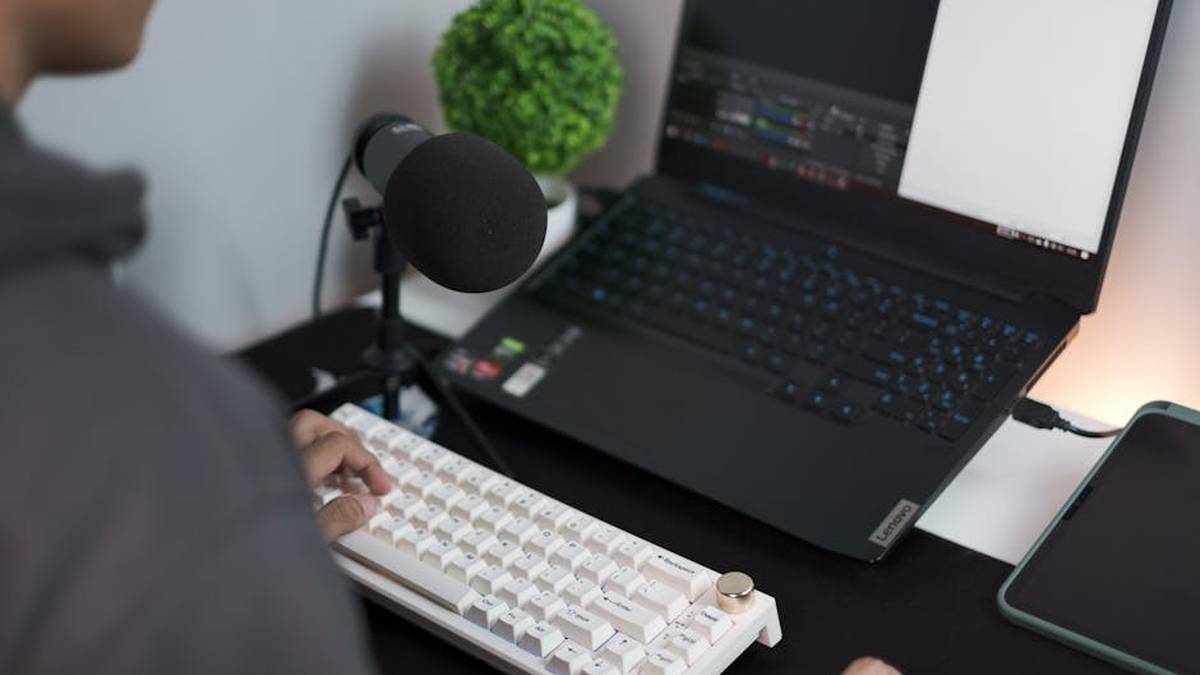
Unlock Crystal-Clear Audio: The Top USB Microphones for Game Streaming in 2026
In the dynamic world of game streaming, your voice is your brand. As platforms evolve and competition intensifies, delivering pristine audio is no longer a luxury but a necessity for engaging your audience and standing out. For streamers operating in the USA in 2026, the market for USB microphones offers an impressive array of choices, blending convenience with professional-grade sound. This comprehensive analysis dives deep into the most sold and highly-rated USB microphones, meticulously evaluating their features, performance, and suitability for various streaming setups. Whether you’re a burgeoning Twitch personality, a YouTube gaming content creator, or a seasoned streamer looking for an upgrade, our expert breakdown will guide you to the perfect audio companion to elevate your broadcasts.
Comparison Table: Top USB Microphones for Streaming
| Product | Price Range (Approx. USD) | Key Features | Best For |
|---|---|---|---|
| Blue Yeti | $90 – $130 | Multiple polar patterns, Plug ‘n Play, Headphone output, Onboard controls | Beginners, versatile streamers, podcasters needing flexibility |
| Rode NT-USB+ | $180 – $220 | Studio-grade condenser capsule, ultra-low noise, onboard DSP (Rode Connect), USB-C | Serious streamers, musicians, podcasters seeking premium sound |
| HyperX QuadCast S | $140 – $180 | Customizable RGB lighting, four polar patterns, built-in pop filter, tap-to-mute | Gamers prioritizing aesthetics, convenience, and versatile pickup |
| Shure MV7 | $220 – $270 | Hybrid USB/XLR, Voice Isolation Technology, auto-level mode, ShurePlus™ MOTIV App | Streamers seeking broadcast-quality sound with XLR upgrade path |
| Elgato Wave:3 | $130 – $170 | Wave Link digital audio mixing software, Clipguard technology, USB-C | Streamers with complex audio setups, Elgato ecosystem users |
| Razer Seiren Mini | $40 – $60 | Ultra-compact design, supercardioid pattern, minimalist aesthetic | Budget-conscious streamers, small desks, portable setups |
| Fifine K670 | $50 – $70 | Solid build quality, clear cardioid pickup, headphone jack, gain control | Entry-level streamers, excellent value for money, reliable basic functionality |
1. Blue Yeti
Key Features:
- Multiple Polar Patterns: Cardioid, Omnidirectional, Bidirectional, and Stereo, offering unparalleled versatility for different recording scenarios.
- Plug ‘n Play Simplicity: Connects directly to your computer via USB, no drivers needed, making setup effortless.
- Onboard Controls: Gain control, instant mute, and headphone volume are conveniently located on the microphone itself.
- Zero-Latency Headphone Output: Monitor your audio in real-time without delay.
- Robust Build: A sturdy metal design ensures durability and stability on your desk.
Pros:
- Exceptional Versatility: Adapts to solo streaming, interviews, group discussions, and even music.
- Excellent Sound Quality: Delivers clear, broadcast-quality audio for its price point.
- Ease of Use: Highly user-friendly for beginners.
- Wide Compatibility: Works seamlessly with PC, Mac, and popular streaming software.
Cons:
- Size and Weight: Can be bulky on smaller desks and its integrated stand is not ideal for shock absorption.
- Sensitivity: Picks up background noise easily, especially in omnidirectional mode, requiring a treated environment.
- USB-Mini B: Uses an older USB connection type.
Best For: The Blue Yeti is an outstanding choice for new streamers, podcasters, and content creators who need a versatile microphone capable of handling various audio scenarios without breaking the bank. Its multi-pattern functionality makes it adaptable for anything from solo commentary to co-op streaming with a friend in the same room.
Price Range: Approximately $90 – $130 USD. Related: Best Lightweight Gaming Mice for Esports Players in USA (2026)
Ready to experience why the Blue Yeti has been a long-standing favorite in the streaming community? Click below to check current prices and elevate your audio today! Related: Elgato Stream Deck + Review: The Must-Have Tool for US Streamers & Content Creators?
2. Rode NT-USB+
Key Features:
- Studio-Grade Condenser Capsule: Delivers incredibly rich and detailed audio, derived from Rode’s legendary NT-USB.
- Ultra-Low Noise, High-Gain Revolution™ Preamp: Ensures crystal-clear recordings with minimal self-noise.
- Onboard DSP: Powerful internal digital signal processing for advanced audio enhancement via Rode Connect software (e.g., noise gate, compressor, APHEX®).
- USB-C Connectivity: Modern, reversible connection for hassle-free setup.
- Zero-Latency Headphone Monitoring: Dedicated 3.5mm jack with volume control.
Pros:
- Premium Sound Quality: Often compared to XLR microphones for its clarity and warmth.
- Robust Software Integration: Rode Connect offers powerful mixing and effects for streamers and podcasters.
- Excellent Build Quality: Durable metal construction, reflecting Rode’s professional standards.
- Relatively Compact: Smaller footprint than some multi-pattern USB mics.
Cons:
- Higher Price Point: A significant investment compared to entry-level options.
- Cardioid Only: Lacks multi-pattern versatility found in some competitors.
- Requires Rode Connect for Full DSP Benefits: While plug-and-play, unlocking its full potential needs the software.
Best For: The Rode NT-USB+ is ideal for serious streamers, podcasters, and even vocalists who demand studio-quality audio from a convenient USB package. Its robust build, exceptional sound, and powerful software integration make it a top-tier choice for those willing to invest in premium audio. Related: Best TKL Mechanical Gaming Keyboards for PC in USA (2026)
Price Range: Approximately $180 – $220 USD. Related: Backbone One PlayStation Edition Review USA: Elevating PS Remote Play for iPhone Gamers?
Elevate your sound to professional levels with the Rode NT-USB+. Explore its capabilities and secure yours through the link below. Related: PS5 Slim vs Xbox Series X: Which Console is Best for 4K Gaming in 2024?
3. HyperX QuadCast S
Key Features:
- Dynamic RGB Lighting: Customizable via HyperX NGENUITY software, adding aesthetic flair to your stream.
- Four Selectable Polar Patterns: Stereo, Omnidirectional, Cardioid, and Bidirectional for versatile audio capture.
- Built-in Pop Filter: Reduces plosive sounds for cleaner audio without external accessories.
- Tap-to-Mute Sensor with LED Indicator: Conveniently mute your mic with a tap, with a visible RGB status.
- Anti-Vibration Shock Mount: Isolates the microphone and dampens accidental rumbles and bumps.
Pros:
- Gaming Aesthetic: RGB lighting and sleek design fit perfectly into a gaming setup.
- Excellent Feature Set for Streamers: Multiple patterns, pop filter, and mute button are highly practical.
- Good Sound Quality: Delivers clear and crisp audio suitable for voice communication and streaming.
- Convenient and User-Friendly: Designed with streamers in mind for ease of use.
Cons:
- RGB Can Be Distracting: While customizable, some may prefer a more subtle design.
- Sound Quality Not as “Warm” as Some Competitors: While clear, it may lack the richness of higher-end studio mics.
- Relies on NGENUITY for Full Customization: Software is required for RGB and some settings.
Best For: The HyperX QuadCast S is the ultimate microphone for gamers and streamers who want a balance of excellent sound quality, practical features, and a visually striking aesthetic. It’s perfect for those who want their microphone to be a prominent, stylish part of their streaming setup.
Price Range: Approximately $140 – $180 USD.
Light up your stream with superior audio! Find the HyperX QuadCast S and its customizable RGB at the best prices here:
4. Shure MV7
Key Features:
- Hybrid USB/XLR Output: Offers both direct USB connection for convenience and XLR for professional setups.
- Voice Isolation Technology: Optimizes voice pickup and eliminates background noise for focused audio.
- Auto Level Mode: Dynamically adjusts gain to maintain consistent volume, preventing audio spikes or dips.
- Integrated Touch Panel: For quick control over gain, headphone level, monitor mix, and mute.
- ShurePlus™ MOTIV App: Provides advanced controls for EQ, compressor, limiter, and manual mode settings.
Pros:
- Broadcast-Quality Sound: Delivers clear, rich, and professional-grade audio.
- Exceptional Background Noise Rejection: Ideal for imperfect recording environments.
- Future-Proof Flexibility: Start with USB, upgrade to XLR professional gear later.
- Robust Build Quality: Shure’s renowned durability in a sleek design.
Cons:
- Premium Price: One of the more expensive USB microphone options.
- Slightly Less Sensitive in USB Mode: Can sometimes require higher gain than expected, potentially introducing noise if pushed too hard.
- Requires App for Full Control: While functional as plug-and-play, advanced features are within the MOTIV app.
Best For: The Shure MV7 is an outstanding choice for serious streamers, podcasters, and content creators who demand broadcast-quality audio with the flexibility of both USB and XLR connectivity. It’s particularly well-suited for those in less-than-perfect acoustic environments, thanks to its excellent noise rejection.
Price Range: Approximately $220 – $270 USD.
Invest in professional audio with the Shure MV7. Click here to see why it’s a top choice for uncompromising sound:
5. Elgato Wave:3
Key Features:
- Wave Link Software: Digital audio mixer for up to nine independent audio channels, enabling intricate soundscapes.
- Clipguard Technology: Automatically prevents audio clipping when input levels peak, ensuring clean sound.
- Superior Cardioid Condenser Capsule: Captures vocal nuances with precision and clarity.
- Integrated Pop Filter: Internal design reduces plosives without requiring an external shield.
- USB-C Connectivity: Modern, reliable connection.
Pros:
- Revolutionary Software Integration: Wave Link is a game-changer for managing complex stream audio.
- Exceptional Sound Quality: Clear, crisp, and professional audio output.
- Clipguard is a Lifesaver: Prevents unexpected loud moments from ruining your audio.
- Sleek, Minimalist Design: Fits well into professional streaming setups.
Cons:
- Primarily Cardioid: Lacks the multi-pattern versatility of some competitors.
- Relies Heavily on Software: While powerful, some functionality is tied to the Wave Link application.
- Elgato Ecosystem: Best utilized by streamers already invested or planning to invest in Elgato gear.
Best For: The Elgato Wave:3 is an indispensable tool for streamers who value deep audio control and a streamlined workflow. If you manage multiple audio sources (game, chat, music, mic) and want to mix them digitally with ease, or if you’re already using other Elgato streaming products, the Wave:3 is a perfect fit.
Price Range: Approximately $130 – $170 USD.
Take command of your stream’s audio like never before with the Elgato Wave:3. Click to learn more and purchase:
6. Razer Seiren Mini
Key Features:
- Ultra-Compact Form Factor: Extremely small and discreet, ideal for minimalist setups or limited desk space.
- Supercardioid Pickup Pattern: Focuses tightly on your voice, effectively reducing peripheral background noise.
- Heavy-Duty Tilting Stand: Ensures stability and allows for precise angle adjustments.
- Plug-and-Play USB Connectivity: Simple setup, no drivers required.
- Professional Sound Quality: Despite its size, delivers surprisingly clear and balanced audio.
Pros:
- Exceptional Value: Offers great audio performance for its very affordable price.
- Incredibly Discreet: Blends into any setup without being an eyesore.
- Highly Portable: Easy to carry for on-the-go streaming or content creation.
- Good Noise Rejection: Supercardioid pattern helps minimize ambient sound.
Cons:
- No Onboard Controls: Lacks a gain dial, mute button, or headphone jack.
- No Shock Mount or Pop Filter: These need to be purchased separately for optimal performance.
- Fixed Stand: While sturdy, it doesn’t offer much height adjustment; a boom arm is recommended for best positioning.
Best For: The Razer Seiren Mini is an excellent entry-level option for streamers on a tight budget, those with limited desk space, or anyone needing a highly portable solution. It delivers surprisingly good voice clarity, making it a strong contender for a first dedicated streaming microphone.
Price Range: Approximately $40 – $60 USD.
Don’t let a small budget limit your big dreams. Get clear audio with the Razer Seiren Mini. Check it out here:
7. Fifine K670
Key Features:
- Solid Metal Construction: Durable and gives a premium feel for its price point.
- Clear Cardioid Pickup Pattern: Focuses on the sound directly in front of the mic, ideal for solo streaming.
- Headphone Jack for Monitoring: Allows for real-time, zero-latency monitoring of your audio.
- Gain Control Knob: Conveniently located on the front for easy adjustments.
- USB Plug-and-Play: Simple setup with Windows and Mac.
Pros:
- Exceptional Value for Money: Delivers surprisingly good audio quality for its low price.
- Built-in Headphone Jack: A rare feature at this price point, crucial for monitoring.
- Sturdy Stand Included: A solid desktop stand is provided, ready for immediate use.
- Good Voice Clarity: Performs well for speech and casual streaming.
Cons:
- Picks Up Background Noise: Cardioid pattern is good, but ambient noise can still be an issue in untreated rooms.
- Limited Features: Lacks advanced software or multi-pattern options found in pricier mics.
- Mute Button is Lacking: No instant mute button, requiring software mute or unplugging.
Best For: The Fifine K670 is arguably one of the best budget USB microphones available, perfect for absolute beginners or those who need a reliable backup mic. It’s an excellent stepping stone for anyone wanting to upgrade from a headset microphone without a significant financial commitment, offering a balance of quality and affordability.
Price Range: Approximately $50 – $70 USD.
Experience impressive audio without overspending. The Fifine K670 is your gateway to better streaming sound. Find it here:
Conclusion
Choosing the right USB microphone is a pivotal step in enhancing your game streaming presence. From the versatile Blue Yeti to the professional-grade Shure MV7 and the innovative Elgato Wave:3, the market in 2026 offers an array of exceptional choices for every type of streamer. Consider your specific needs—whether it’s multi-pattern adaptability, premium sound, advanced software integration, or an ultra-compact design—and leverage our detailed analysis and buying guide to make an informed decision.
Remember, clear and engaging audio not only elevates your content but also strengthens your connection with your audience. Invest wisely, and prepare to make your voice heard with clarity and impact!
What are the top 3 best USB microphones for game streaming in 2026, combining audio quality and ease of use?
For 2026, leading contenders often include models like the HyperX QuadCast S, known for its versatile polar patterns and vibrant RGB lighting, the Blue Yeti X offering advanced vocal tools and excellent clarity, and the Rode NT-USB Mini for its compact size and professional sound. These mics strike a great balance between broadcast-quality audio and simple plug-and-play functionality, making them ideal for streamers in the USA.
Which specific features should I prioritize when choosing a USB microphone for crystal-clear game streaming audio in 2026?
When selecting a USB microphone for crystal-clear game streaming in 2026, prioritize a microphone with multiple polar patterns (like cardioid for single voice and omnidirectional for group chat). Look for a high sample rate and bit depth (e.g., 24-bit/48kHz) for detailed audio. Features like a built-in pop filter, headphone jack for zero-latency monitoring, and an easily accessible gain control are also crucial for managing your audio on the fly.
Are there any excellent budget-friendly USB microphones for new game streamers in 2026 that still deliver great sound quality?
Absolutely! For new game streamers on a budget in 2026, options like the Fifine K669B or the Maono AU-A04 consistently receive high praise for their impressive sound quality relative to their price point. While they might lack some advanced features of premium mics, they offer significant upgrades over built-in laptop or headset microphones, providing a clear and professional voice for your streams without breaking the bank.
How easily do these recommended USB microphones integrate with popular streaming software like OBS Studio and Streamlabs Desktop on Windows and Mac for 2026?
One of the primary advantages of USB microphones is their plug-and-play simplicity. Most modern USB microphones, including those recommended for 2026, integrate seamlessly with popular streaming software like OBS Studio and Streamlabs Desktop. They are generally recognized instantly as an audio input device on both Windows PCs and macOS systems, requiring minimal configuration beyond selecting them as your audio input source within the software settings.
Related Products
- Best High Refresh Rate Gaming Monitors for Competitive Play in USA (2026)
- Best TKL Mechanical Gaming Keyboards for PC in USA (2026)
- Best Lightweight Gaming Mice for Esports Players in USA (2026)
- Best Must-Have PS5 Accessories for Gamers in USA (2026)
- Backbone One vs Razer Kishi V2: Best Mobile Controller for iPhone & Android Gaming



