My Thoughts on the CodeSpark Bot Kit
Hey, so you asked about those robotics kits for kids, right? There are so many out there now. But one that keeps coming up, especially here in the US, is the CodeSpark Bot Builder STEM Kit. Lots of parents and teachers are talking about it.
It’s marketed as a way for kids to learn coding and robotics without needing a screen, which is cool. It’s mostly for kids around 6 to 10 years old. People say it’s really popular, like a top seller. So, I looked into it to see if it’s really all that.
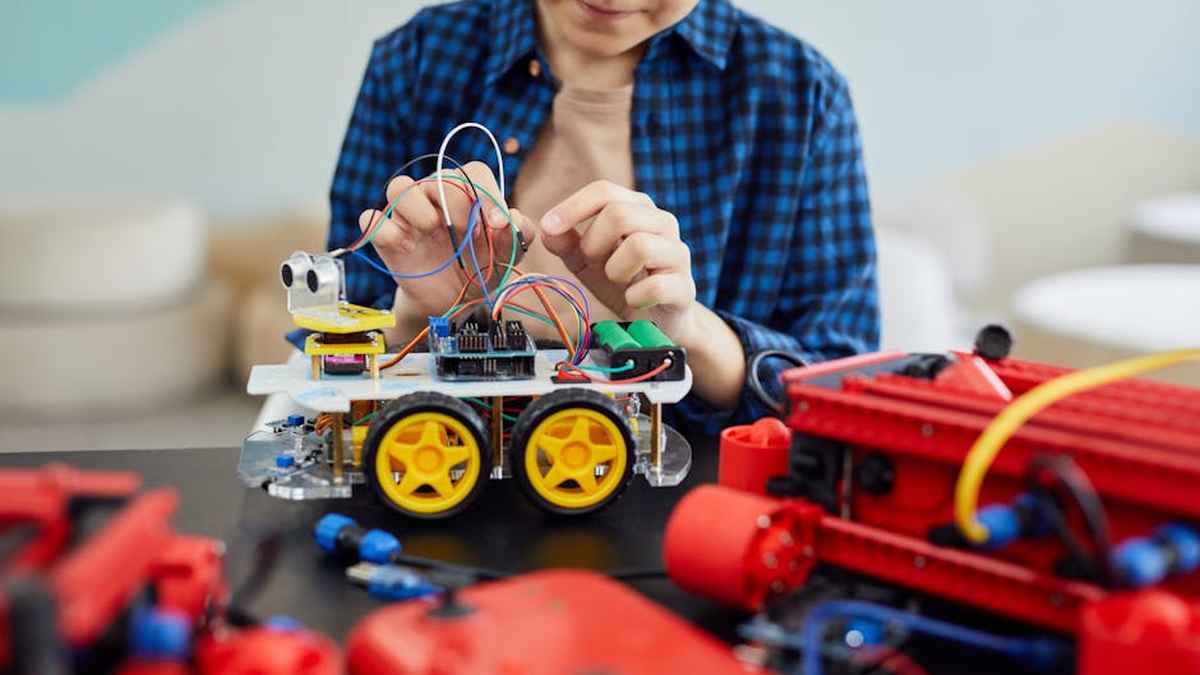
Basically, it’s a hands-on learning kit. It’s made by the same people who do the CodeSpark Academy app, but this one is all physical. It comes with these modular robot parts – they call them ‘bots’ – and also physical coding blocks. Kids actually build their own robots. Then they use these special blocks to program what the robots do. Think of it like building with LEGOs, but these blocks tell the robot to move, or light up, or whatever. The whole idea is for kids to learn coding stuff like putting steps in order, or doing things over and over, or even making decisions. It really helps them with problem-solving and being creative.
From what I’ve seen, this kit is really good if your child loves building and seeing their ideas come to life. They get to actually construct the robot *and* tell it what to do.
Now, it might not be the best fit if your child isn’t super into building or prefers something that’s ready to go right out of the box.
Okay, let’s talk about the price. This kit usually sells for around $80 to $120. So, it’s not the cheapest option out there. It’s more of a premium toy. But people often say it feels worth it because it’s really well-made and durable. They think it’ll last a long time and keep kids learning. You can usually find it on big online stores like Amazon, or in special toy shops, and sometimes directly from the CodeSpark website. They might even have bundles or discounts now and then. For what it offers, especially being screen-free and high-quality, the price seems pretty fair compared to similar kits.
If you’re thinking about other options, let’s compare it a bit to something like Botley the Coding Robot 2.0. Both of these are screen-free and teach coding to young kids, but they do it a bit differently. With CodeSpark, your child gets to build the actual robot first. The coding blocks are physical, so it feels very hands-on and direct. Botley is more about giving commands to a robot that’s already put together. So, Botley is great for just getting started with simple commands. But if your child loves to build and wants to see how their code affects the robot they *just built*, then the CodeSpark Bot Builder really shines. It gives them more creative control over the robot itself.
Overall, I’m really impressed with the CodeSpark Bot Builder STEM Kit. While it’s hard to say if it’s *the* absolute best-seller, it’s definitely a top choice in the US for screen-free robotics education for young kids. The way it uses physical blocks and lets kids build their own robots makes complicated coding ideas fun and easy to understand.
For parents or teachers who want to help kids learn STEM skills, creativity, and problem-solving, all without more screen time, this kit is an excellent pick. It gives a lot of educational value. The good design and how much kids can play with it over and over again really justify its price. I’d totally recommend it for its target age group. It’s a great break from digital learning and can set a strong foundation for understanding technology later on. If I had to rate it, I’d say it’s a strong 4.7 out of 5 stars for being so creative, effective, and fun to use.
So, yeah, while “best-selling” can be tricky to define, the CodeSpark Bot Builder is definitely super popular and well-liked for introducing US kids to robots and coding. It’s easy to use, sturdy, and genuinely helpful for learning.
It’s really made for kids aged 6 to 9 years old. The visual, hands-on coding and building activities are perfect for elementary school kids, making those big concepts easy to grab onto.
Your child will learn basic coding ideas like sequencing (putting steps in order), loops (doing things repeatedly), and conditionals (making choices).