





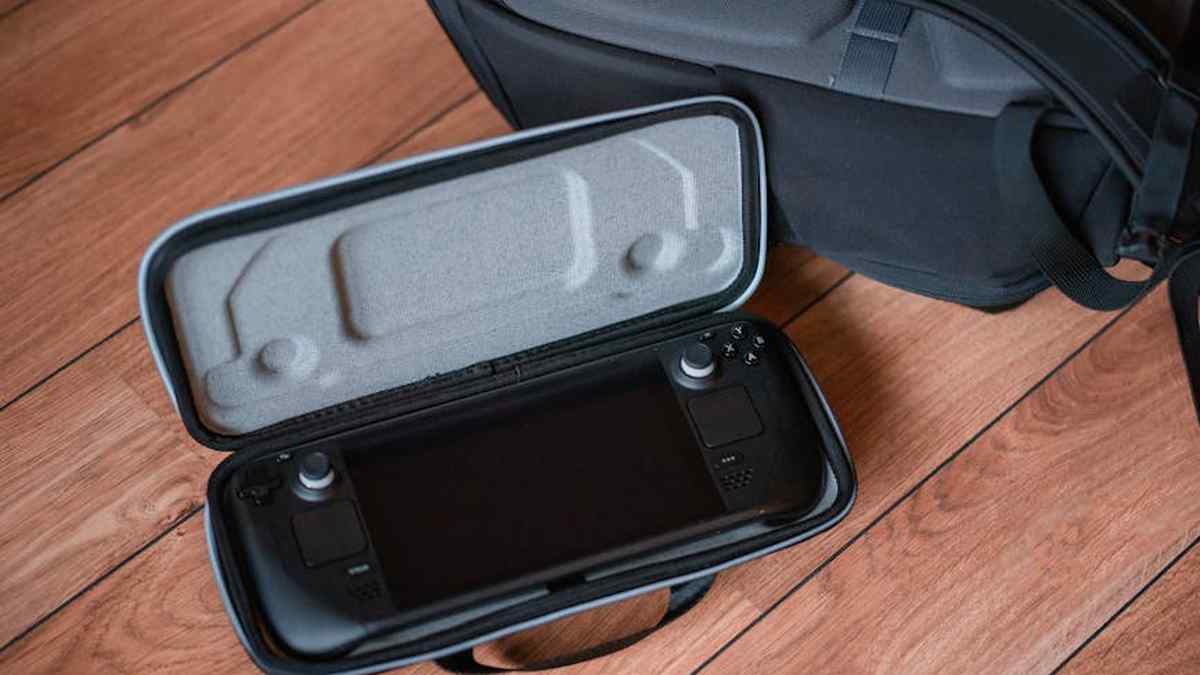
Introduction: A New Contender Enters the Arena
The landscape of portable PC gaming has seen remarkable innovation in recent years, spearheaded by Valve’s groundbreaking Steam Deck. Now, a new challenger emerges from an unexpected corner: the Lenovo Legion Go. Aimed squarely at the enthusiast market in the USA, this device promises a premium Windows-based handheld experience, pushing boundaries with its expansive display and versatile design. This review will delve into the Legion Go’s capabilities, evaluating its potential to redefine expectations for portable gaming and, crucially, assess its standing against established rivals like the Steam Deck. Is it merely an alternative, or does it genuinely offer a superior experience for the discerning portable PC gamer?
Product Overview: The Lenovo Legion Go Unveiled
The Lenovo Legion Go is a formidable Windows 11 handheld gaming PC, distinguished primarily by its 8.8-inch QHD+ 144Hz display and detachable controllers. Designed for users who demand both a large screen and the flexibility of a full Windows environment, the Legion Go isn’t just a gaming device; it’s positioned as a highly portable mini-PC. Powering this ambition is AMD’s Ryzen Z1 Extreme APU, a chip renowned for its potent performance in the handheld segment. Lenovo has integrated a robust cooling solution, ample RAM, and fast storage to complement this hardware, aiming for a no-compromise experience that stretches beyond mere gaming to productivity and media consumption, all while on the move.
Key Features: What Sets It Apart
- Stunning 8.8-inch QHD+ 144Hz IPS Display: This is arguably the Legion Go’s headline feature, offering an unparalleled visual experience in a handheld form factor. The high resolution and refresh rate provide crisp visuals and smooth gameplay, especially for titles that can leverage the higher frame rates.
- AMD Ryzen Z1 Extreme APU: The same powerful processor found in the ROG Ally, ensuring excellent performance across a wide range of modern PC games.
- Detachable ‘Legion TrueStrike’ Controllers: Offering versatility akin to the Nintendo Switch, these controllers can be detached, allowing the main unit to function as a tablet or be propped up with its integrated kickstand. They feature Hall Effect joysticks for precision and longevity, and even an innovative ‘FPS Mode’ for one controller.
- Windows 11 Home Operating System: Provides full compatibility with virtually any PC game launcher (Steam, Epic, Xbox Game Pass, GOG, etc.) and application, offering maximum flexibility.
- Integrated Kickstand: A robust, full-width kickstand allows for easy tabletop play with detached controllers, enhancing its utility as a mini-PC.
- Dual USB-C Ports (USB 4.0): With one located on the top and another on the bottom, the device offers flexible charging and peripheral connectivity, supporting external displays, docks, and other accessories.
- 16GB LPDDR5X RAM & PCIe Gen4 SSD: High-speed memory and storage options ensure rapid loading times and smooth multitasking.
- 49.2Wh Battery: A substantial battery capacity designed to power the large screen and potent internals, although real-world endurance varies significantly with usage.
Pros and Cons: A Balanced Perspective
- Pros:
- Strong: Unmatched screen size, resolution, and refresh rate for a handheld.
- Strong: Powerful AMD Ryzen Z1 Extreme APU delivers excellent gaming performance.
- Strong: Detachable controllers and integrated kickstand offer superior versatility.
- Strong: Full Windows 11 compatibility ensures access to an entire PC game library.
- Strong: Hall Effect joysticks promise drift-free precision and durability.
- Strong: Dual USB-C ports enhance connectivity options.
- Cons:
- Em: Significantly larger and heavier than most competitors, impacting portability.
- Em: Battery life can be relatively short, especially when running demanding games at native resolution and refresh rate.
- Em: Windows 11 can be clunky to navigate with touch input or a controller in a handheld context.
- Em: Lenovo’s ‘Legion Space’ UI, while improving, still has room for refinement.
- Em: Ergonomics may be challenging for some users due to its sheer size and weight during extended handheld play.
- Em: Premium price point positions it at the higher end of the handheld market.
Who Should Buy This: The Ideal User Profile
The Lenovo Legion Go is best suited for a specific demographic of portable PC gamers. It caters to users for whom a large, high-resolution, high-refresh-rate display is a paramount consideration, willing to trade some portability for an immersive visual experience. Individuals seeking a versatile device that can function as a tablet, a handheld gaming console, and even a mini-PC when docked will find its detachable controllers and kickstand highly appealing. It’s an excellent choice for those comfortable with the nuances of Windows 11 and who desire unrestricted access to their entire PC game library across various launchers. If you prioritize raw performance and screen real estate on the go, and budget is less of a concern, the Legion Go warrants serious consideration.
Related: Xbox Elite Series 2 Core Review: Is This Pro Controller Worth It for Serious USA Gamers?
Who Should Avoid This: Considering Alternatives
Conversely, certain users might find the Legion Go less than ideal. If maximum portability and a lightweight design are your top priorities, its considerable size and heft could be a deterrent. Those who require extensive battery life for prolonged gaming sessions away from a power outlet might be better served by devices with lower power draw or larger batteries in a more efficient package. Users who prefer a more streamlined, console-like operating system experience without the complexities of Windows might find its interface cumbersome. Finally, if budget is a primary constraint, or if you primarily play less graphically intensive titles, there are more affordable and equally capable alternatives that offer a more balanced experience for specific needs.
Related: Best Wireless Gaming Headsets for PC & PS5 in USA (2026)
Pricing Insight: A Premium Proposition
The Lenovo Legion Go enters the market at a premium price point, positioning it as a top-tier offering in the burgeoning handheld PC space. Its advanced display technology, powerful internals, and versatile design contribute to a cost that reflects its ambition. While prices can fluctuate due to promotions or retailer availability, consumers should expect an investment commensurate with a high-end gaming laptop or a flagship tablet. Prospective buyers in the USA should monitor reputable retailers for bundles or seasonal sales that might offer additional value, but fundamentally, the Legion Go is presented as a high-value, high-cost device for enthusiasts.
Related: Wooting 60HE Keyboard USA Review: My Experience with the Fastest Gaming Keyboard
Comparison with the Steam Deck: Different Philosophies
The most direct and frequently drawn comparison for the Legion Go is with Valve’s Steam Deck. While both are handheld gaming PCs, their design philosophies diverge significantly.
Related: Backbone One PlayStation Edition Review USA: Elevating PS Remote Play for iPhone Gamers?
- Operating System: The Steam Deck runs on SteamOS, a Linux-based, highly optimized operating system designed for a seamless, console-like gaming experience. The Legion Go runs full Windows 11, offering unparalleled compatibility with all PC game launchers and applications, but potentially a less refined handheld UI experience.
- Display: The Legion Go boasts an 8.8-inch QHD+ 144Hz display, offering a significantly larger, sharper, and smoother visual experience than the Steam Deck’s 7-inch (or 7.4-inch OLED) 800p/900p 60Hz/90Hz panel. This is a major differentiator.
- Performance: The Legion Go, with its AMD Ryzen Z1 Extreme, generally offers superior raw performance compared to the Steam Deck’s custom AMD APU, particularly in demanding titles at higher resolutions. However, Steam Deck’s optimization via SteamOS can sometimes narrow this gap in specific games.
- Portability & Ergonomics: The Steam Deck, while not tiny, is considerably smaller and lighter than the Legion Go, often lauded for its comfortable ergonomics during extended play. The Legion Go’s size and weight can be a factor for some users, though its detachable controllers offer more flexible usage scenarios.
- Controllers: The Legion Go’s detachable controllers and unique FPS mode offer versatility not found on the fixed controllers of the Steam Deck. The Steam Deck counters with its innovative trackpads, providing excellent mouse control in a handheld form.
- Price: The Steam Deck generally occupies a more accessible price point, particularly its base models, making it a more budget-friendly entry into portable PC gaming. The Legion Go is positioned firmly in the premium segment.
Ultimately, the choice between the two often comes down to priorities: the Steam Deck emphasizes a refined, integrated gaming experience within a more portable form factor, while the Legion Go champions display grandeur and the full flexibility of a Windows PC, even at the cost of some portability.
Related: Best 4K Webcams for Twitch Streamers & Content Creators in USA (2026)
Final Verdict: A Niche Champion
The Lenovo Legion Go is an ambitious and impressive entry into the handheld PC gaming market. It doesn’t aim to be a direct replacement for every portable gaming device, but rather carves out its own distinct niche. Its colossal, vibrant display, combined with the power of the Z1 Extreme and the unparalleled flexibility of Windows 11 and detachable controllers, offers a truly unique proposition. For the USA market, where consumers often seek the largest and most feature-rich options, the Legion Go delivers on its promise of a high-fidelity, versatile portable PC experience.
While its size, weight, and battery life at peak performance require consideration, these trade-offs are potentially worthwhile for those who prioritize screen immersion and the freedom of a full Windows environment. Can it “beat” the Steam Deck? Not in every metric, but it definitively offers a different, often more premium, and undeniably larger-than-life experience. It excels for the user who desires the most expansive canvas for their PC games and doesn’t mind the footprint. The Legion Go doesn’t just challenge the status quo; it expands the possibilities for what a portable PC gaming device can be.
Does the Legion Go’s larger screen and Windows OS truly make it a superior portable PC gaming experience compared to the Steam Deck?
While the Legion Go boasts an impressive 8.8-inch QHD+ screen and the flexibility of Windows 11, offering access to more launchers and a desktop-like experience, “superior” depends on your priorities. The Steam Deck provides a highly optimized, plug-and-play SteamOS environment that is generally smoother for its target games. The Legion Go’s larger screen is fantastic for immersion, but its higher resolution can demand more power, potentially impacting frame rates and battery life if not adjusted.
How does the Lenovo Legion Go’s portability and comfort stack up against the Steam Deck for extended gaming sessions?
The Legion Go is noticeably larger and heavier than the Steam Deck, making it less pocketable and potentially more tiring for very long handheld sessions. However, its detachable controllers offer unique versatility, allowing you to use it like a mini-monitor with a kickstand. The Steam Deck, while bulkier than a Switch, is generally considered more ergonomically sculpted for direct handheld use, making it feel more comfortable for many users over extended periods.
Is the Legion Go’s performance a significant upgrade over the Steam Deck, especially for newer AAA titles?
Yes, the Lenovo Legion Go generally offers a performance advantage over the original Steam Deck, thanks to its more modern AMD Ryzen Z1 Extreme processor. This translates to higher frame rates or the ability to play newer AAA titles at more stable frame rates, especially if you dial down the resolution from its native QHD+ to 1200p or 800p. While it won’t magically run every game at ultra settings, it does provide more headroom for demanding titles compared to the Steam Deck.
Considering the price difference, who is the Lenovo Legion Go best suited for, and when should someone choose it over the Steam Deck?
The Lenovo Legion Go is best suited for buyers who prioritize a larger, higher-resolution screen, the full flexibility of Windows 11 (including access to all PC game launchers and apps), and unique features like detachable controllers. If you view your portable as a potential mini-PC replacement, or if you primarily play games outside of Steam and want maximum versatility, the Legion Go justifies its higher price. The Steam Deck remains the go-to for those who want a more affordable, highly optimized, and simpler plug-and-play experience primarily within their Steam library.
Related Products
- PlayStation 5 Slim USA Review: My Hands-On Verdict on Sony’s New Console
- Samsung Odyssey OLED G9 Review USA: Is This the Ultimate Ultrawide for Immersive PC Gaming?
- Backbone One PlayStation Edition Review USA: Elevating PS Remote Play for iPhone Gamers?
- Logitech G Pro X Superlight 2 Review USA: Unboxing & Performance Test for Esports Pros
- Elgato Stream Deck + Review: The Must-Have Tool for US Streamers & Content Creators?



