





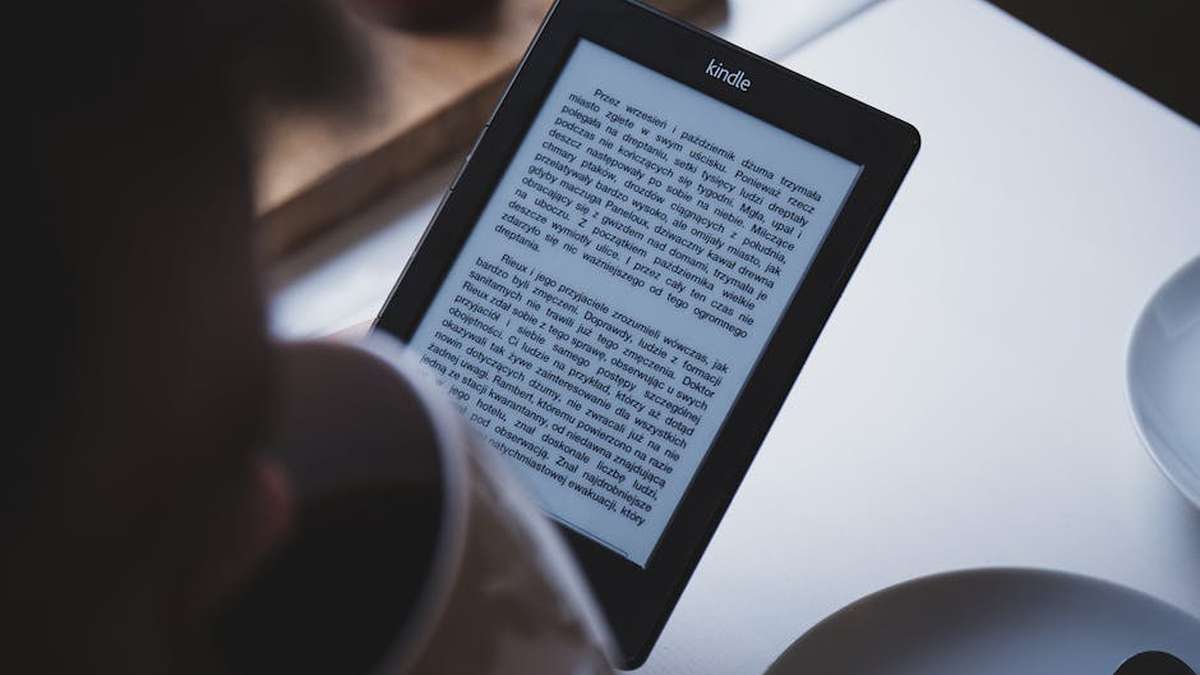
In an increasingly digital world, the demand for tools that emulate traditional pen-and-paper while offering digital convenience has surged. Two devices stand out in the e-ink tablet market for users in the USA focused on productivity and study: the ReMarkable 2 and the Amazon Kindle Scribe. While both leverage e-ink technology for a glare-free, paper-like experience, they cater to distinct user profiles and priorities. This comprehensive guide will dissect their features, strengths, and weaknesses to help you make an informed decision.
Introduction
The allure of e-ink tablets lies in their ability to provide a distraction-free environment for reading, writing, and annotation. Unlike traditional LCD or OLED screens, e-ink displays are easy on the eyes, consume minimal power, and offer an authentic writing feel. The ReMarkable 2, often lauded as a digital notebook, has carved out a niche among those prioritizing a pure writing and document annotation experience. The Kindle Scribe, Amazon’s entry into the note-taking e-ink space, combines the vast Kindle ecosystem with new writing capabilities. For US students, professionals, and avid readers seeking to streamline their workflow, understanding the nuances between these two devices is crucial.
Comparison Table
| Feature | ReMarkable 2 | Kindle Scribe |
|---|---|---|
| Primary Focus | Writing, annotating PDFs, distraction-free note-taking | Reading (eBooks), note-taking, journaling, PDF annotation |
| Display Size | 10.3 inches (monochrome E-Ink Carta) | 10.2 inches (monochrome Paperwhite E-Ink) |
| Resolution | 226 DPI (1872 x 1404) | 300 DPI (1920 x 1440) |
| Frontlight | None | Yes, with auto-adjusting warm light |
| Stylus Included | No (Marker sold separately) | Yes (Basic Pen or Premium Pen) |
| Stylus Features | Marker Plus: eraser on top, pressure sensitivity, tilt support | Basic/Premium Pen: pressure sensitivity, tilt support, Premium adds eraser and shortcut button |
| Storage Options | 8 GB | 16 GB, 32 GB, 64 GB |
| Battery Life | Approx. 2 weeks (with moderate use) | Approx. 3 weeks for reading, less for heavy writing |
| Connectivity | Wi-Fi, USB-C | Wi-Fi, USB-C |
| Cloud Integration | ReMarkable Cloud (requires Connect subscription for full features) | Amazon Cloud (free, seamless with Kindle library) |
| File Support | PDF, EPUB, PNG, JPG (convertible to PDF) | PDF, EPUB (converted), TXT, MOBI, AZW3, DOC, DOCX, HTML, RTF, JPEG, GIF, PNG, BMP |
| Ecosystem | Focused, minimal apps, desktop/mobile apps for sync | Extensive Amazon Kindle ecosystem (millions of books) |
| Price (Device Only) | Starts around $299 (often requires Marker purchase separately) | Starts around $339 (includes Basic Pen) |
ReMarkable 2: The Digital Paper Experience
The ReMarkable 2 is often described as the closest digital approximation to pen-on-paper. Its thin design, responsive writing experience, and minimalist interface are crafted to eliminate distractions. It excels as a dedicated note-taking device and for annotating documents, making it a favorite among academics, designers, and professionals who spend significant time with PDFs and handwritten notes. The device’s strength lies in its singular focus, which results in an unparalleled writing feel but means it foregoes features like a frontlight or a robust eBook store. Related: Pomodoro App vs Forest App: Boosting Focus & Productivity for Distracted US Remote Workers (2024 Review)
Kindle Scribe: Amazon’s E-Ink Note-Taker
Amazon’s Kindle Scribe represents the company’s ambitious leap into the e-ink note-taking market, blending the beloved Kindle reading experience with new writing capabilities. It’s designed for users who primarily read on their Kindle but desire the ability to take notes directly on their books, journal, or annotate documents. With its high-resolution screen, adjustable warm frontlight, and deep integration with the Amazon ecosystem, the Scribe offers a versatile package for both reading and writing, though its writing experience aims for convenience rather than the pure paper-like emulation of the ReMarkable. Related: Goodnotes 6 vs Notability: Best iPad Note-Taking App for US College & High School Students?
Feature Comparison: Deep Dive
Writing Experience
The ReMarkable 2 leads here with its textured screen and a software optimization that creates minimal latency, truly mimicking the drag and feedback of a pen on paper. Different pen tools and brushes are available, along with layers for more complex sketches. The Kindle Scribe offers a very good writing experience, particularly with the Premium Pen’s dedicated eraser, but the screen texture is slightly smoother, resulting in a marginally less authentic pen-on-paper feel compared to the ReMarkable 2. Both offer excellent palm rejection. Related: Getting Things Done (GTD) Book Review: David Allen’s Productivity System Still Relevant in 2024?
Reading and Annotation
For dedicated e-book reading, the Kindle Scribe is the undisputed champion. Its 300 DPI screen, combined with the adjustable warm frontlight, makes reading in any lighting condition comfortable. The vast Kindle store provides instant access to millions of titles. The ReMarkable 2 can read EPUBs and PDFs, but lacks a frontlight, making low-light reading impossible without an external light source. However, for PDF annotation, especially complex documents, the ReMarkable 2’s flexible toolset and folder organization are often preferred. Related: Audible Premium Plus vs Scribd: Which Audiobooks & Ebooks Subscription is Worth It for US Readers?
Storage and Connectivity
The Kindle Scribe offers more generous storage options (16GB, 32GB, 64GB) out of the box, ensuring plenty of space for books and notes. The ReMarkable 2 comes with 8GB. Both devices sync notes and documents to their respective cloud services via Wi-Fi. ReMarkable’s Connect subscription enhances cloud features, while Amazon’s cloud storage for Kindle content is seamlessly integrated and generally free for purchased books. Related: Rocketbook vs Moleskine Smart Notebook: The Ultimate Hybrid Notebook for US Productivity Fanatics?
Ecosystem and Integration
The Kindle Scribe is deeply embedded in the Amazon ecosystem. Access to Kindle’s vast library, sending documents via “Send to Kindle,” and seamless syncing across Kindle devices and apps are major advantages. The ReMarkable ecosystem is more closed, focused purely on its own software and cloud service, with companion apps for desktop and mobile to access your notes. This minimalist approach can be a pro for distraction-free work but a con for those seeking broader integration.
ReMarkable 2: Strengths and Weaknesses
Pros
- Unrivaled Writing Feel: The most paper-like writing experience among e-ink tablets.
- Distraction-Free Design: No apps, no notifications, promoting deep focus.
- Superior PDF Annotation: Excellent tools and performance for working with PDF documents.
- Lightweight and Thin: Extremely portable and comfortable to hold for extended periods.
- Robust Note Organization: Sophisticated folder system, tagging, and templates.
- No Glare: E-ink display offers a natural viewing experience in bright light.
Cons
- No Frontlight: Cannot be used comfortably in dimly lit environments without external light.
- Stylus and Folio Sold Separately: Increases the overall cost significantly.
- Limited E-reader Functionality: Supports EPUB and PDF, but lacks a dedicated store and reading-centric features.
- Connect Subscription: Full cloud sync and handwriting conversion often require a monthly fee.
- Higher Entry Cost: When factoring in the stylus, it’s generally more expensive upfront.
- Monochromatic: Only grayscale, as expected with e-ink, but worth noting.
Kindle Scribe: Strengths and Weaknesses
Pros
- Excellent E-reader: Combines Kindle’s vast library with a high-resolution, frontlit display.
- Adjustable Warm Light: Comfortable reading and writing in any lighting condition.
- Stylus Included: Basic Pen comes standard, making the initial price more inclusive.
- Amazon Ecosystem: Seamless integration with your Kindle library and cloud services.
- Generous Storage: Multiple options available (16GB, 32GB, 64GB).
- Versatile Use: Good for both extensive reading and general note-taking/journaling.
- Battery Life: Impressive battery performance, especially for reading.
Cons
- Writing Feel: While good, not as authentic or textured as the ReMarkable 2.
- Limited Note-Taking Features: Less sophisticated note organization and PDF annotation tools compared to ReMarkable.
- No Handwriting-to-Text Conversion (as of initial release): A key feature missing for productivity users.
- Less Distraction-Free: Integration with Kindle store and other Amazon features can lead to more distractions.
- No Web Browser: Unlike some other e-ink devices, it lacks a functional web browser.
- Monochromatic: Only grayscale, as expected with e-ink.
Who Should Buy Which?
Choose ReMarkable 2 If…
- You prioritize a pure, authentic pen-on-paper writing experience above all else.
- Your primary use is note-taking, sketching, and annotating PDFs for study or professional work.
- You seek a distraction-free device that keeps you focused on your tasks.
- You primarily work with documents and need advanced annotation tools (layers, various pen types).
- You don’t mind the absence of a frontlight or a robust e-book store.
- You’re willing to invest in the stylus and potentially the Connect subscription for full functionality.
Choose Kindle Scribe If…
- You are a heavy reader within the Amazon Kindle ecosystem and want to integrate note-taking into your reading.
- You need a frontlight and adjustable warm light for comfortable use in any lighting condition.
- You desire a device that offers a good writing experience but doesn’t necessarily need to perfectly emulate paper.
- You appreciate the value of an included stylus and generous storage options.
- You value seamless cloud integration for your reading and basic note-taking content.
- You need a versatile device for both reading millions of books and taking general notes or journaling.
Final Verdict
Both the ReMarkable 2 and the Kindle Scribe are exceptional e-ink tablets, but they cater to different core needs. The ReMarkable 2 remains the gold standard for a purist’s writing and PDF annotation experience, offering an unparalleled paper-like feel and a minimalist design conducive to deep work. It’s the ideal choice for dedicated note-takers, students managing extensive lecture notes, and professionals who frequently mark up documents.
The Kindle Scribe, on the other hand, is a fantastic evolution of the Kindle brand, blending its established reading prowess with solid note-taking capabilities. It’s the perfect device for avid readers who wish to highlight and annotate directly on their books, journal, or take general notes, all within the familiar and convenient Amazon ecosystem. Its frontlight and vast library access make it a more versatile all-rounder for consuming content and basic productivity across various lighting conditions.
Your ultimate decision will hinge on your primary use case: if writing and document annotation are paramount, opt for the ReMarkable 2. If you want a top-tier e-reader with added note-taking functionality and the convenience of the Amazon ecosystem, the Kindle Scribe is your best bet.
For someone prioritizing natural handwriting and detailed document annotation over extensive e-reading, which device offers a superior experience for US academic or professional use?
The ReMarkable 2 is widely regarded as superior for natural handwriting and detailed document annotation, closely mimicking the feel of pen on paper. Its software is specifically optimized for note-taking, sketching, and marking up PDFs, making it ideal for US students and professionals whose primary use case involves extensive written work and document review. The Kindle Scribe, while capable of note-taking, is fundamentally an e-reader with added writing functionality, offering a good but generally less refined writing experience compared to the ReMarkable 2.
Considering software features and cloud integration vital for US productivity workflows, how do the ReMarkable 2 and Kindle Scribe compare for managing notes and documents?
The ReMarkable 2 offers robust cloud synchronization (via ReMarkable Connect subscription) and desktop/mobile apps, making it easy to access and organize notes across devices—a key feature for US productivity. It excels in PDF export and integrates well with services like Google Drive and Dropbox for document import. The Kindle Scribe integrates deeply with Amazon’s ecosystem, allowing seamless transfer of documents via “Send to Kindle” and syncing notes to the Amazon cloud. While its handwriting-to-text conversion is evolving, its organizational features for notes are generally simpler than ReMarkable’s, though its reading experience benefits from the vast Kindle library.
Which device offers a better overall value proposition for US students or professionals seeking a dedicated e-ink productivity tool, factoring in device cost, accessories, and potential subscriptions?
The Kindle Scribe generally offers a stronger value proposition for US buyers, especially if reading is a significant part of their workflow. It typically has a lower starting price and includes a basic pen. The ReMarkable 2 has a higher upfront cost, and its full cloud sync and handwriting conversion features require an optional “Connect” subscription, which adds to the long-term expense. However, for users whose primary need is an unparalleled distraction-free writing and annotation experience, the ReMarkable 2’s specialized design and software may justify its premium price and subscription.
Beyond core functionality, what are the key differences in display quality, pen responsiveness, and overall user interface that impact daily productivity and study habits on the ReMarkable 2 vs. Kindle Scribe?
The ReMarkable 2 features a unique “paper-like” textured display and a highly responsive pen, creating a friction-rich writing experience that minimizes latency and feels very natural for daily note-taking and sketching. Its minimalist UI is designed for focus. The Kindle Scribe offers a slightly larger, backlit display which is excellent for reading in various lighting conditions. Its pen responsiveness is very good, but the screen texture is smoother, resulting in a different writing feel. The Scribe’s UI is rooted in the Kindle e-reader experience, prioritizing content consumption alongside note-taking, which might be less streamlined for pure productivity workflows than the ReMarkable’s dedicated interface.
Related Products
- Babbel App Review: My Honest Opinion on Learning a New Language for US Travelers & Professionals
- Lumina Pro LED Desk Lamp Review: Is This Smart Light the Ultimate Study Companion for US Students?
- MasterClass All-Access Pass Review: Unlocking Expert-Led Learning for US Creatives & Professionals
- Getting Things Done (GTD) Book Review: David Allen’s Productivity System Still Relevant in 2024?
- Ultimate Student Dashboard Notion Template Review: My Honest Experience Boosting Grades & Organization



