Talking About That Logitech Mouse
Hey, so you know how we’re all working from home a lot now? It really makes you think about all the little things on your desk. Like, the tools we use really change how comfy we are and how much we actually get done. A good mouse isn’t just a basic thing anymore, it’s super important, especially if you’re on the computer for hours. For a lot of people, and honestly, me too, the best wireless mouse seems to be the Logitech MX Master.
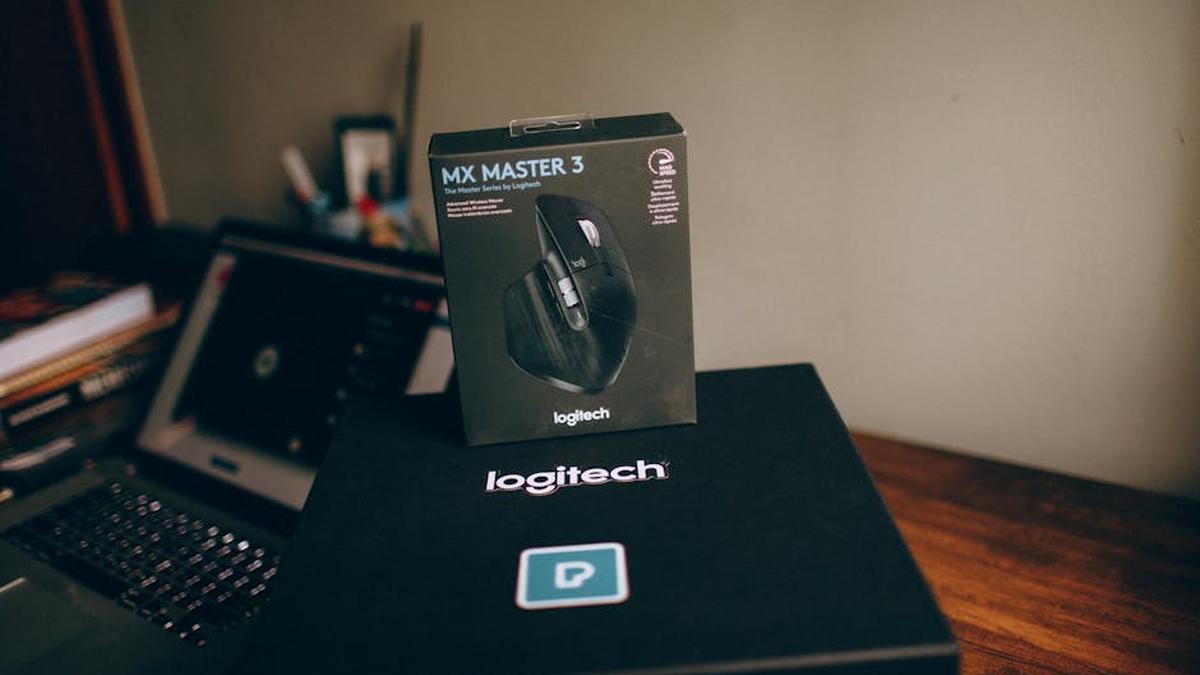
I just got the newest one, the MX Master 3S, and I wanted to tell you about it. This mouse is pretty fancy. It’s for people who really use their computer a lot – like creators, or folks with serious jobs. It’s built for precision, letting you set it up just how you like it, and it’s super comfy for long work sessions. It basically takes everything great about the older models and makes it a tiny bit better. They really want this to be like the main command center for your digital life, connecting to different devices and computers super smoothly. The goal is to make you less tired and more efficient.
Now, about the price – it’s definitely not cheap. It’s one of the more expensive wireless mice out there. But when you think about all its features, how well it’s built, and how much better it feels for your hand, it kind of makes sense for someone like us who uses it all day. You’ll pay extra for things like its super-accurate sensor, those quiet clicks, and how well it works with software. I’d say keep an eye out for sales at places like Amazon or Best Buy, maybe around holidays. Honestly, it might seem like a lot up front, but for how much it can improve your daily work, it often pays for itself in comfort and productivity.
You might also hear about another Logitech mouse, the MX Anywhere 3S. They both have that cool “Darkfield” tracking and “MagSpeed” scrolling. But they’re for different things. If you mostly work at your desk and want ultimate comfort, lots of ways to customize it, and all the advanced features, then the MX Master 3S is the one. If you travel a lot, need something smaller, and want great performance on the go, then the MX Anywhere 3S is probably better for you.
For anyone like us, working remotely and wanting to make their computer setup the best it can be, the MX Master 3S is more than just a mouse. It feels like an actual investment in doing your job better and staying comfortable. It’s got really cool tech, like a super precise 8000 DPI sensor that works on almost any surface, even glass. The scroll wheel is silent and super fast. And the buttons are quiet! Plus, it just feels amazing in your hand, and you can customize so many things.
Yeah, it costs a bit, and it’s only really designed for right-handed people. But honestly, for who it’s made for, those small things don’t really matter. If you’re stuck at your computer for hours, need exact precision, hate noisy clicks, and want to switch between computers easily, this mouse isn’t just an upgrade. It’s probably the best upgrade you can get. I really recommend it for making your remote work setup way better.
Oh, and if you have multiple computers, like me, this thing is a lifesaver. It has something called Logitech Flow. It lets you move your cursor, and even copy and paste text or files, between up to three different computers. It even works if one is a Windows PC and the other is a Mac! You just move your mouse to the edge of one screen, and it pops up on the other. That alone seriously makes my work flow so much smoother and faster.
They really thought about ergonomics with this mouse too. It’s designed specifically so your hand and wrist feel good, even after long hours. The shape fits your hand perfectly, making your wrist sit in a natural position. There’s even a spot for your thumb to rest, which helps a lot with strain. All the buttons are right where you need them, so you’re not stretching your fingers. This really helps stop that tiredness and discomfort you get with a regular mouse. It’s a huge improvement.
Another thing I love, especially since I work from my home office, is how quiet it is. The MX Master 3S has “Quiet Click” buttons. They say it’s 90% quieter than older models. So no more annoying click-click-click sounds bothering my partner, or even me when I’m on a video call. That, combined with how precisely it tracks on pretty much any surface, makes it perfect for keeping things calm and focused while I work.
And don’t even get me started on the battery life. It’s awesome! It easily handles a busy work schedule. A full charge can last up to 70 days. Seriously, you barely ever have to think about charging it. And when you finally do, just a quick 1-minute charge with its modern USB-C port gives you enough power for a whole day. That means almost no downtime, which is super important for staying productive. It’s just a really reliable mouse for remote work.